

VAT Lines Report
The VAT Lines Report gives you one row per invoice line, with the VAT data finance teams need to prepare EU VAT returns, the EU Sales List and month-end postings. It covers both consumer (B2C) and business (B2B) sales in a single file.
When to Use It
Use the VAT Lines Report when you need to:
- Prepare an OSS return for consumer sales to other EU countries
- Prepare an EU Sales List (ZM) for business sales under reverse charge
- Reconcile VAT by line, rate and country at month-end
- Correct a VAT return for credit notes and refunds in the right period
Accessing the Report
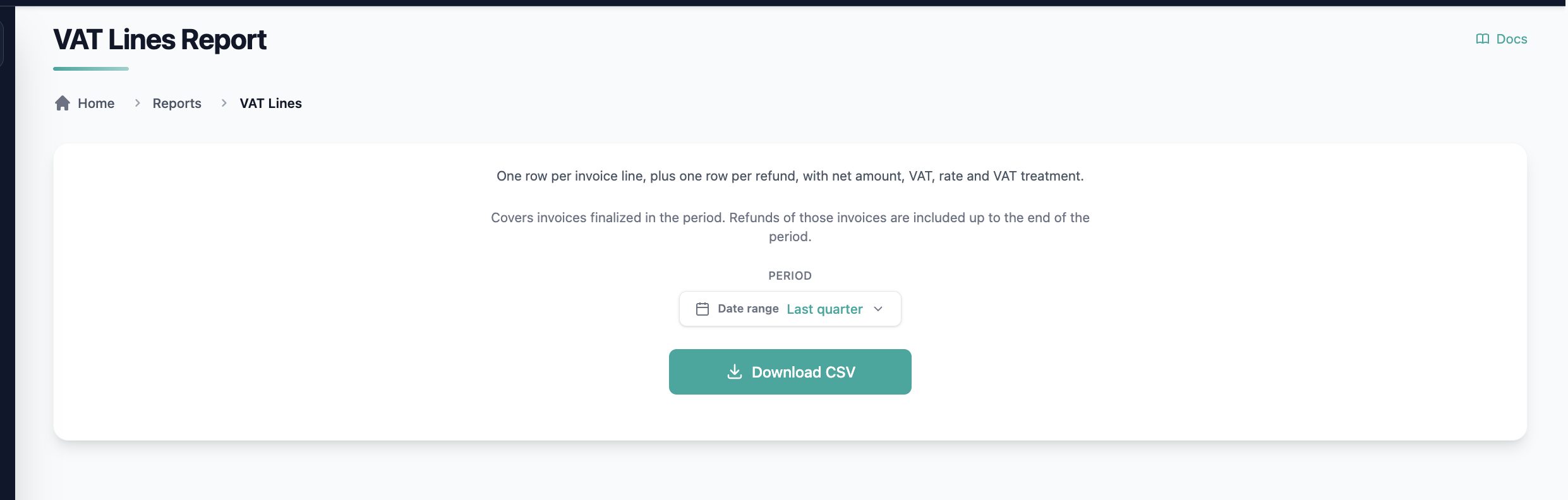
- Go to Reports and open VAT Lines Report.
- Choose a start date and an end date.
- Export the report. You receive an email with a link to download the CSV file.
The report includes every row whose document date falls within the range you choose, including the start and end dates.
How it Works
Each row is one line of one document. A document can be an invoice, a voided invoice, a credit note or a refund.
| Row type | Created when | Document date | Amounts |
|---|---|---|---|
| Invoice line | An invoice is finalized | Invoice finalization date | Positive. One row per invoice line, including each plan line of a bundled plan and carrier tips |
| Void | A finalized invoice is voided | Void date | Negative. A reversed copy of each invoice line |
| Credit note line | A credit note is issued | Credit note creation date | Negative. One row per credit note line |
| Refund | A refund succeeds and no issued credit note covers it | Refund date | Negative. One row per refund |
Rules
- Net and VAT amounts come from the tax calculated and stored for each line. The report does not recalculate tax.
- For each invoice, the sum of its rows equals the invoice's net and tax totals.
- Credit note and refund rows reference the original invoice and its date, so you can report corrections in the right period.
- B2B-only columns (Customer_VAT_ID, VAT_ID_Country, Supply_Type and Reverse_Charge) are empty on B2C rows.
- Every field in the CSV is wrapped in quotes, including empty ones.
Report Columns
| Column | What it shows |
|---|---|
| Revenue_ID | Invoice line ID. Unique row reference |
| Client_Code | Your site name |
| Business_Partner_No | Pelcro customer ID |
| Revenue | Net amount of the line |
| VAT_Amount | VAT amount of the line |
| Currency | Invoice currency, for example EUR |
| Document_Date | Date of this document. Used for the date range |
| Document_No | ID of this invoice, credit note or refund |
| Invoice_No | ID of the related invoice |
| EU_Country_ISO | Two-letter country code of the address used to calculate tax |
| EU_Tax_Rate | VAT rate as a decimal, for example 0.07 for 7% |
| Reduced_Rate | J for a reduced rate, N for a standard rate |
| Credit_Note | Yes on credit note and refund rows. No on invoice rows |
| Original_Document_No | Number of the invoice being credited. Empty on invoice rows |
| Original_Document_Date | Date of that original invoice. Empty on invoice rows |
| Object_Code | The plan's line key. Set line keys on your plans to match the product codes your accountants use |
| Description | Invoice line description |
| VAT_Type_Code | First letter of the AvaTax tax code, for example P, D, S or F |
| Customer_Type | B2C or B2B |
| Customer_VAT_ID | The customer's TIN (VAT ID) with its country prefix, for example ATU12761607. B2B only |
| VAT_ID_Country | Country prefix of the TIN, for example AT. B2B only |
| VAT_Treatment | Domestic, OSS, Reverse charge, Export or Exempt |
| Supply_Type | L for goods (print), S for services (digital). B2B only |
| Reverse_Charge | Yes when reverse charge applies, otherwise No. B2B only |
How VAT Treatment Is Set
Pelcro reads the AvaTax result for each line and applies the first rule that matches:
| Order | Condition | VAT_Treatment |
|---|---|---|
| 1 | No tax charged and the line has an exempt amount | Exempt |
| 2 | Customer country is the same as your seller country | Domestic |
| 3 | Customer country is outside the EU | Export |
| 4 | AvaTax applied OSS treatment | OSS |
| 5 | AvaTax applied reverse charge | Reverse charge |
If none of these match, VAT_Treatment is left empty so you can review the row. A row with reverse charge is marked B2B.
Real-World Examples
A bundled invoice for a German customer at 7%
| Row | Revenue | VAT_Amount | EU_Tax_Rate | Credit_Note | Original_Document_No |
|---|---|---|---|---|---|
| Plan line 1 | 100.00 | 7.00 | 0.07 | No | |
| Plan line 2 | 50.00 | 3.50 | 0.07 | No |
The two rows total 150.00 net and 10.50 VAT, matching the invoice.
A credit note for plan line 2, issued the next month
| Row | Revenue | VAT_Amount | EU_Tax_Rate | Credit_Note | Original_Document_No |
|---|---|---|---|---|---|
| Credit note line | -50.00 | -3.50 | 0.07 | Yes | Number of the original invoice |
The credit note appears in the month it was issued, and Original_Document_Date shows the original invoice date so you can correct the right return.
API Access
The same rows are available through the Core API:
- An export with type
invoice_vat_lines, filtered withdate_fromanddate_to GET /invoices?expand=lines, which returns each invoice's VAT lines
API rows include the same values as the CSV, plus type, invoice_id, document_id, plan_id, product_id and review flags that mark rows worth checking.
Rules and Limitations
- Invoices taxed before this report was released have no line-level AvaTax data, so Reduced_Rate is empty for them. Older invoices are not backfilled.
- A refund with no credit note gets its VAT from the invoice's VAT ratio. On an invoice with more than one VAT rate, the refund row's rate and VAT treatment are left empty.
- When a line carries more than one VAT rate, its EU_Tax_Rate is left empty.
- An invoice that is finalized and voided in the same date range appears twice: once as invoice rows and once as reversed void rows.
What it Does Not Do
- It does not change how tax is calculated. It reports the tax AvaTax already calculated.
- It does not produce OSS filing files, OSS country totals or an EU Sales List (ZM) upload file. Use the report as the data source for those.
- It does not produce revenue deferral or taxable revenue by country reports.
- It does not include GL account numbers.
Updated 3 minutes ago