

Bills
The Bills feature allows admin users to create, manage, and track vendor bills directly within Pelcro. This enables internal finance teams to centralize Accounts Payable workflows without relying on external tools.
Note: Bills functionality is part of Pelcro’s Accounts Payable (AP) Beta and is available to admin users only.
Where to Find Bills
Navigate to:
Payables → Bills
This section contains all vendor bills created in the platform.
Overview
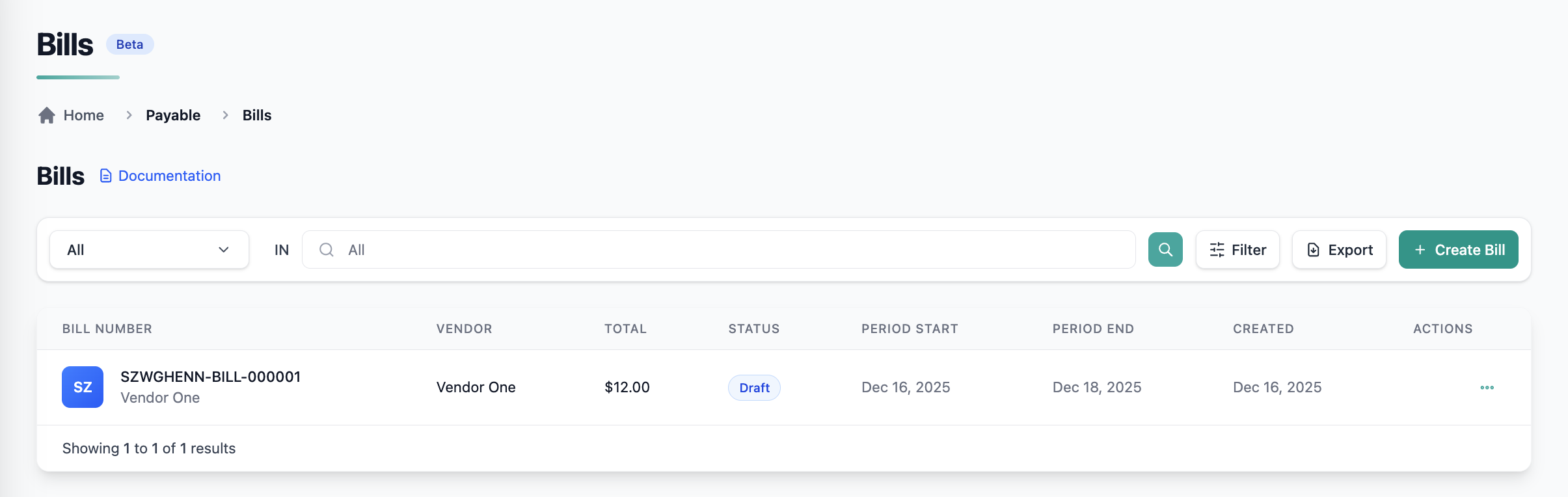
The Bills page displays a list view of all bills, allowing admins to quickly review and manage payables.
List View Capabilities
- View all bills in a single table
- Sort and filter by:
- Vendor
- Bill status
- Bill date
- Quickly access individual bill details
Creating a Bill
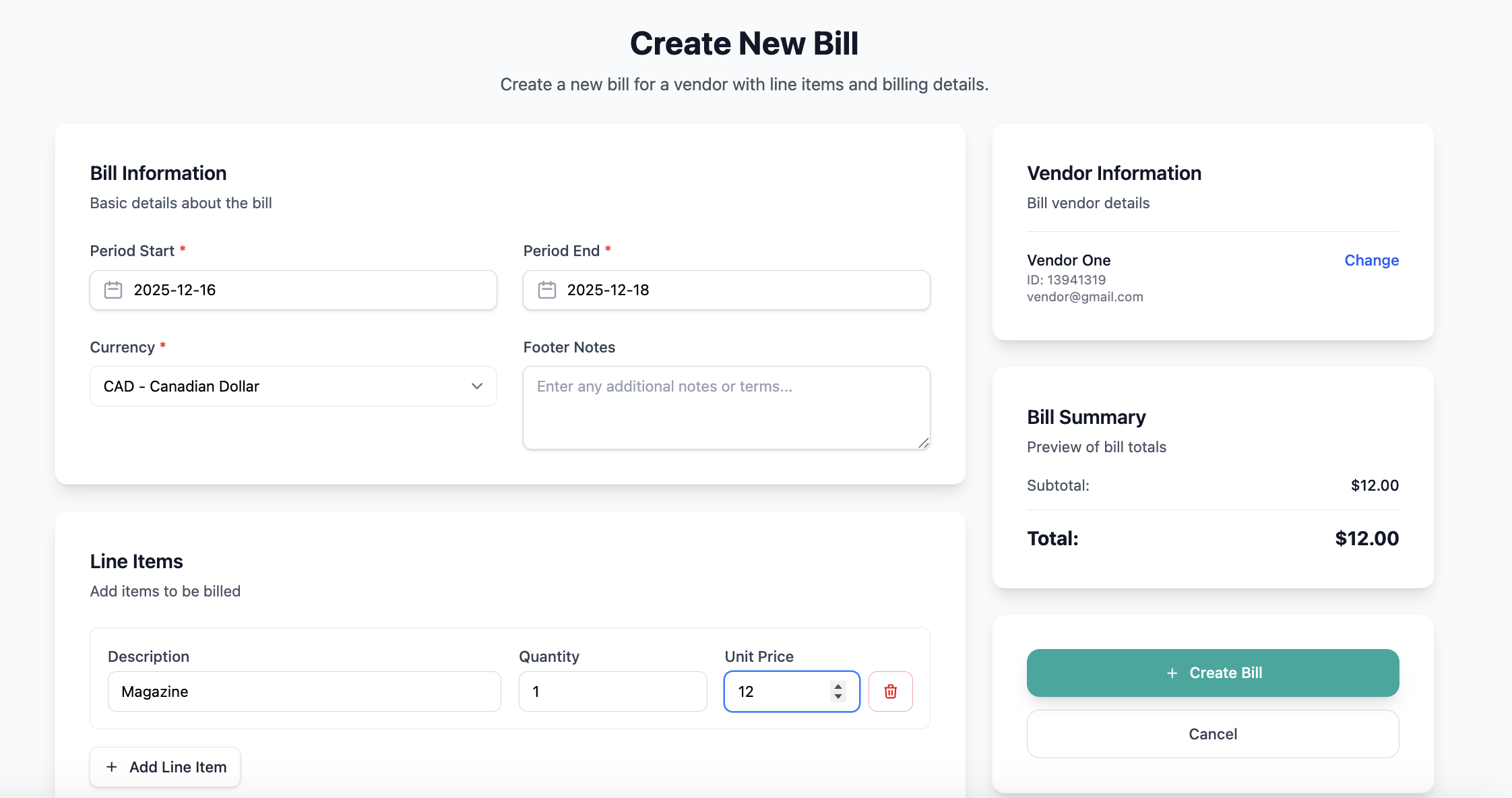
Admins can create one-time bills for vendors directly from the Bills section.
When creating a bill, you can:
- Select an existing Vendor
- Add one or more line items (manual entry)
- Specify amounts and descriptions per line item
- Save the bill for tracking and record-keeping
Managing Bills
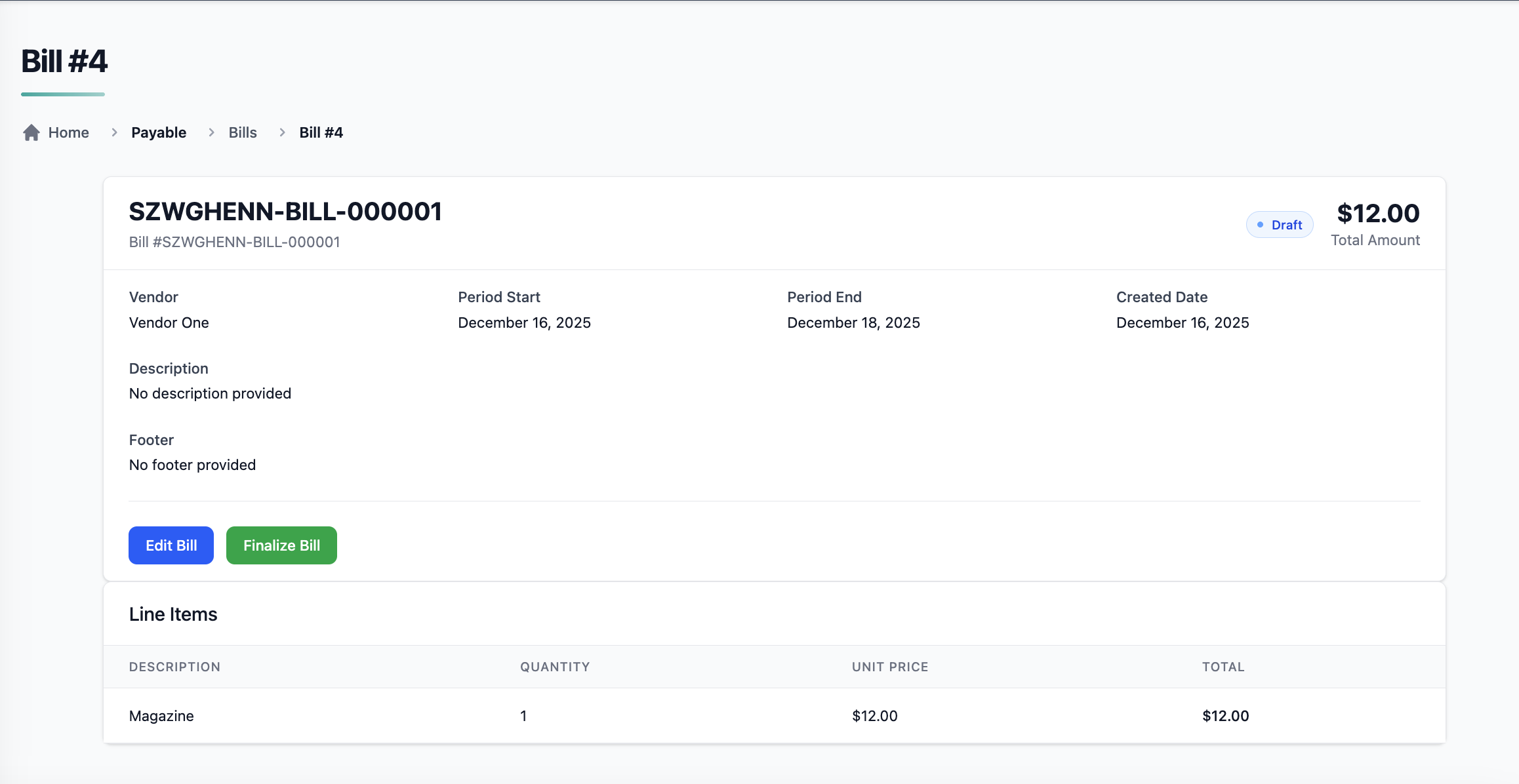
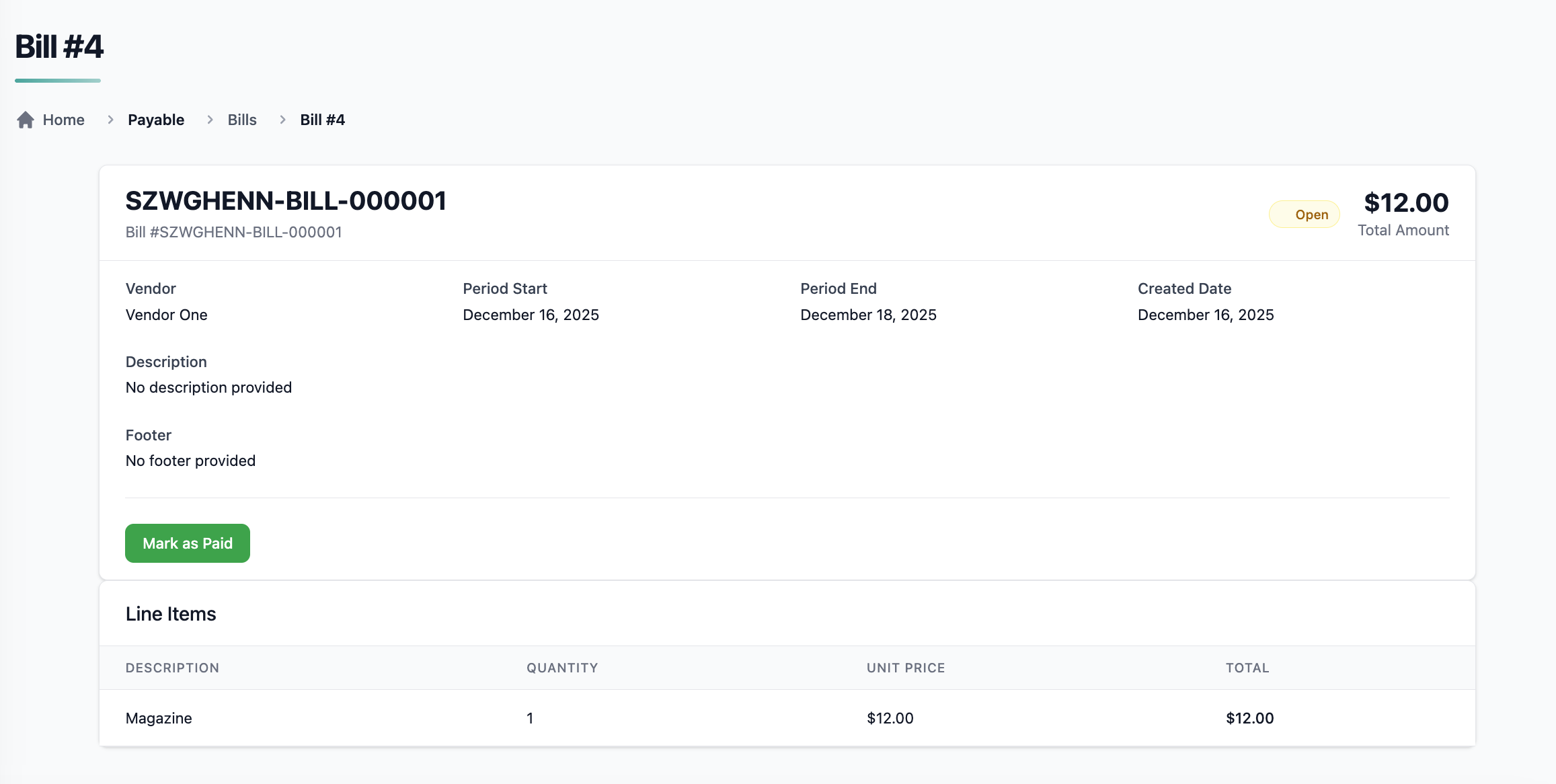
For each bill, admins can:
- View bill details
- Edit bill information
- Update bill status
- Delete bills when needed
All changes are reflected immediately and handled through Pelcro’s CORE API.
Bill PDFs
Each bill supports PDF generation, allowing admins to:
- Download a printable version of the bill
- Share bills externally if required
- Maintain consistent documentation for records and audits
Billing Cycles
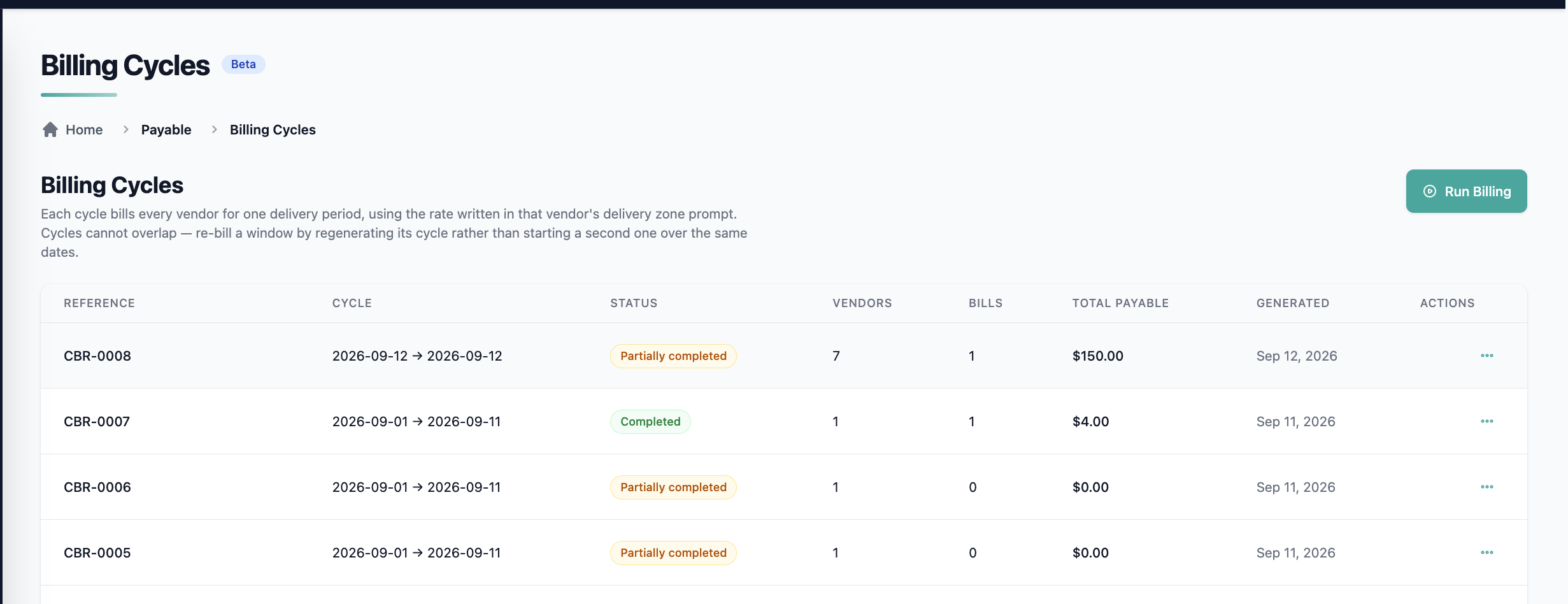
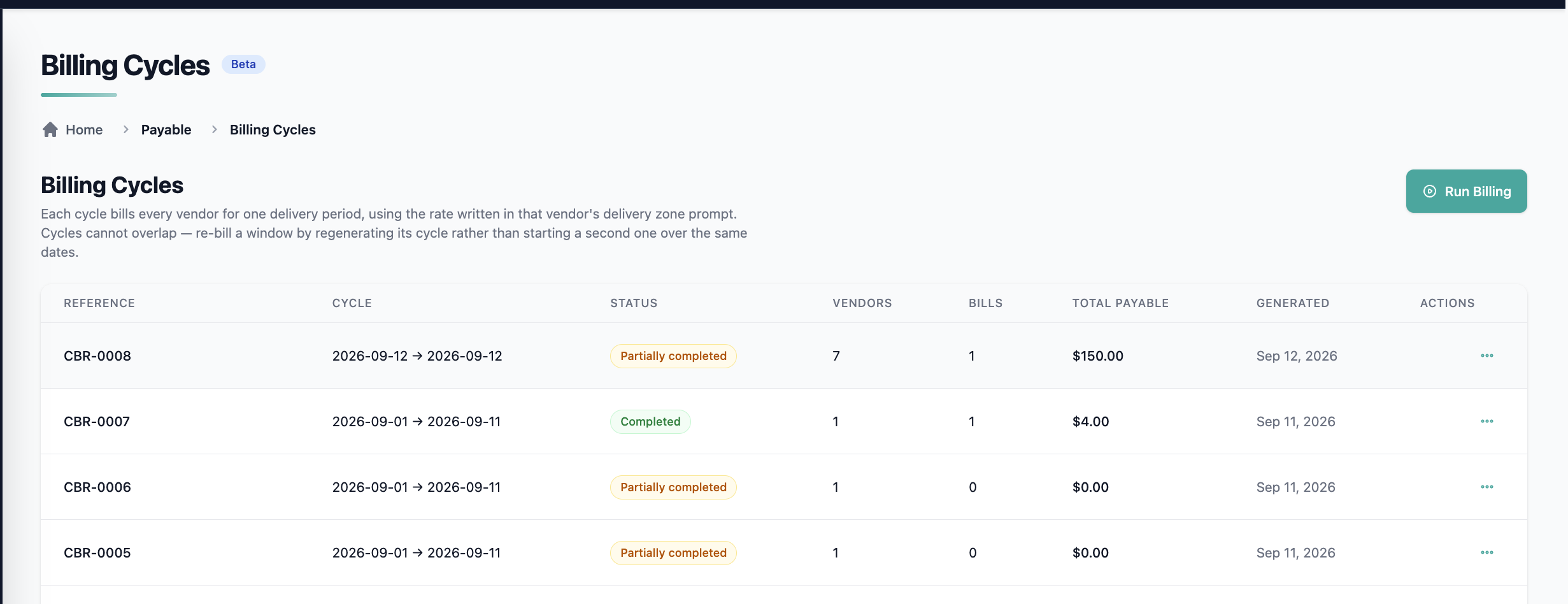
The Billing Cycles page lets you generate vendor bills for a date range in a single run, instead of creating each bill manually. Bills are calculated from approved fulfillments using the rates in each vendor's Delivery Rules.
Where to find it
Navigate to Accounts Payable → Bills → Billing Cycles.
Run Billing
- Click Run Billing
- Specify the cycle Start date and End date
- Confirm the run
Pelcro then:
- Finds every fulfillment approved within the selected window
- Derives the participating vendors from those fulfillments
- Generates one bill per vendor for the cycle
How the bill is calculated
For each vendor, the net payable is:
Net Amount = (Delivered Quantity × Delivery Rate) − (Missed Issues × Missed Issue Rate)
Rates come from the vendor's Delivery Rules; delivered and missed quantities come from the approved fulfillments in the cycle window.
Example
For a vendor with a rate of $0.37 per copy and a $0.37 deduction on MD1:
- Cycle:
2026-07-01to2026-07-15 - Delivered: 3 approved fulfillments × 900 copies = 2,700 copies → 2,700 × $0.37 = $999.00
- Missed: 4 coded
MD1(chargeable) × $0.37 = −$1.48; 2 codedMD4(non-chargeable) are ignored - Net payable: $997.52
What each bill shows
Every generated bill records:
- The cycle window and the carrier
- The rates applied
- Delivered quantity and missed quantity
- Total deductions and net payable
- The fulfillments included in the bill, retrievable for audit
Rules and limitations
- Approved fulfillments only — pending or unapproved fulfillments are not billed.
- One bill per vendor per cycle — rerunning the same window does not create duplicate bills.
- Historical carrier attribution — if a route changed carriers mid-cycle, each fulfillment is billed to the carrier assigned at the time it occurred.
- Operator-triggered — runs happen when you click Run Billing; there is no automatic schedule.
- Payable path only. No tax or multi-currency on carrier bills.
This feature is part of Pelcro's Accounts Payable (Beta) functionality.
Exporting a Vendor Bill Report
Admins can generate and export a consolidated Vendor Bill Report directly from the Bills page for accounting and reconciliation purposes.
To export, click the "Export Vendor Report" button at the top of the Bills page.
What the Report Includes
Each exported report contains the following per vendor:
- Vendor name / identifier
- Line items per vendor
- Bill amount per vendor
- Grand total of commissions across all vendors at the end of the report
Filtering Before Export
Before exporting, use the existing bill filters to scope the report to a specific date range:
- Created date
- Period start date
- Period end date
Only bills matching the active filter criteria will be included in the export.
Export Format
Reports are exported as CSV, ready for import into accounting and reconciliation tools.
Current Limitations (Beta)
The Bills feature currently does not include:
- Recurring bills or automation
- Tax calculations
- Multi-currency support
- Accounting system integrations
- Vendor self-serve access
These capabilities may be introduced in future releases.
Use Cases
- Internal vendor payment tracking
- Manual AP workflows without external systems
- Audit preparation and record keeping
- Early-stage AP process centralization
Updated about 1 month ago