

AI Usage Dashboard
The AI Usage dashboard shows how many tokens each Pelcro AI service consumes and what that usage costs, so you can monitor and manage your AI spend in one place.
Overview
Every Pelcro AI service uses tokens, the units AI models use to read and generate text and speech. The dashboard totals that consumption for your account and breaks it down by service, along with the associated cost. To access it, click on your Name on the top right and choose Usage.
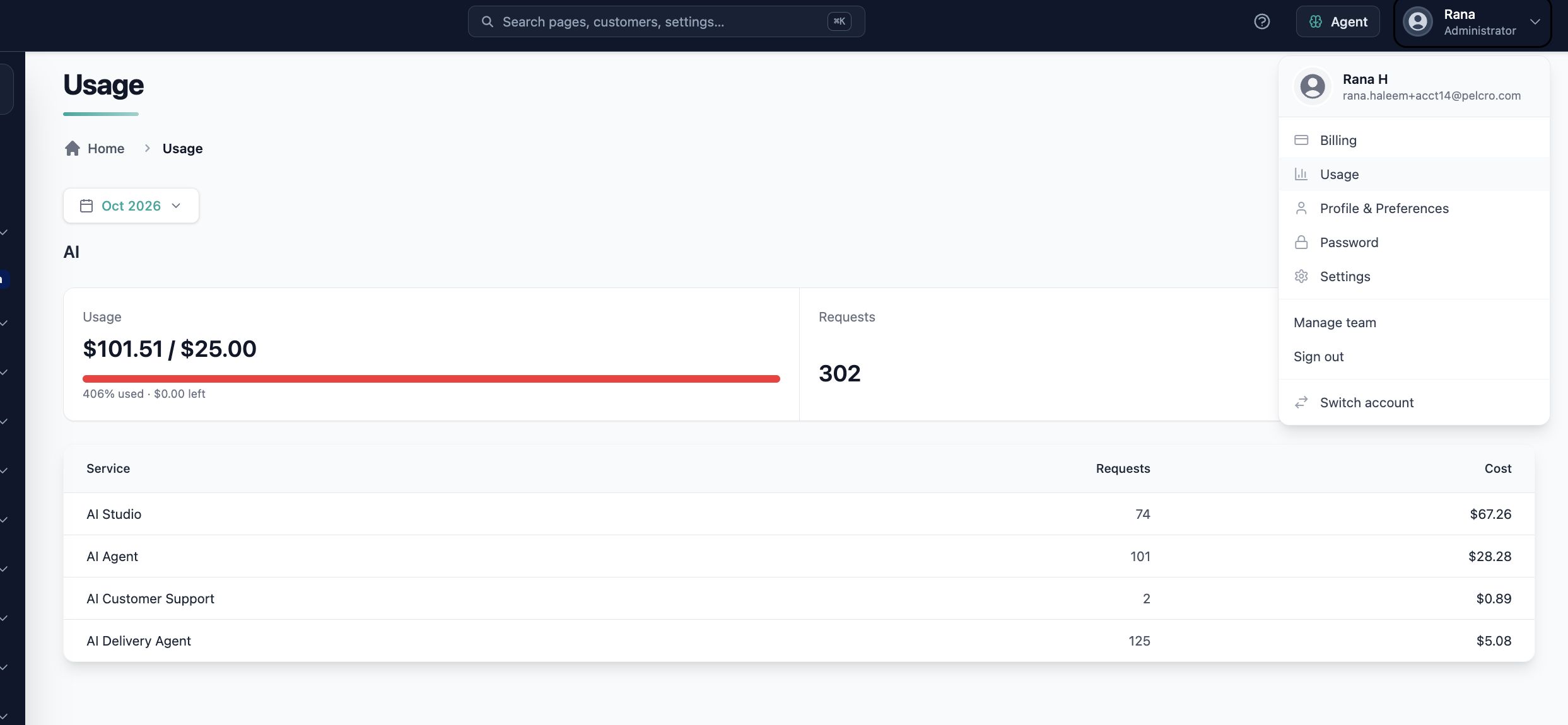
Use it to:
- See which AI services your team uses most
- Track AI spend over time
- Spot unexpected changes in usage early
What the Dashboard Shows
Usage is broken down per AI service. For each service, the dashboard shows:
| Metric | Description |
|---|---|
| Input Tokens | Tokens sent to the AI model, such as your prompts, questions, and the data the agent reads |
| Output Tokens | Tokens the AI model generates, such as answers, drafts, and actions |
| Cost | The cost of the tokens consumed |
Services tracked include:
- AI Harness, including voice calls and dictation
- AI Billing Agent
- AI Shipping Agent
- AI Customer Support (Voice Agent)
- AI Studio
How Usage Is Calculated
- Every request to a Pelcro AI service is recorded with your account, site, and the user who made it.
- Usage is refreshed hourly.
- Voice usage, such as speaking to the AI Harness, is priced at the rates of the voice model it uses and included in that service's totals.
Rules and Limitations
- Usage is shown per service only. It is not broken down by individual user or conversation.
- Figures are updated hourly, so very recent activity may take up to an hour to appear.
Updated about 1 hour ago
Did this page help you?