

Release 2.6 (Tech Release 1.120)
🟢 Platform: Introducing Carrier Tips
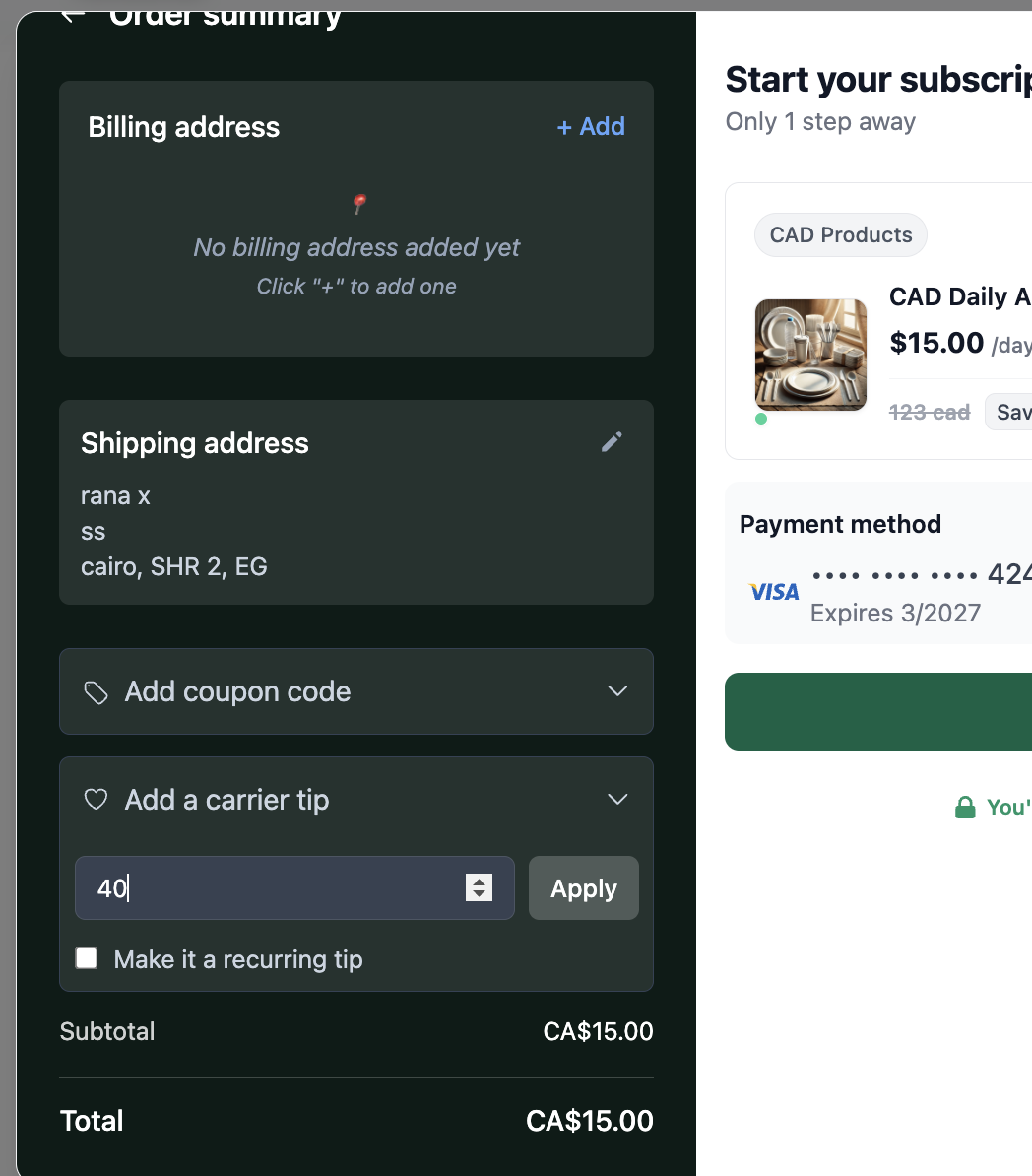
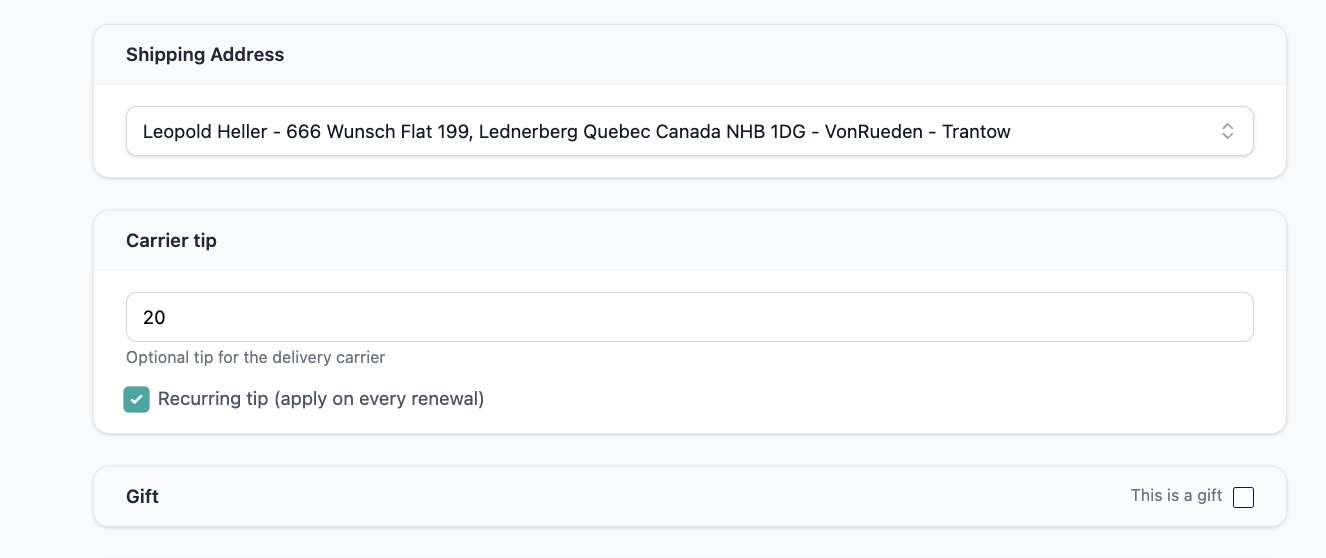
We've introduced a full carrier tipping system for print subscriptions, enabling publishers to collect recurring subscriber tips, exclude them from revenue, and automatically convert them into accounts payable bills for vendors and delivery carriers.
✅ What's New:
- Subscribers can add or manage an optional recurring carrier tip during checkout or via subscription management
- Tips appear as a separate line item (
vendor_tip) on invoices — clearly labeled, non-discountable, and non-taxable by default - Tips are excluded from revenue metrics (MRR/ARR) and recorded as liabilities until paid
- On successful invoice payment, Pelcro automatically generates an AP Bill for the linked vendor with the tip as a bill line item
- Admins can enable/disable tips and configure allowed tip amounts
- Publishers pay vendors via their existing AP workflows and mark bills as paid in Pelcro
🎯 Impact:
Supports a standard newspaper industry practice by giving publishers a structured, automated way to collect, track, and pass through carrier tips — reducing manual accounting overhead, improving subscriber experience, and establishing a reusable pass-through charge pattern for future use cases.
Availability Note: This feature is only available for accounts using Pelcro's billing engine.
🟢 Platform: Bulk List View Upgrade
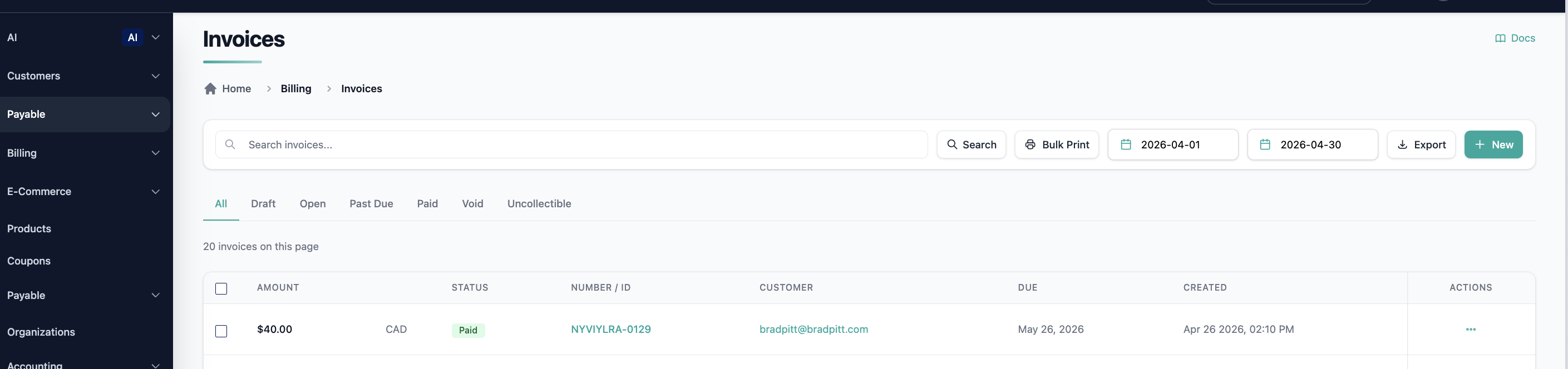
We've modernized key list pages across the platform with a cleaner, more consistent UI that aligns with current design standards.
✅ What's New:
- Upgraded UI across the following list pages:
- Invoices (list & detail view)
- Customer create/edit form
- Payments, Refunds, Customer Balances, and Credit Notes list pages
🎯 Impact:
Platform users can now filter, search, and manage records across all core list views with a faster, more intuitive experience — reducing friction and improving day-to-day efficiency.
🟢 Platform: Updated Payment Method Creation Page
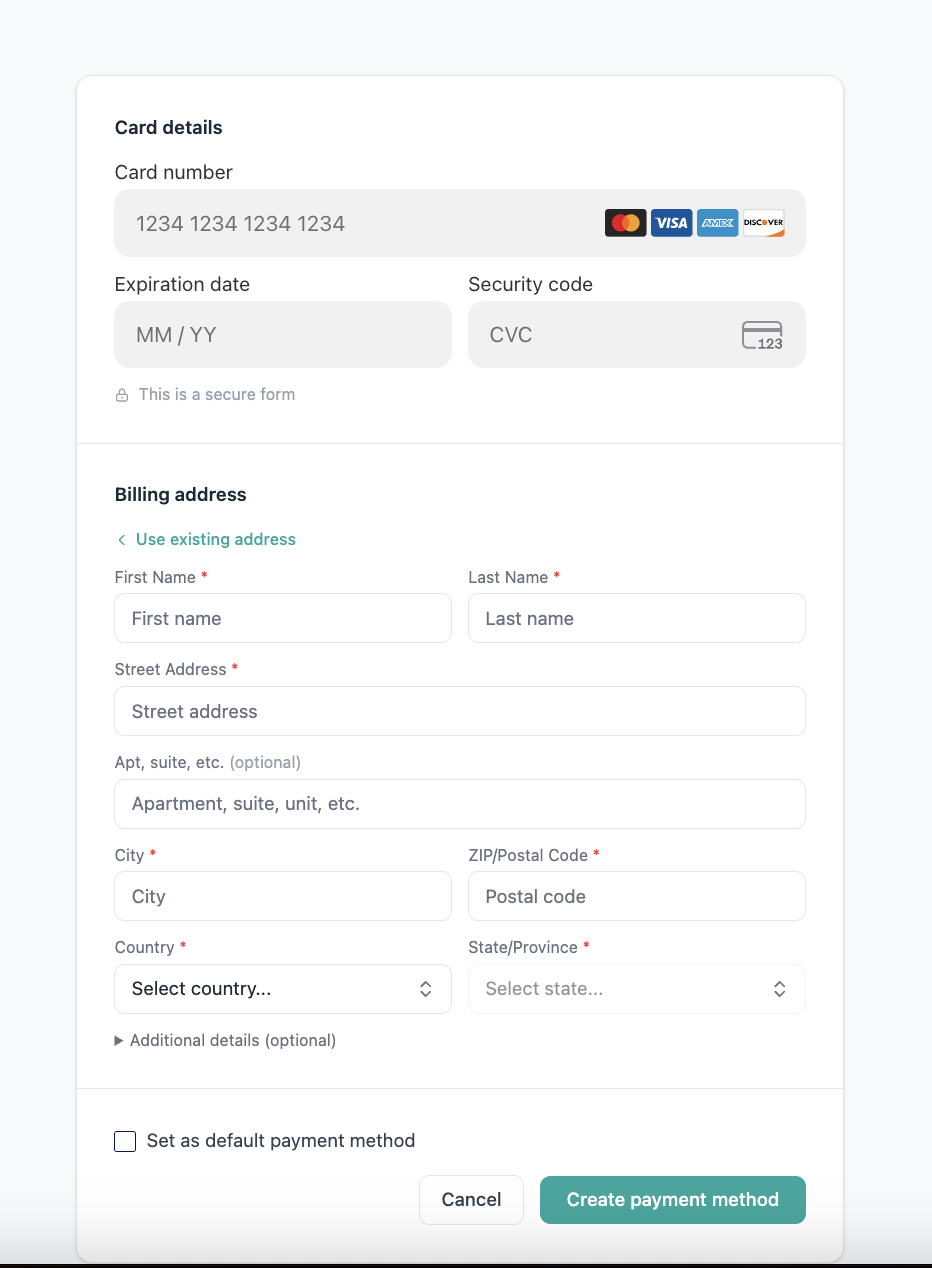
We've redesigned the Payment Method Creation page using modern UI templates, improving usability and consistency across the platform.
✅ What's Improved:
- Rebuilt using updated Preline UI templates
- Improved form layout, accessibility, and error handling
- Responsive behavior verified across supported screen sizes
🎯 Impact:
Admins can now add payment methods through a cleaner, more intuitive interface — reducing confusion, improving form completion rates, and ensuring consistent validation feedback.
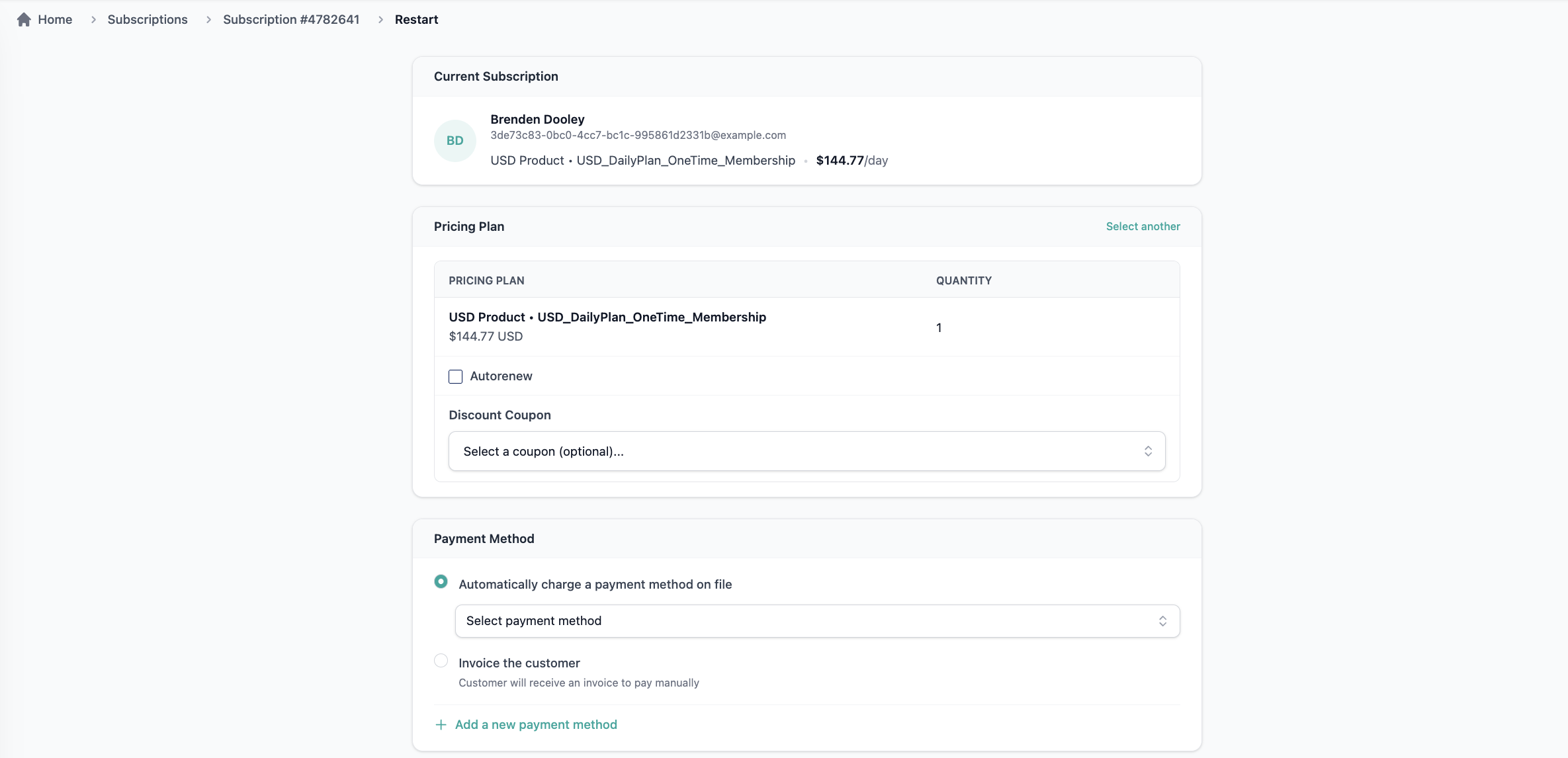
🟢 Platform: Enable Plan Changes When Restarting an Expired Membership
Admins can now select a different plan when restarting an expired membership, removing the need to cancel and resubscribe.
✅ What's New:
- Plan selection is now available in the restart membership flow, consistent with the renewal setup experience
- Admins can upgrade, downgrade, or switch plans without losing membership history
- Standard proration rules apply, consistent with mid-cycle plan changes
🎯 Impact:
Reduces unnecessary membership churn caused by plan change limitations, giving admins more flexibility to retain and reactivate subscribers on the right plan.
🟢 Platform: Ability to Write Off Customer Balances
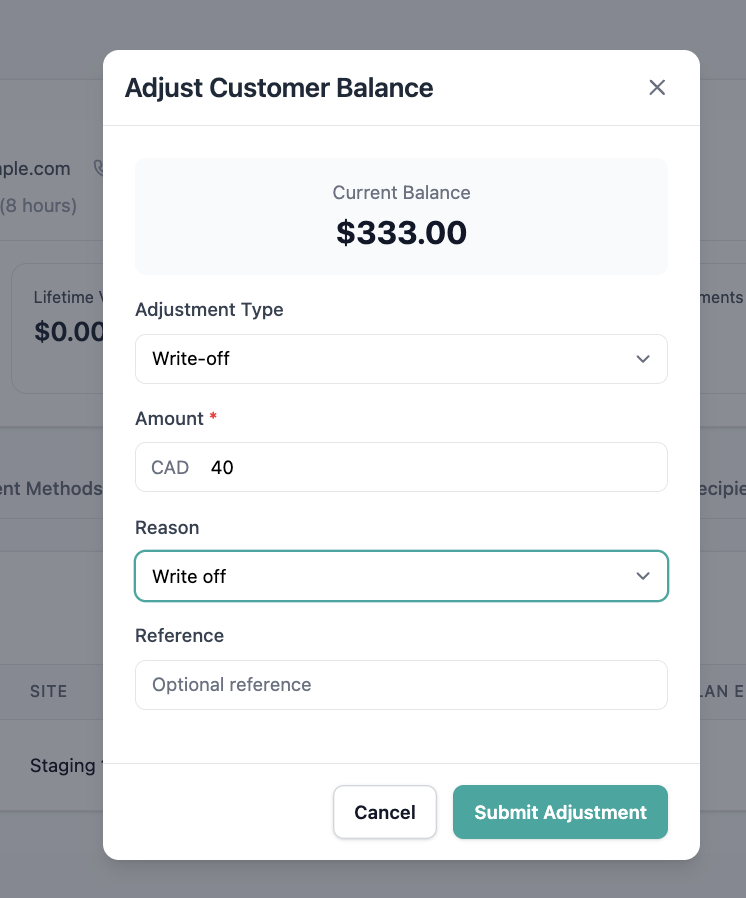
Finance teams can now write off stale or unresolvable customer balances directly from the platform, keeping account records clean and accurate.
✅ What's New:
- New "Customer Balance Write-off" option added to the Adjust Customer Balance modal
- Supports partial write-offs with required reason input
- Write-offs are reflected as a dedicated "Balance Write Offs" row in accounting reports
- Impacts customer balance and recognized revenue (P&L) columns accordingly
- Does not create a refund or payment transaction — no gateway interaction
🎯 Impact:
Eliminates the need for manual workarounds to clear lingering balances, ensuring accurate financial states and cleaner reporting for finance and operations teams.
🟢 Platform: Customer Ending Balance Summary Report — Zero Records Removed
The Customer Ending Balance Summary Report now excludes customers with a net-zero balance, resulting in a more focused and actionable report.
✅ What's Improved:
- Customers with zero values across all three balance fields are now excluded:
- Current Ending Balance
- Ending Balance As Of Date
- Balance Transactions Sum
- Only customers with meaningful financial activity (positive or negative) are included
🎯 Impact:
Finance teams get a cleaner, more concise report — reducing noise and making it easier to identify customers with actual outstanding or credit balances.
🟢 Platform: Full Country Names in List & Order Exports
Lists and order exports now display full country names instead of abbreviations or country codes.
✅ What's Improved:
- Full country names are appended to list, fulfillment, and order exports
- Exported country values match the correct country associated with each record
- Validated across common countries and edge cases
🎯 Impact:
Exported data is now easier to read, share, and use in downstream reporting without requiring manual lookups or mapping of country codes.
🟢 Platform: Assign Tickets to Vendors
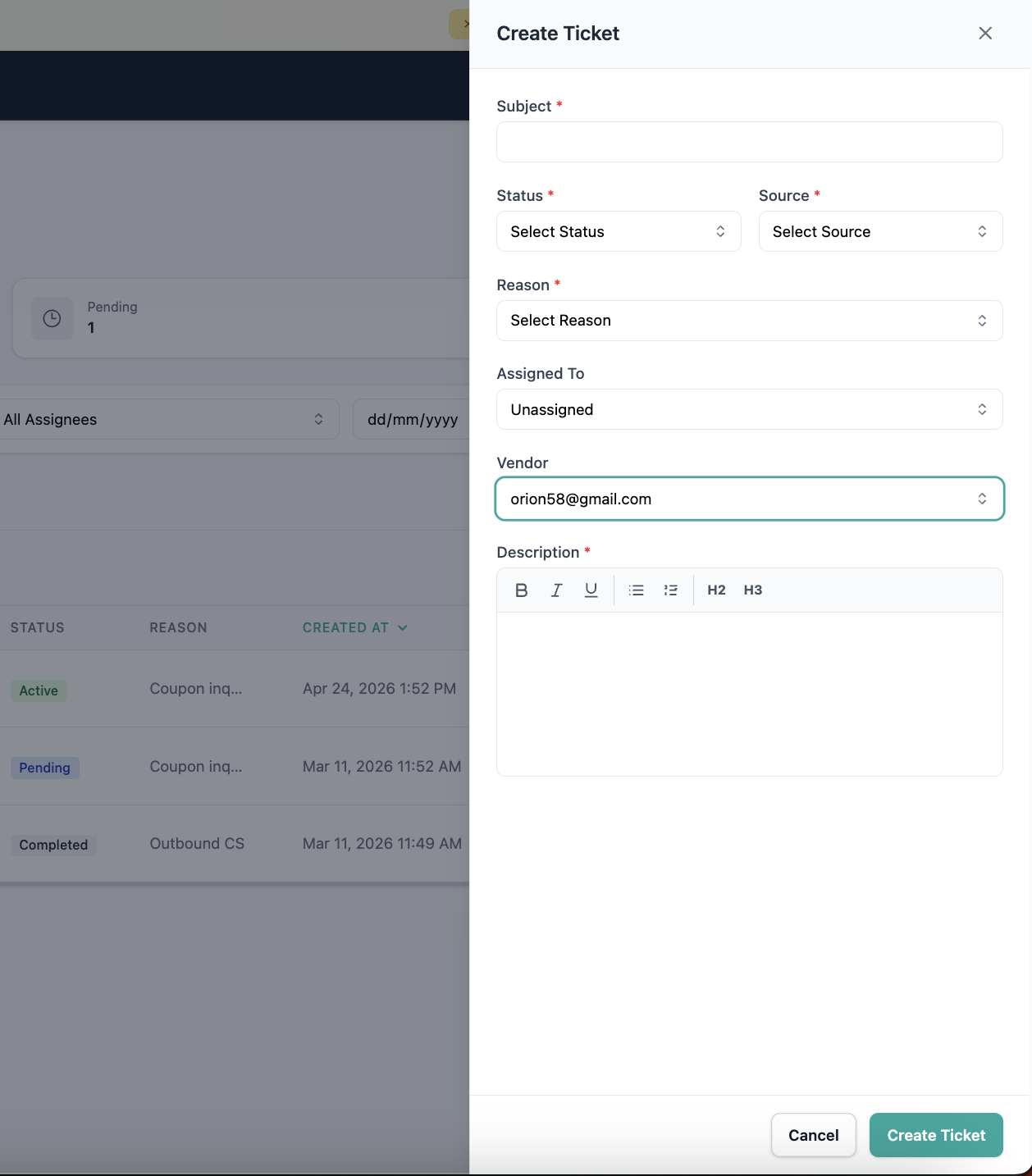
Collaborators can now assign support tickets directly to vendors, alongside existing collaborator assignment — improving accountability and ticket management for externally handled issues.
✅ What's New:
- Vendor assignment available from the customer profile and tickets view
- Selected vendor (name and ID) is saved and displayed on the ticket details
- Vendors can be updated or removed from a ticket at any time
- Consistent with existing collaborator assignment behavior
🎯 Impact:
Teams managing vendor-handled issues can now track responsibility directly within Pelcro, reducing communication gaps and improving resolution workflows.
🟢 Platform: Ticket Export & Date Filters
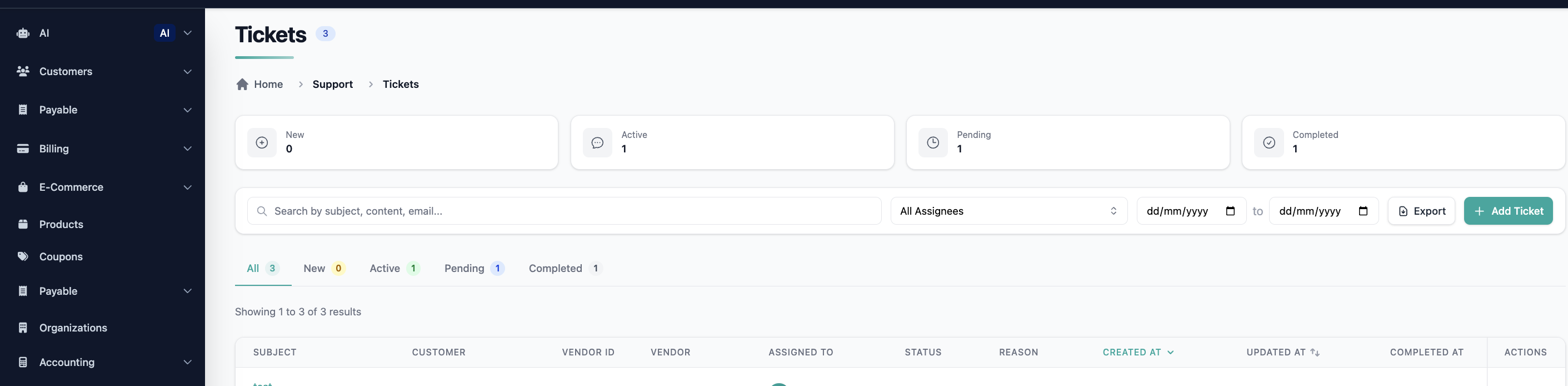
Support managers can now filter tickets by date range and export the results — enabling structured reporting on support activity directly from the platform.
✅ What's New:
- Filter tickets by created date (from–to range)
- Export filtered results (or all tickets if no filter is applied) as CSV
- Exported data includes all relevant fields: ticket ID, status, customer, created date, resolution time, and more
- Export handles large datasets with async processing where needed
🎯 Impact:
Eliminates manual reporting workarounds, giving support and operations teams a reliable way to analyze activity, generate reports, and share insights with stakeholders.
🟢 Open API: Change Amount Included in Order Summary
The Subscription Summary Open API has been extended to include the change amount for plan upgrades and downgrades — giving the frontend full visibility into prorated charges before a change is confirmed.
✅ What's New:
- New
change_summary_totalfield returned in the order summary response - Change Plan modal updated to display the prorated difference amount in the order summary
- Covers upgrade, downgrade, and mid-cycle plan changes
🎯 Impact:
Subscribers can now see the exact cost difference before confirming a plan change, reducing uncertainty and support inquiries around billing during upgrades and downgrades.
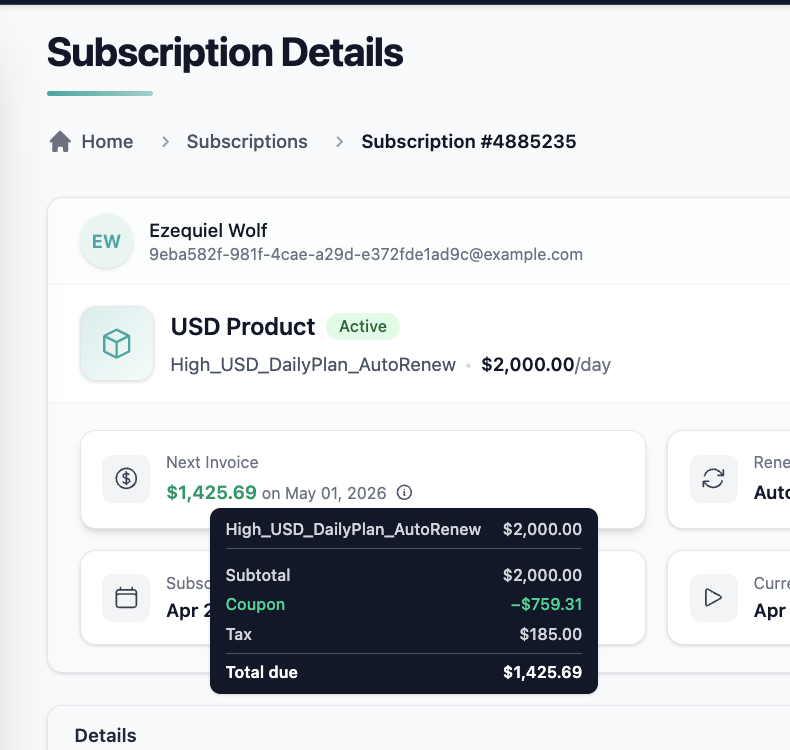
🟢 Platform: Tooltip for Adjusted Amount in Next Invoice Section
A new tooltip has been added to the Next Invoice amount, explaining any adjustments applied — such as coupons or credit balance — so admins always understand the final billing figure.
✅ What's New:
- Hovering over the Next Invoice amount reveals a tooltip listing each contributing adjustment
- Covers applied coupons and credit balance adjustments
- API updated to return itemized adjustment details alongside the next invoice response
🎯 Impact:
Reduces confusion and support escalations caused by unexpected invoice amounts, giving admins immediate clarity on what's driving the final charge.
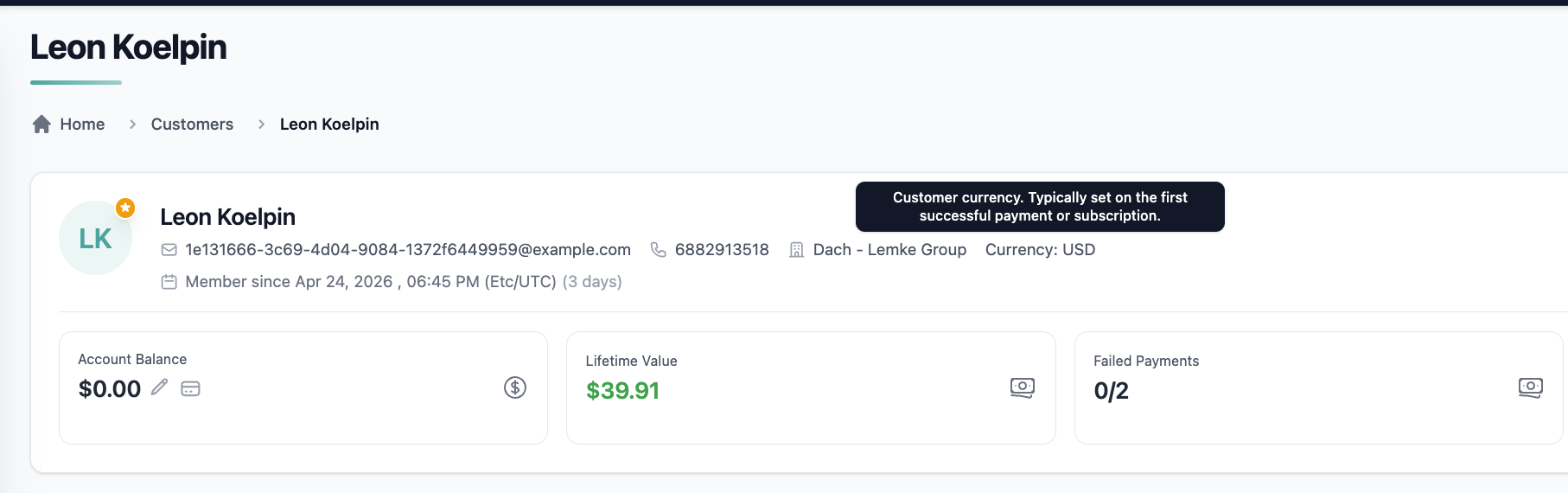
🟢 Platform: Customer Currency Displayed on Customer Profile Page
The Customer Profile page now displays the user's configured currency, providing clearer context when reviewing financial data, transactions, and payment methods.
✅ What's New:
- User currency is now visible in a clear, prominent location on the Customer Profile page
- Displayed in standard format (e.g., USD $, EUR €)
- Matches the user's configured/default currency
- Shows a fallback state (e.g., "Not set") if no currency is configured
🎯 Impact:
Admins no longer need to infer or cross-reference currency from other screens — reducing confusion and improving efficiency when managing multi-currency accounts.
🟢 Platform: Sort Customers by Organization
The Organization column in the Customers list is now sortable, bringing it in line with other sortable columns like Name and Email.
✅ What's New:
- Ascending and descending sort supported on the Organization column
- Sorting updates the list dynamically without page refresh
- Consistent behavior with existing column sorting across the platform
🎯 Impact:
Collaborators working with large customer datasets can now organize and find customers by organization more efficiently, improving navigation and reducing manual search time.