

Release 3.9 (Tech Release 1.33)
🟢 Platform: AI Usage Dashboard
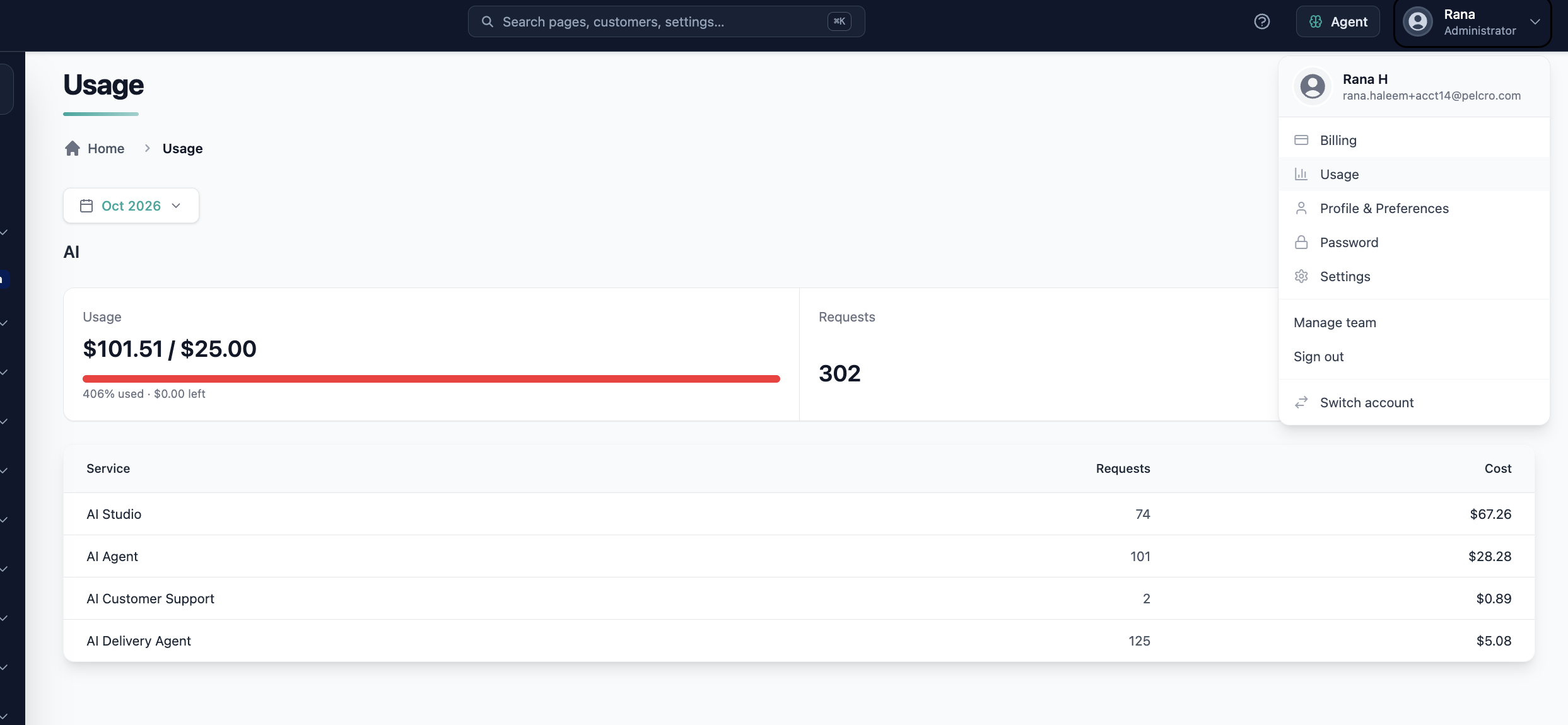
We've introduced an AI usage dashboard that shows how many tokens each Pelcro AI service consumes and what it costs, so you can track and manage your AI spend.
✅ What's New:
- View tokens consumed and associated cost broken down per AI service
- Usage data is refreshed hourly
- Sessions run by Pelcro staff on your behalf (for example, during support) are excluded and never count toward your usage
🎯 Impact:
Teams can now see exactly where their AI spend goes and manage usage with confidence.
🟢 Platform: Carrier Rates by Route and Product in the AI Shipping Agent
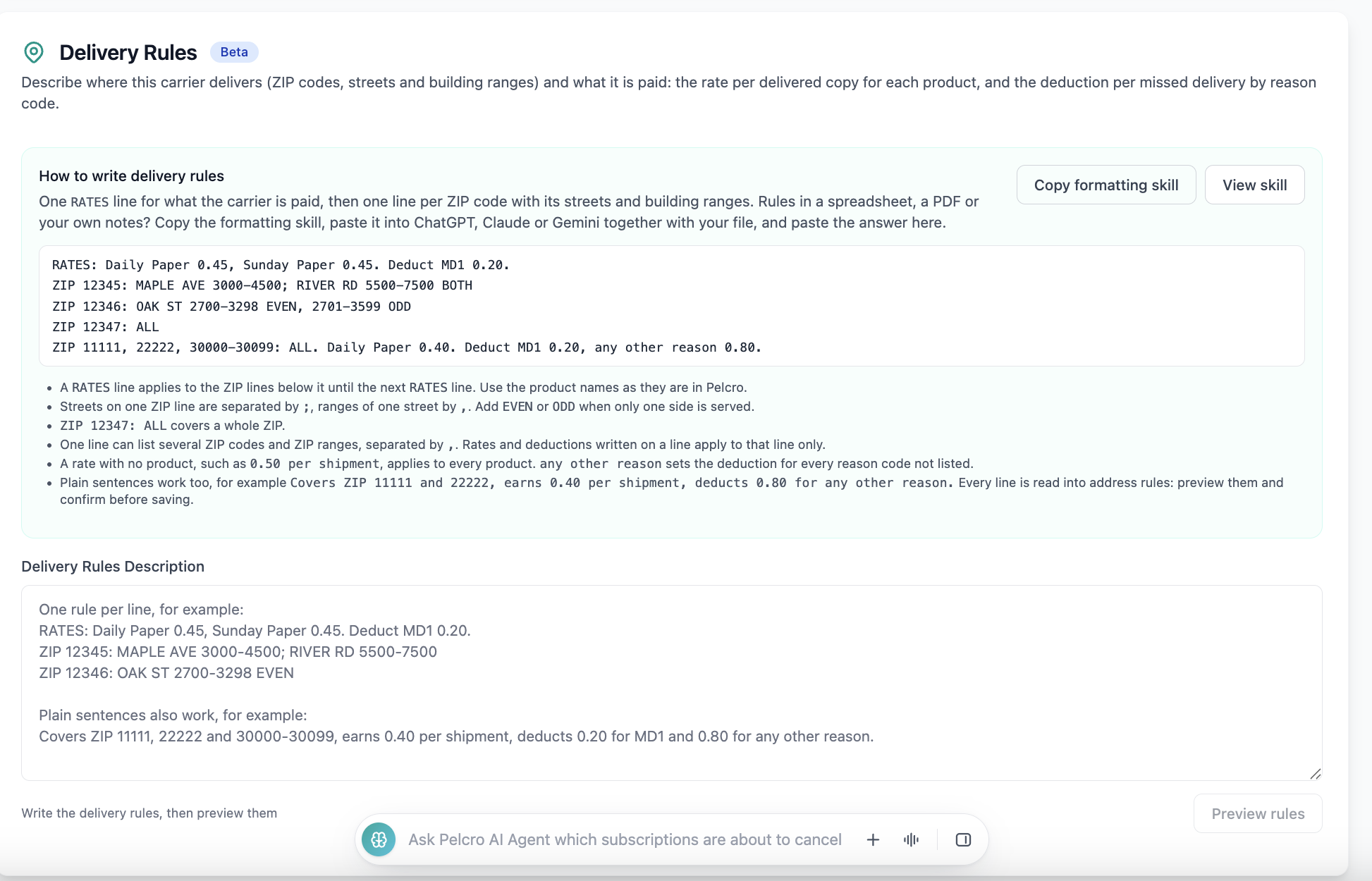
The AI Shipping Agent now supports granular delivery rates and address rules, so carriers can be paid accurately for what they deliver and where.
✅ What's New:
- Define different rates for the same carrier across different routes
- Define different rates per product within the same route
- The applicable rate is determined by the Route + Product of each fulfillment, and carrier billing uses that rate to calculate the amount earned
- Define several delivery rules per carrier in a single natural-language configuration
- Assign carriers using more detailed address rules:
- ZIP/postal code and ZIP ranges
- Street name and street type (Avenue, Street, Drive, Court, and more)
- Compass prefix (N, E, S, W)
- Building numbers, building number ranges, and even/odd buildings
- Missed-delivery deductions and reason codes continue to apply as configured
- Updated prompt example: "Covers ZIP codes 2000 to 3000. Earns 2.30 per delivered copy of Product A and 3.00 per delivered copy of Product B. Deducts 0.20 for each missed delivery with reason code MD1."
🎯 Impact:
Distribution managers can now assign carriers at the address level and pay them accurately for each product delivered on each route.
🟢 Platform: Faster AI Studio Previews and Publishing
We've made AI Studio significantly faster, so you spend less time waiting and more time designing.
✅ What's Improved:
- Previews are ready in about 38 seconds, down from about 60 seconds
- Publishing to your live site takes about 48 to 70 seconds, down from up to 2 minutes
- Saving changes is more than twice as fast
- If a preview can't start, AI Studio now tells you within 60 seconds that your change is saved but the preview couldn't be generated, instead of waiting indefinitely
🎯 Impact:
Teams can iterate on their site design faster and always know where a change stands.
🟢 Platform: Design Promotional Campaigns in AI Studio
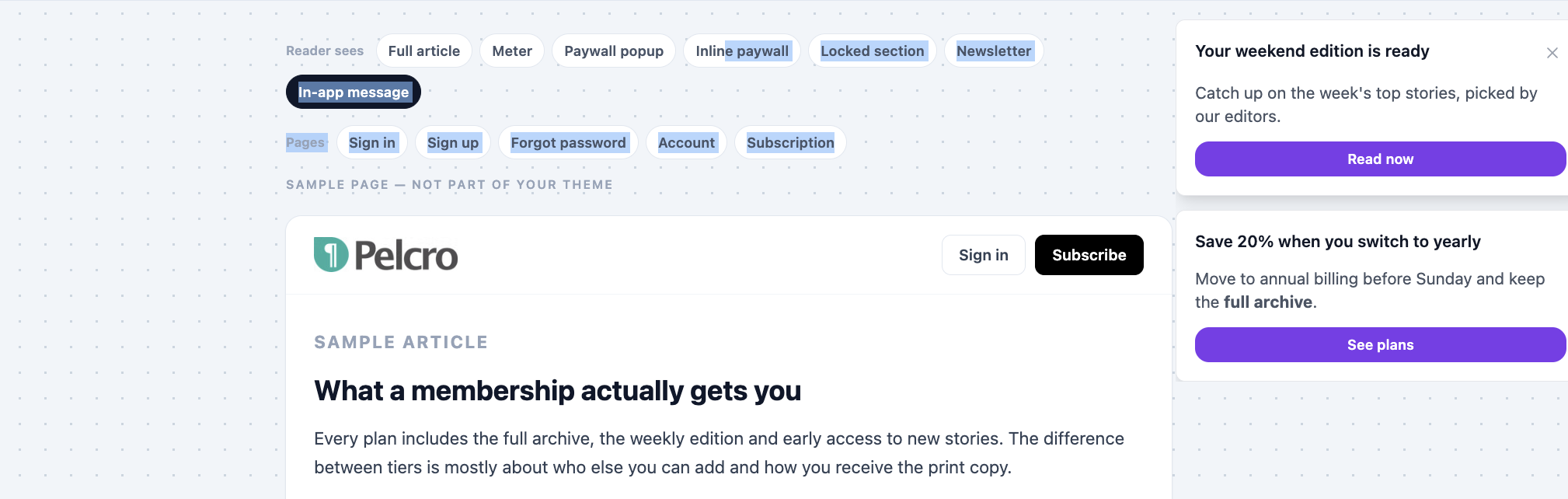
You can now customize the on-site design of promotional campaigns through AI Studio, instead of using the fixed default card.
✅ What's New:
- Customize a campaign's on-site styling in AI Studio and publish the change
- AI Studio shows the campaign as a preview; it appears on your site when the campaign is active
- AI Studio changes styling only. Campaign messages stay as configured in the campaign setup
🎯 Impact:
Publishers can now match campaigns to their site's look and feel, making promotions feel native to the reading experience.
🟢 Platform: Automated CSAT Surveys for Tickets
Support teams can now collect customer satisfaction (CSAT) feedback automatically after a ticket is solved on the platform.
✅ What's New:
- Enable the CSAT survey email in the Email Center
- The survey is sent to the ticket's customer 24 hours after the ticket is Solved
- If the ticket is reopened within those 24 hours, the survey is cancelled
- Customers rate the support as Good or Bad and can add an optional comment
- The rating, comment, and response date appear in Ticket Details
- A new CSAT column in the Tickets list shows each ticket's rating and can be filtered by rating
- Each ticket receives one survey at most, even if it is reopened and solved again
- No survey is sent when the ticket has no customer email or CSAT is disabled
🎯 Impact:
Support managers can now measure satisfaction per ticket and per agent directly in Pelcro.

🟢 Platform: Canned Tickets Report
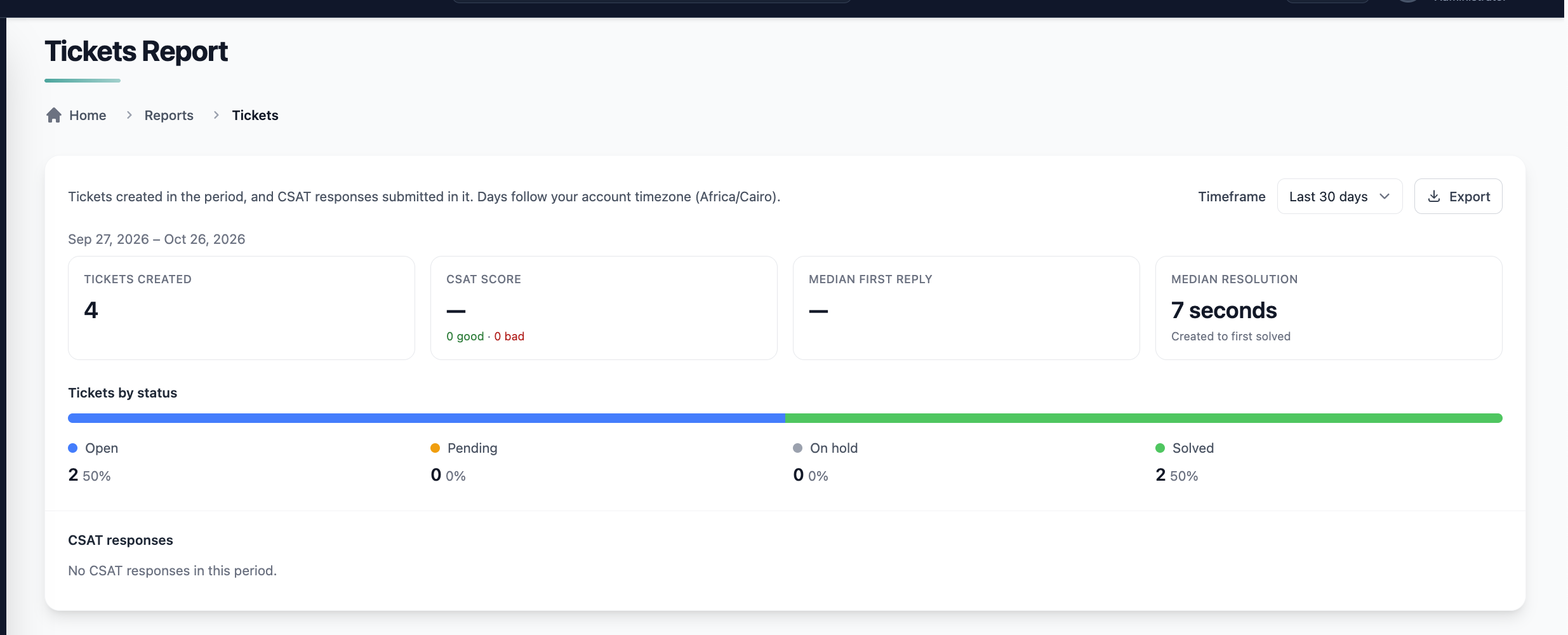
We've added a predefined Tickets report under Reports > Customer Service, giving support managers an at-a-glance view of ticket performance.
✅ What's New:
- Select a timeframe: last 7, 30, or 90 days, or a custom range
- The report includes:
- Ticket volume: total tickets created in the timeframe
- Tickets per status: count and percentage for Open, Pending, On-hold, and Solved
- Satisfaction score: Good ÷ (Good + Bad), with Good and Bad counts
- CSAT responses: each response with ticket ID, customer, assignee, rating, comment, and submission date, newest first
- Median first-reply time and median resolution time
- Click a ticket ID in the CSAT responses list to open it in Ticket Details
- Export the report figures and CSAT responses to CSV
🎯 Impact:
Support managers can now monitor volume, satisfaction, and response times in one place, without manual tracking.
🟢 Platform: AvaTax for eCommerce
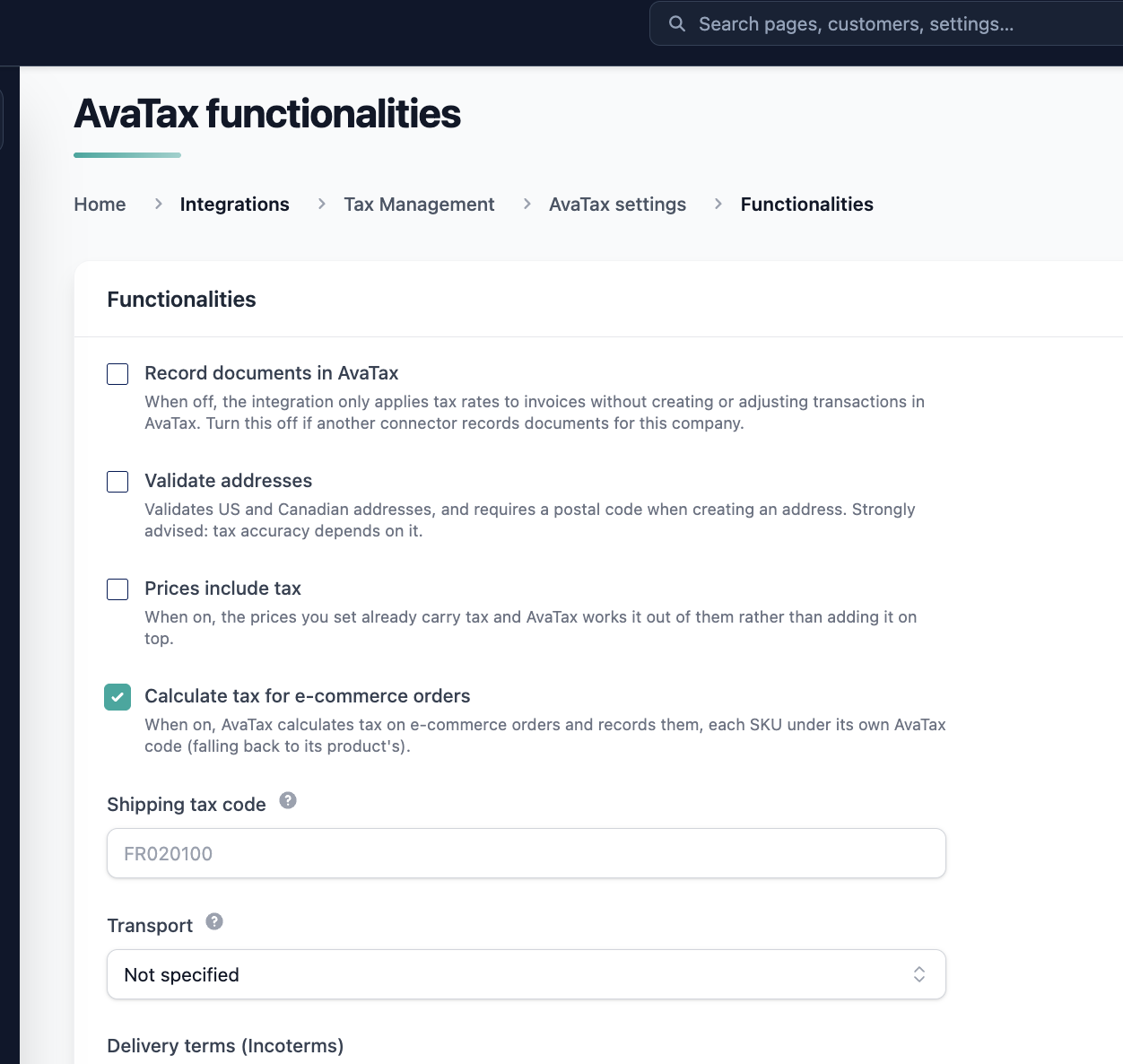
AvaTax now calculates taxes for eCommerce purchases, refunds, and returns.
✅ What's New:
- Configure an AvaTax tax code per SKU
- Orders can contain SKUs with different tax codes
- Tax is calculated and displayed at checkout and reflected on the resulting order/invoice
- Full and partial refunds include the corresponding tax adjustment
- Item returns reverse or adjust the associated tax
- eCommerce flows that don't use AvaTax are unchanged
🎯 Impact:
Merchants using AvaTax can now apply the correct tax to every eCommerce transaction, including refunds and returns.
🟢 Platform: Reuse Support for AvaTax AI Bundled Plans
The existing Reuse functionality now supports AI plans that use AvaTax bundling.
✅ What's Improved:
- Reusing a bundled transaction preserves every bundle line item
- The AvaTax tax code on each line item is preserved
- Taxes are recalculated through AvaTax when the reused transaction is processed
- Bundles with different tax codes or rates per line item are supported
- Reuse for non-AvaTax transactions is unchanged
🎯 Impact:
Teams can now reuse bundled transactions with confidence that line items and tax treatment stay correct.
🟢 Platform: Zero VAT Displayed on AvaTax Invoices
Invoices using AvaTax now always show applicable VAT, even when the amount is 0.
✅ What's Improved:
- Line items with 0 VAT now show the VAT column with a value of 0 instead of hiding it
- Zero VAT also appears in the total breakdown
- The VAT column stays visible on invoice PDFs, even when every line item has 0 VAT
- Line items with VAT above 0 display as before, and tax calculations and totals are unchanged
🎯 Impact:
Invoices now consistently show the tax applied to every item, giving customers and finance teams a complete record.
🟢 Platform: Stripe Link Payment Method Support
Pelcro now supports Stripe Link payment methods across the platform.
✅ What's New:
- Link payment methods synced from Stripe are displayed with a clear label wherever payment methods appear, including the customer's payment methods and subscription details
- Link can be used for subscription renewals and invoice payments
- Existing Link payment methods display automatically with no re-sync needed
- Customers can add Link through the SDK payment flow when your Stripe account has Link enabled
🎯 Impact:
Admins can now see how every customer pays, and customers whose only payment method is Link can renew and pay invoices without issues.

🟢 Platform: Auto-Renewing Gift Subscriptions
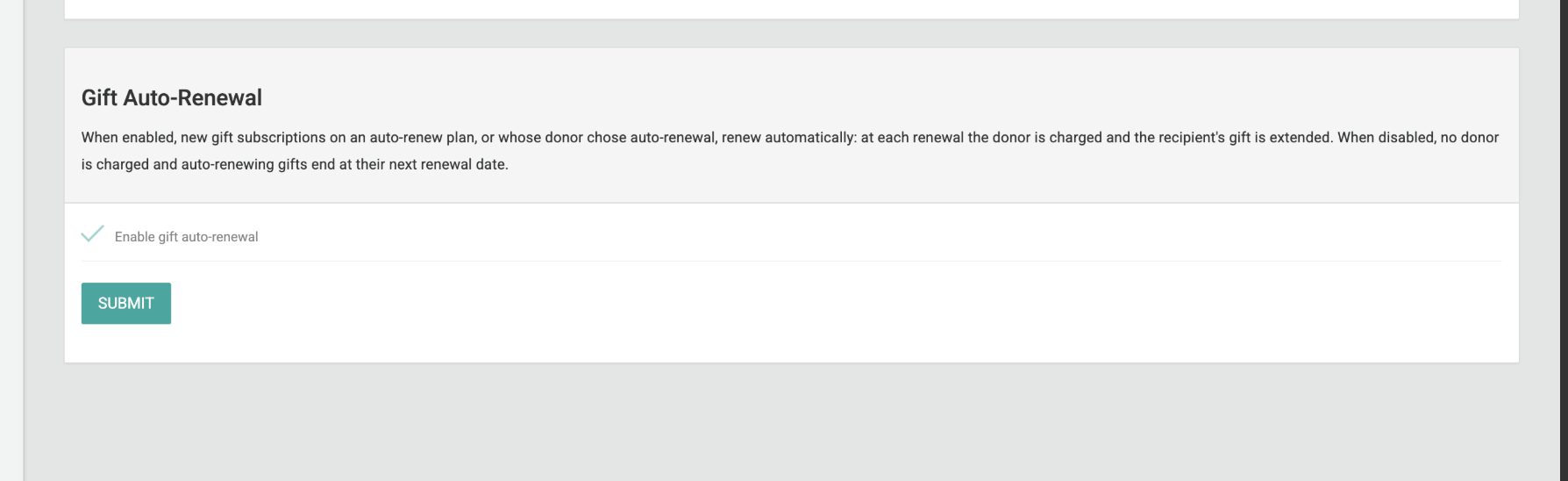
Gift subscriptions on auto-renew plans now renew automatically, just like standard subscriptions.
✅ What's New:
- When a gift on an auto-renew plan reaches renewal, a renewal invoice is created and the donor's payment method is charged
- If payment succeeds, a new phase is added to the recipient's subscription, so access continues uninterrupted
- If payment fails, the existing failed payment retry logic applies and no new phase is added
- Gifts on one-time (non-renewable) plans are unchanged
🎯 Impact:
Publishers can now retain gift recipients and recurring revenue without manual renewals.
🟢 Open API: Organization Capture for Membership Purchases
Membership purchases can now create and link an organization, so institutional subscriptions are tied to the right organization from the start.
✅ What's New:
- Membership plans can require an organization name for multi-user purchases
- When an organization name is submitted, a new organization is created and linked to the membership, with the purchaser as owner
- Members who accept an invite are linked to the membership's organization when their seat activates
- A customer's existing profile organization is kept; it is only filled in when empty
- Organization names are not unique. Each submission creates its own organization record
- Organization values sent for non-membership plans or memberships that don't require one are ignored
🎯 Impact:
Support teams can now find any membership seat by organization, and institutional purchases no longer land without one.
🟢 Platform: Share Customers Across Sites
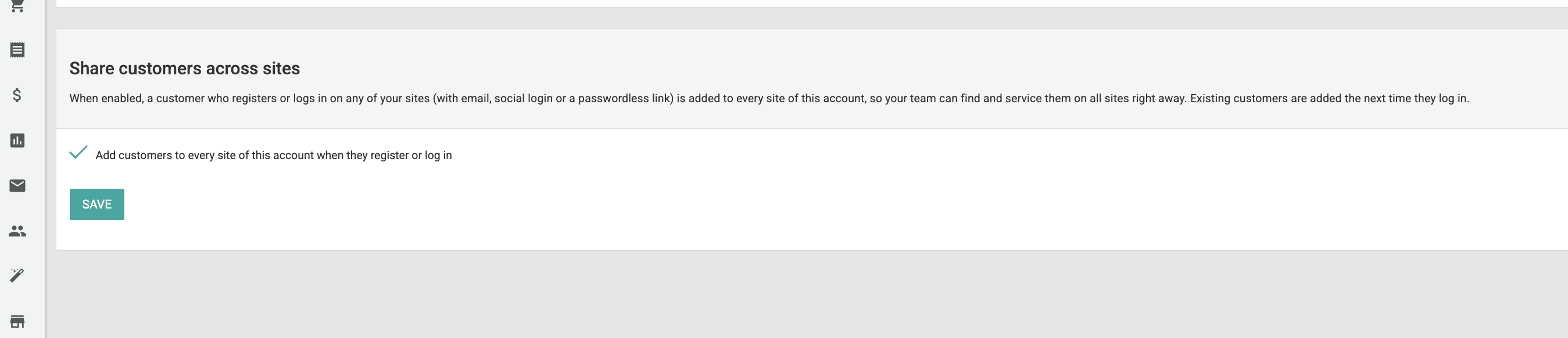
Accounts with multiple sites can now share newly registered customers across every site under the account.
✅ What's New:
- When this setting enabled under Settings > Account info > Share customers across sites, a customer who registers on one site is attached to every site under the account
- Applies to standard registration and social/identity provider login
- Shared customers are returned by
GET /v1/core/customersfor every sibling site
Availability Note: This setting is off by default. Existing customers are not backfilled, sites created later are not attached retroactively, and a shared customer cannot be detached from a site.
🎯 Impact:
Multi-site publishers can now support and report on new customers immediately, on any of their sites.
🟢 Platform: First and Last Name in Membership List Export
The Membership List export now includes customer names as separate columns.
✅ What's New:
- Added First Name and Last Name columns, pulled from the customer record
- Existing export columns are unchanged
🎯 Impact:
Teams can now identify and work with members directly in the export, without cross-referencing customer records.