

Release 3.8 (Tech Release 1.32)
🟢 Platform: Pelcro AI Studio
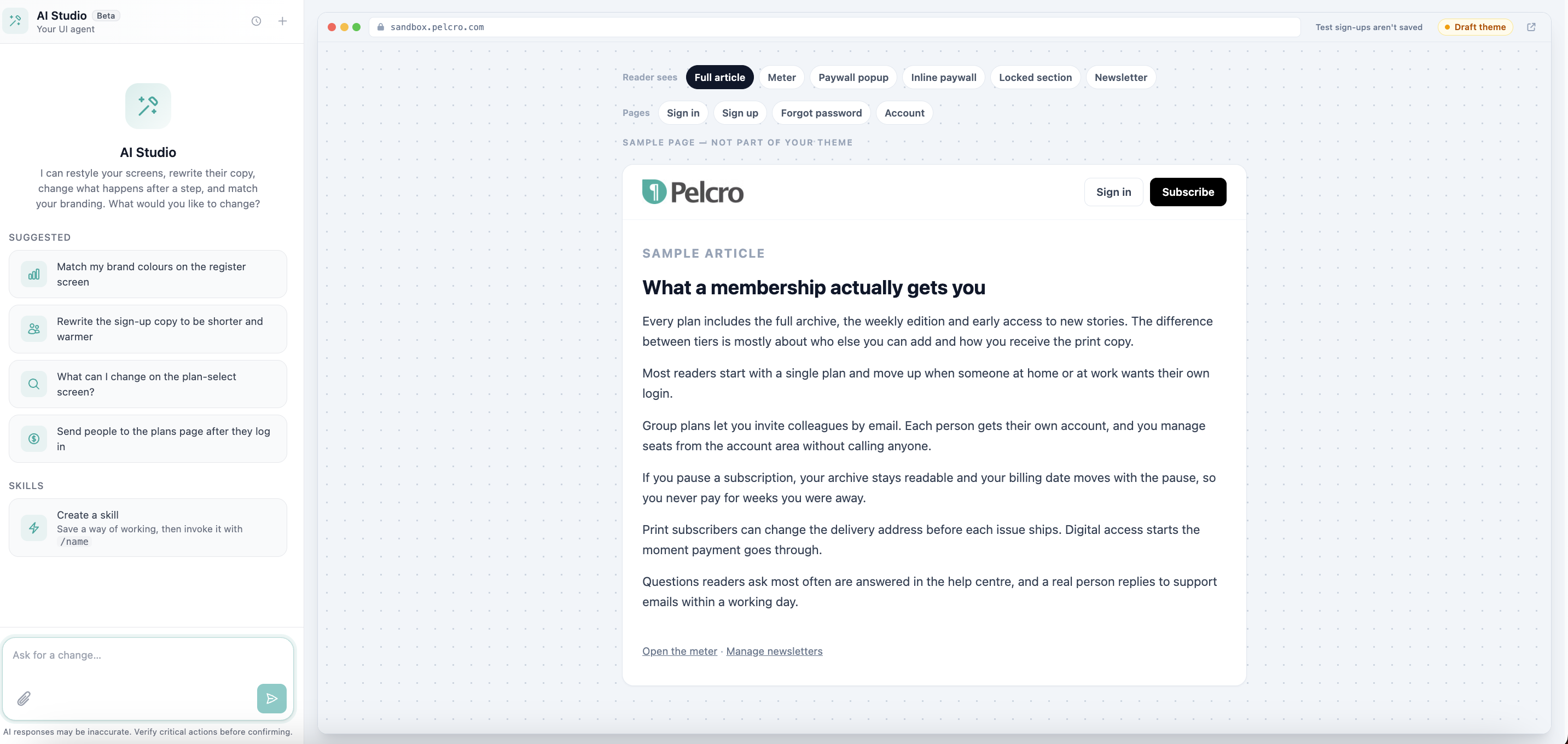
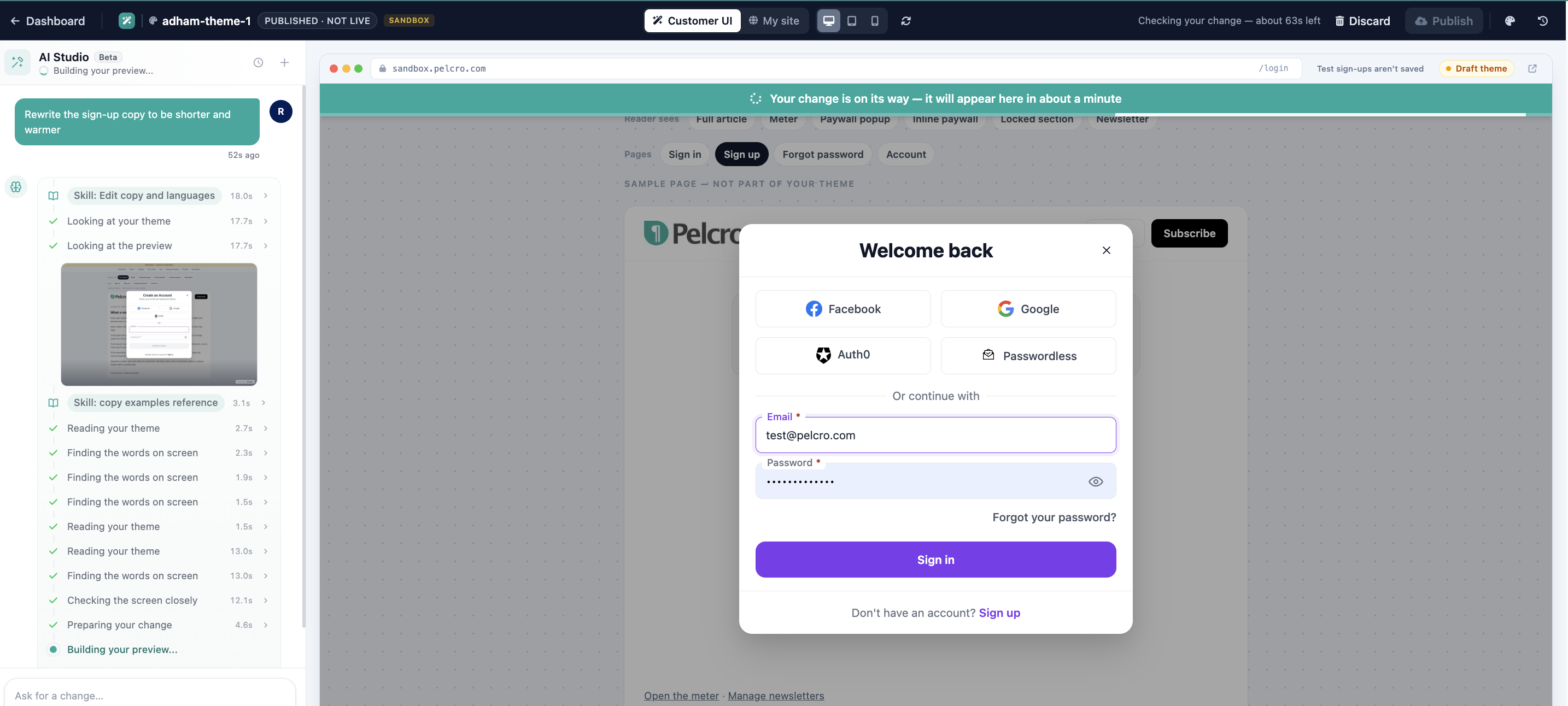
Pelcro AI Studio lets you build a fully custom subscriber UI by describing what you want in plain language. An AI agent assembles your theme from the published Pelcro React Elements library, so your custom UI stays on supported Pelcro components instead of a one-off codebase.
✅ What's New:
- Chat → Preview → Publish directly from the Pelcro dashboard, with no code or repository management required
- The agent can customize which screens appear, the flow between them, each screen's design, the elements on each screen, and the events around each action
- Before finishing, the agent checks its own work on real screens: phone, tablet, and desktop, signed in and signed out, and every paywall state
- One draft per theme, so each request builds on the last. Publish makes changes live; Discard throws the draft away with no impact on your live site
- Version history and rollback: every published build is versioned, with a full record of changes and rollback to any earlier version
- Multiple themes per site with one marked live, and a single theme can serve several of your sites
- Live verification confirms which theme is actually loading on your site
- Payment and gateway settings are never modified by generated themes
🎯 Impact:
Custom UI became a repeatable, self-serve workflow, giving publishers a unique subscriber experience without forking the library or losing access to future Pelcro improvements.
🟢 Platform: Shipment-Based Renewal, Expiration & Recognition for AI Print Plans
Print plans created with the AI Plan Assistant can now renew or expire based on shipments remaining instead of fixed dates, with revenue recognition tied directly to approved fulfillments.
✅ What's New:
- Define shipment-based behavior in plain language in the AI Plan Assistant: shipments per cycle, and whether the subscription renews or expires when shipments remaining reaches 0
- Auto-renewing subscriptions, or those with a scheduled renewal phase, renew as soon as shipments remaining reaches 0, regardless of end date or renewal date
- Non-auto-renewing subscriptions are marked expired once shipments remaining reaches 0
- The shipment count is saved as a structured renewal trigger, and each new billing period is derived from the shipment count rather than the plan interval
- Shipment-based revenue recognition is required: a plan that includes shipments per cycle can't be saved until the prompt states that revenue is recognized per shipment
- Recognition is driven by approved fulfillments, not the invoice period, so fulfillments completed outside the original invoice period are still recognized
- Each approved fulfillment is associated with an invoice, consuming shipments from the oldest invoice with available shipments first (FIFO)
- Shipments per interval is stored on the invoice at creation, so historical invoices keep their original shipment quantity even if the plan changes later
- Only shipments on approved fulfillments count toward shipments remaining
🎯 Impact:
Print subscribers renewed and expired in step with what was actually delivered, and finance teams gained recognition that matches fulfillment activity rather than invoice dates.
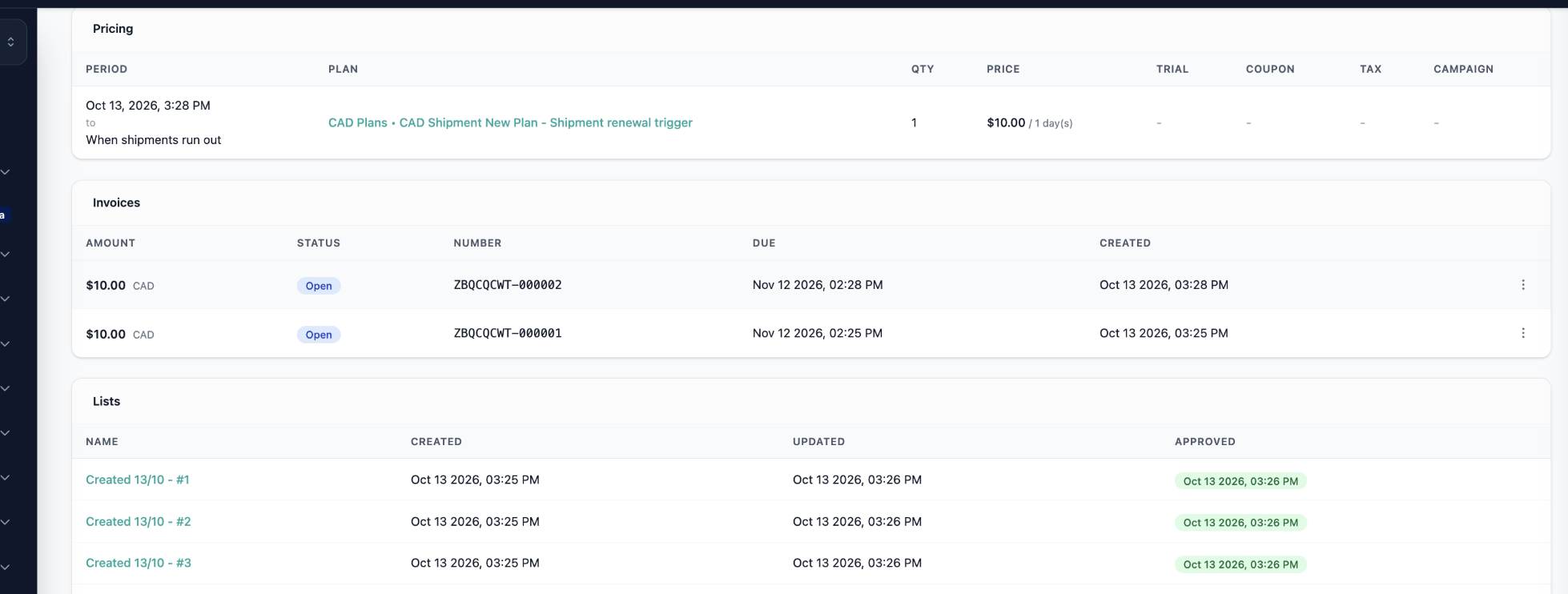
Note: Example prompt: "Create a 12-issue print plan at $60 CAD total, no auto-renewal, non-refundable. Expire the subscription when shipments remaining reaches 0. Recognize revenue per issue shipped."
Availability Note: Applies to pure print subscriptions on new AI Plans. End date and renewal date don't trigger renewal or expiration for these plans, and adding a schedule phase isn't supported while a subscription has no current period end. Existing plans and non-shipment-based subscriptions are unchanged.
🟢 Platform: Coupon Scheduling, Activation Control & Multi-Year Discounts
Coupons now give publishers more control over when promotions run and how long discounts last, removing the need for manual workarounds.
✅ What's New:
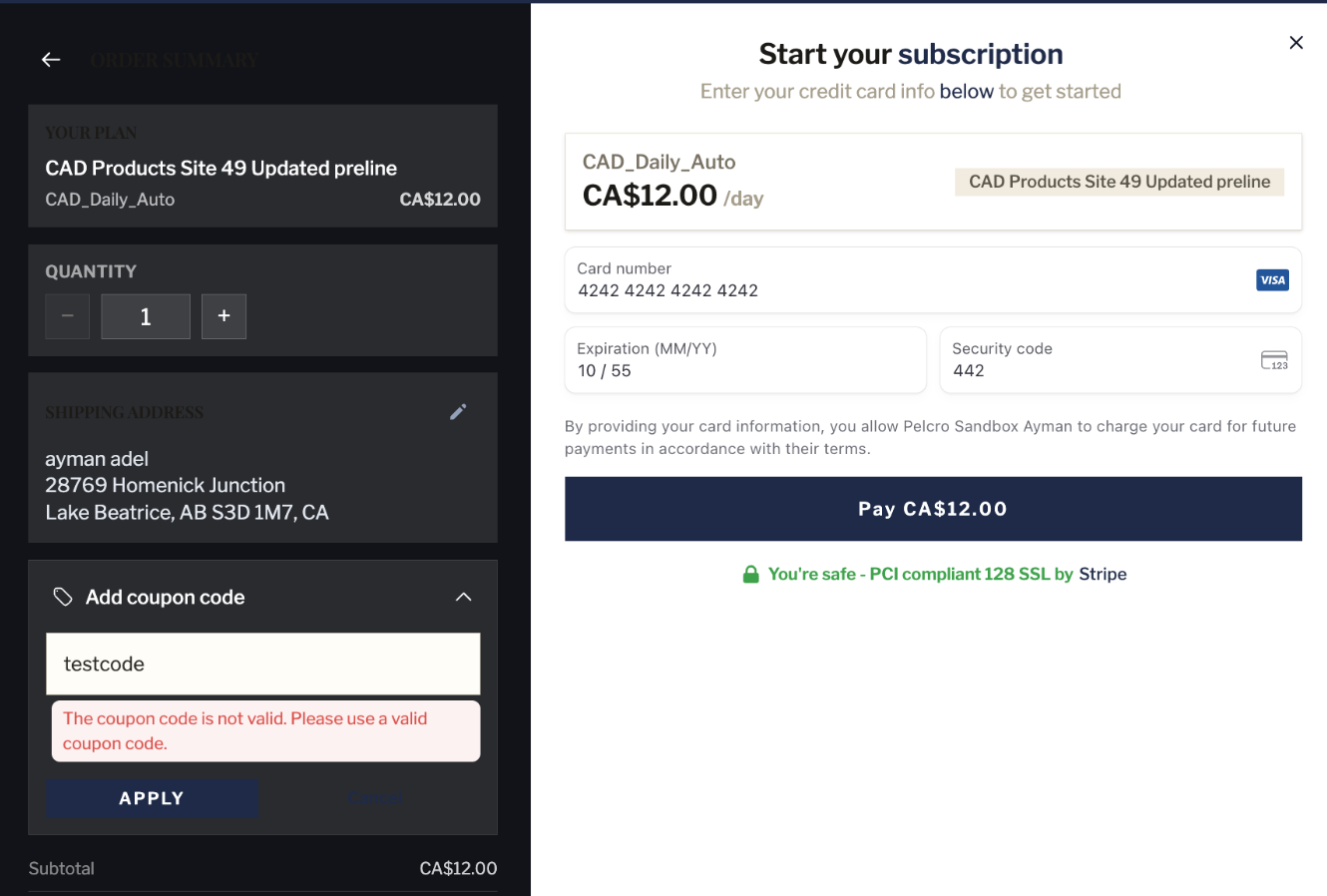
- Active/Inactive toggle in coupon management: deactivating a coupon immediately blocks redemption, and reactivating it restores it, subject to its other conditions
- Start and end date/time: coupons activate and expire automatically at the configured time, enabling flash sales and time-boxed promotions
- Schedules use the account's timezone, shown next to the date/time fields
- Coupon status updates automatically from Scheduled to Active to Expired
- Repeating annual discounts: set how many annual billing cycles a discount applies to, after which the subscription renews at the plan's regular price (for example, discounted for 4 annual renewals, regular price from year 5)
- Existing coupons continue to work without changes
🎯 Impact:
Publishers can run flash sales, student pricing, and multi-year rate-lock campaigns directly from coupon settings, with no manual activation or price adjustments.
🟢 Platform: Per-Line-Item Tax for Bundled Plans with AvaTax
Bundled plans now calculate tax independently for each component through the AvaTax integration, so print and digital parts of a bundle each receive their correct rate.
✅ What's New:
- Tax is resolved per bundle component and calculated against that component's amount, not the bundle total
- Rates are determined by AvaTax from the customer's TIN, billing country, and each component's tax code
- Product type (print or digital) is derived from each component's tax code
- With AvaTax enabled, each bundle component requires a tax code before the bundle can be created
- Dynamic invoice legal text is added for qualifying zero-rated transactions (intra-community supply, reverse charge, and export), based on TIN, country, and product type; mixed bundles include every applicable text
- The checkout total reflects the sum of all line items and their individually calculated taxes
🎯 Impact:
Publishers selling print and digital bundles across borders can apply the correct tax treatment to each component and issue compliant invoices without manual adjustments.
Availability Note: Requires the AvaTax integration. Pelcro does not validate TIN format or perform VIES validation, and AvaTax treats any non-empty TIN as a business tax ID. When AvaTax is enabled, TIN is limited to 25 characters.
🟢 Platform: Missed Delivery Redelivery Requests via IVR
Subscribers can now report a missed delivery and request a redelivery through the IVR, without speaking to an agent.
✅ What's New:
- New Missed Delivery / Request Redelivery option in the IVR
- The IVR identifies the subscriber and subscription and validates that the delivery is eligible for redelivery
- Captures the missed-delivery reason
- Creates the redelivery through the existing Fulfillments workflow, so it appears in Pelcro exactly like a request created from the dashboard
- Confirms submission to the caller, and handles cases where redelivery is unavailable or the subscriber or delivery can't be identified
🎯 Impact:
Delivery issues were resolved in a single automated call, reducing manual agent work for publishers.
🟢 Platform: Customer Activity Report Filter Enhancements
The Customer Activity Report gains new filtering options for faster, more precise analysis.
✅ What's New:
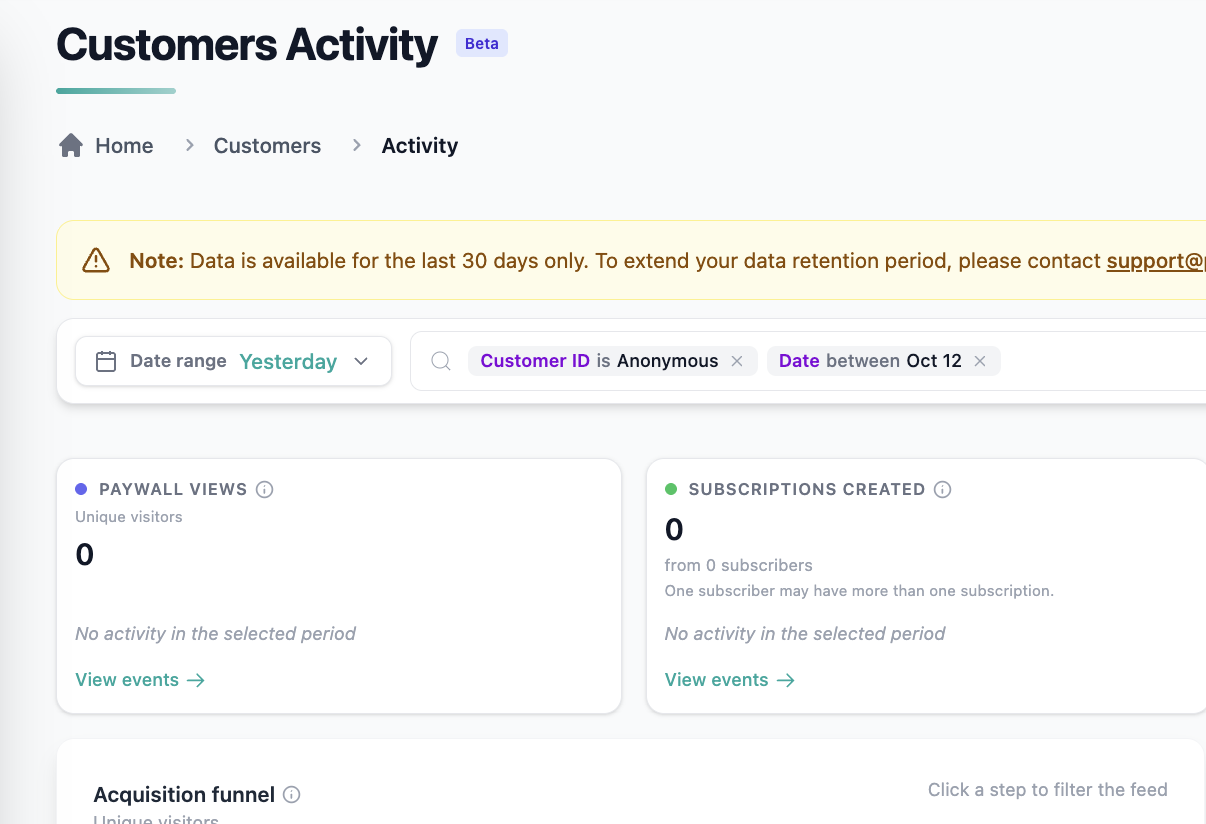
- "Yesterday" predefined date range, covering 12:00 AM to 11:59 PM of the previous day, consistent with the other presets
- Anonymous option in the Customer ID filter returns only events with no associated customer, with no value to type
- Exclude multiple page paths in a single filter, using comma-separated values or multiple entries (for example, excluding both
/subscribe/and/eedition/) - CSV exports reflect the applied filters
🎯 Impact:
Analysts can isolate anonymous traffic and on-site subscription journeys in a few clicks, without date-picker workarounds or repeated filtering.
🟢 Platform: AI Data Copilot Now Part of the AI Agent
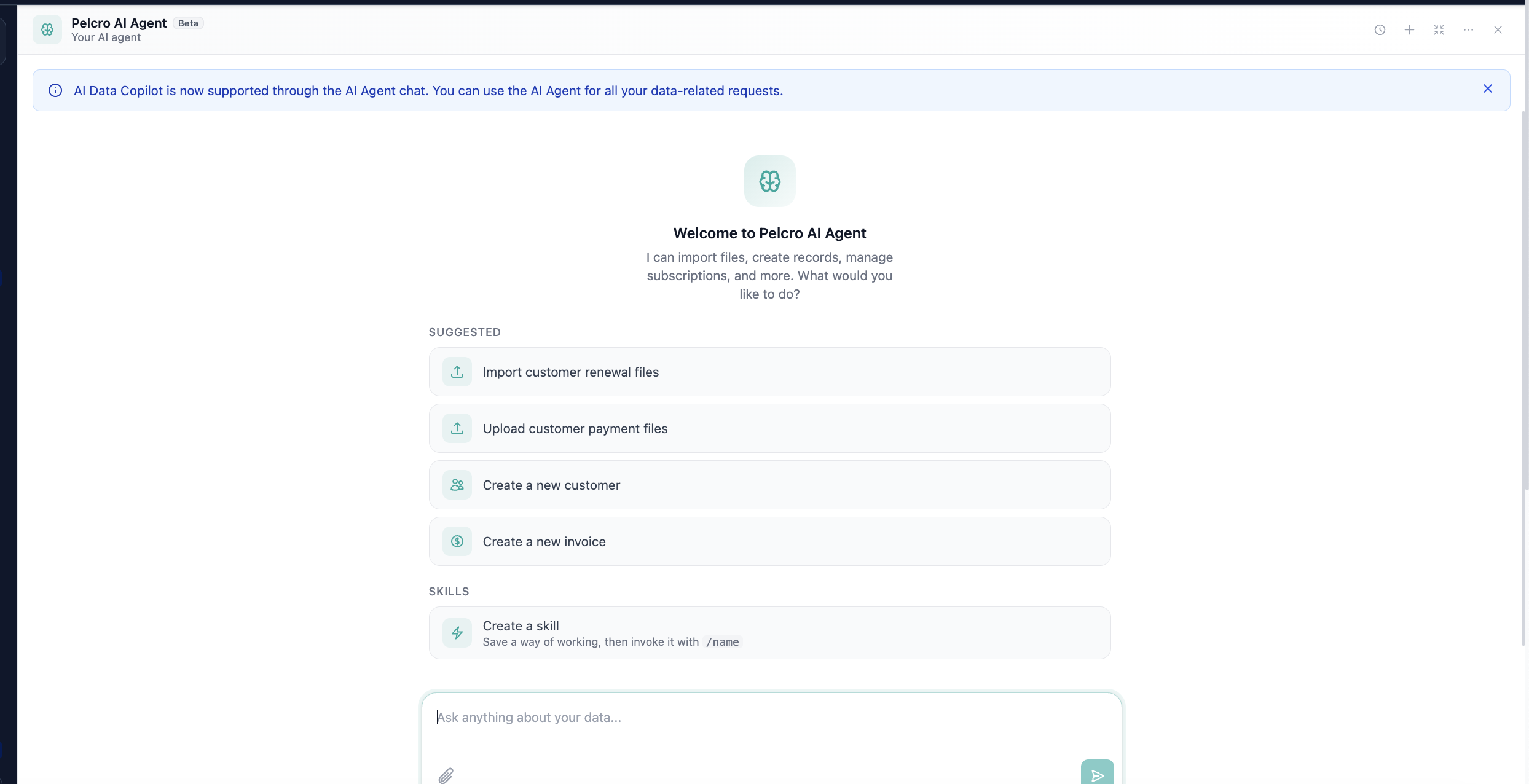
AI Data Copilot has been consolidated into the AI Agent, giving users one consistent AI experience for all requests, including data questions.
✅ What's New:
- Selecting Copilot opens the AI Agent in full-screen mode with a dismissible notice explaining the change
- Data requests can be submitted to the AI Agent immediately
- Legacy Copilot pages and trial-activation links now redirect to the AI Agent
- Existing AI Agent permissions and consent continue to apply
🎯 Impact:
Users no longer had to choose between two AI tools, and all data-related requests now benefit from the AI Agent's full capabilities.
🟢 Open API: Subscriber Shipment Redelivery Endpoints
New subscriber-authenticated endpoints let any channel list shipments, request redeliveries, and cancel pending requests, using the same redelivery workflow as Fulfillments.
✅ What's New:
GET /api/v1/sdk/subscriptions/{subscription_id}/shipmentslists shipments on approved fulfillments, newest first, withcan_redeliver,redelivery_blocked_reason, andpending_redelivery(paginated;limit1–100, default 25)POST /api/v1/sdk/subscriptions/{subscription_id}/shipments/{shipment_id}/redeliveriesrequests a redelivery:quantity— required, from 1 up to the shipment's quantityreason— required:not_received,damaged_in_transit,lost_in_transit,wrong_address, orotherreason_other— required whenreasonisother(max 255 characters)
PATCH /api/v1/sdk/subscriptions/{subscription_id}/shipments/{shipment_id}/redeliveries/{redelivery_id}cancels a pending redelivery- Redelivery statuses:
1Redelivery Required,2Redelivered,3Redelivery Cancelled - Authenticated with the customer's JWT; the customer must own the subscription
- Requests appear on the subscription's fulfillments in the dashboard, the same as dashboard-created requests
- Built-in safeguards: one pending redelivery per shipment, replacement shipments must be redelivered from the original shipment, and requests and cancellations are rate limited to 5 per hour per customer
🎯 Impact:
Publishers can offer self-serve redelivery in any channel, from IVR to custom account pages, without staff processing each request.
🟢 Platform: Include or Exclude Countries on Plans
Plan country restrictions now support exclusions, making it easy to offer a plan everywhere except a few countries.
✅ What's Improved:
- Choose between including countries (plan offered only in those countries) or excluding countries (plan offered everywhere except those countries)
- Select all countries in one action, then remove the ones you want to exclude
🎯 Impact:
Publishers no longer need to build long inclusion lists just to leave out a handful of countries, saving setup time and reducing configuration errors.