

Release 3.4 (Tech Release 1.28)
🟢 Platform: In-App Notifications for Automations
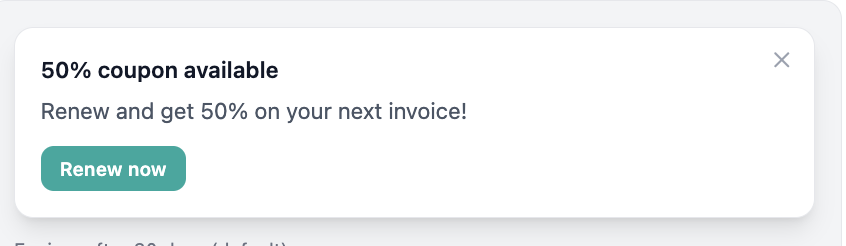
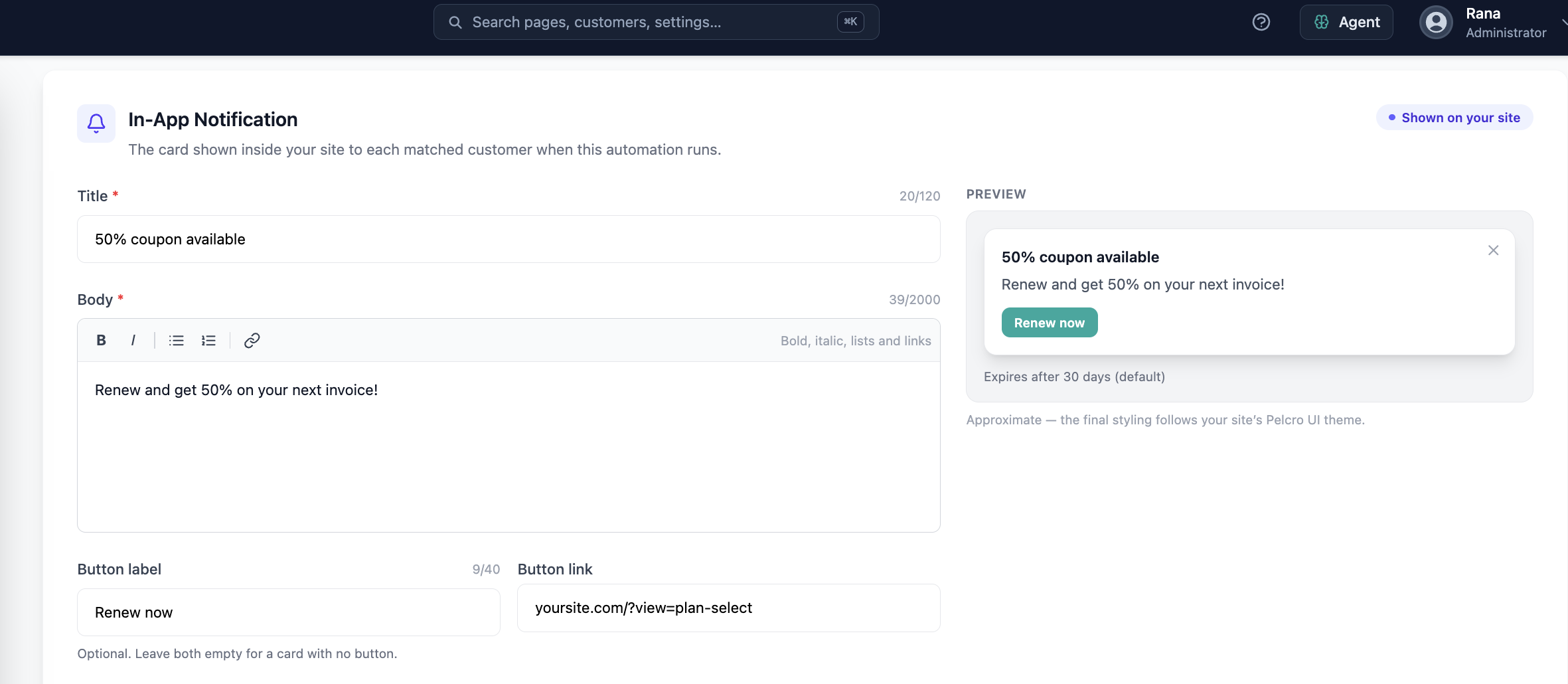
Automations can now trigger in-app notifications — banners, toasts, or inline cards — for customers matching an event-based segment, across any Pelcro UI surface.
✅ What's New:
- Your website will render notifications automatically with brand-aware styling
- Compose notification content — title, rich-text body, and an optional CTA — directly from the automation builder
- Notifications are scoped to authenticated customers only, and expire (default 30 days) if not seen within the configured window
🎯 Impact:
You can engage customers in the moment with in-app messaging, without requiring to migrate to a specific UI to support it.
🟢 Platform: Redelivery Management
Fulfillment teams can now track and manage redeliveries for missed, failed, or damaged shipments directly within the standard fulfillment workflow.
✅ What's New:
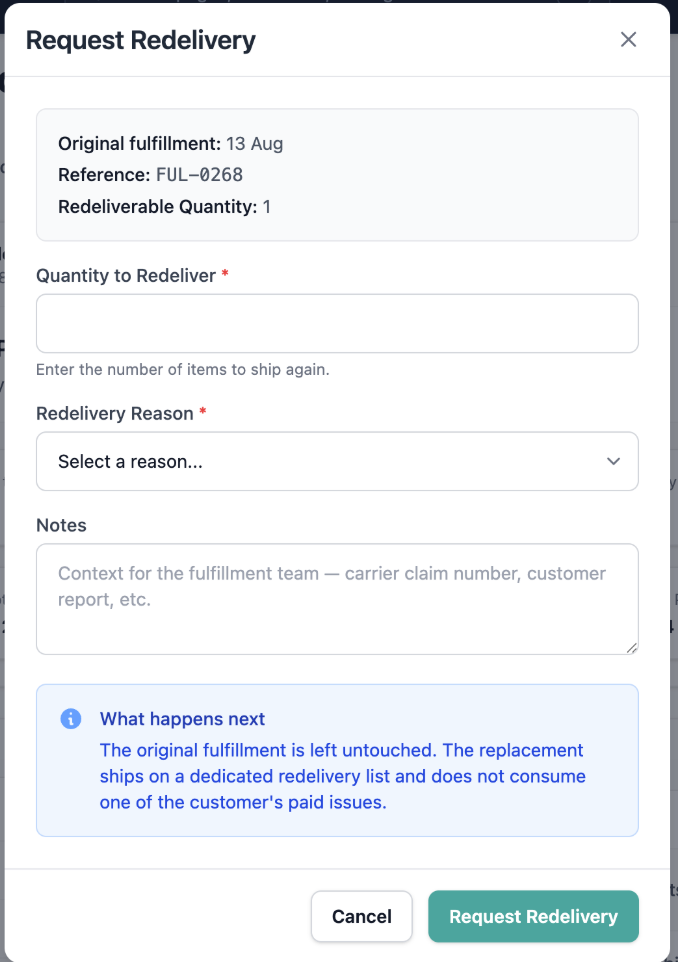
- Mark a shipment as requiring redelivery, with a status of Redelivery Required, Redelivered, or Redelivery Cancelled
- Filter fulfillment lists to show only subscriptions with a pending redelivery, or generate a dedicated redelivery fulfillment list
- Original fulfillment records remain unchanged for historical accuracy; approving the replacement fulfillment updates the redelivery status automatically
🎯 Impact:
Operations teams can process and track replacement shipments without manual workarounds, reducing missed or duplicate redeliveries.

🟢 Platform: Bulk Vendor Reassignment via AI Agent
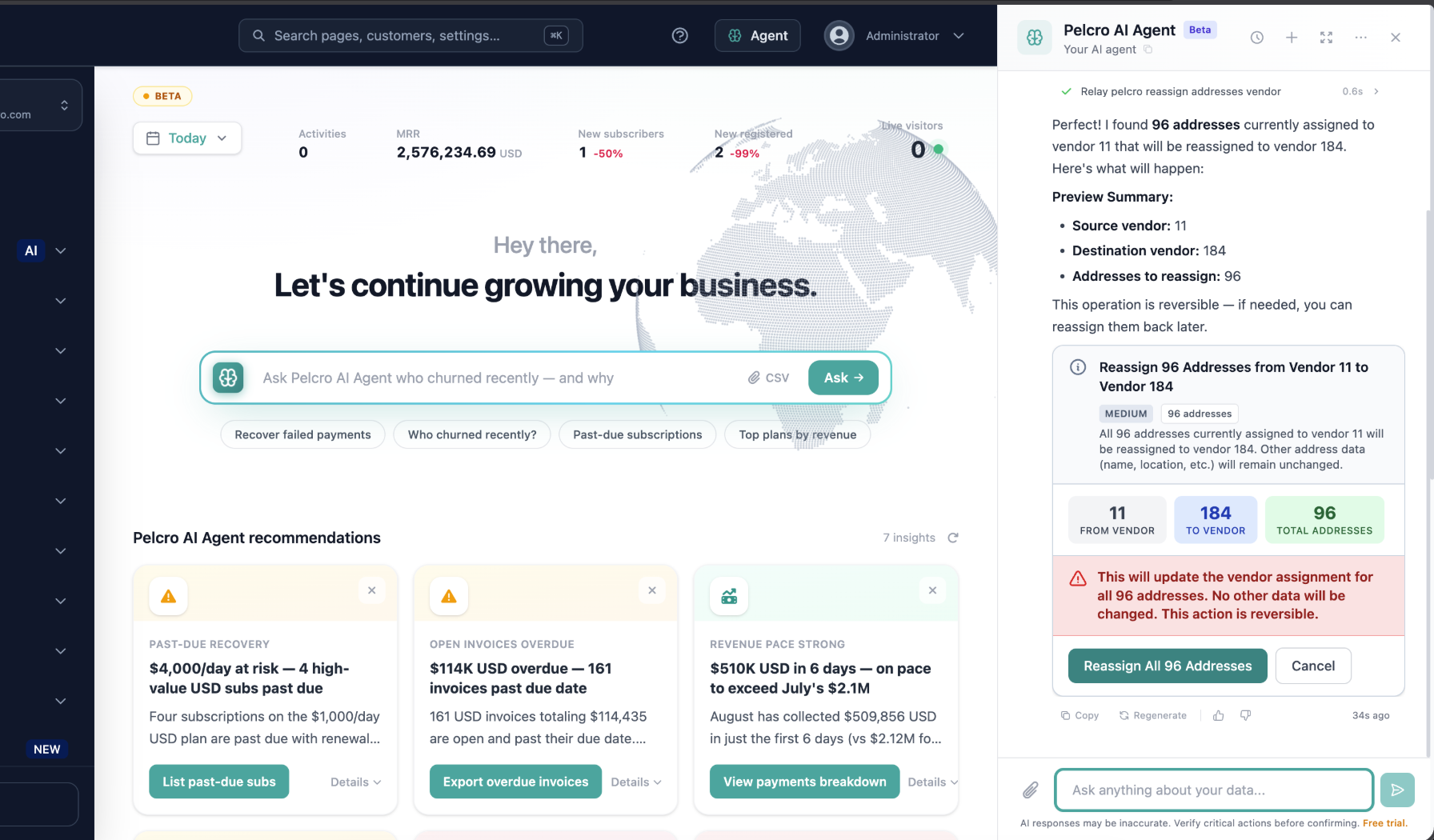
The AI Agent can now reassign addresses between vendors in bulk using natural language, instead of requiring one-by-one manual updates.
✅ What's New:
- Request bulk reassignments in plain language (e.g. "Move all addresses assigned to Vendor A to Vendor B")
- The agent identifies the source vendor, destination vendor, and scope of affected addresses, and presents a summary for confirmation before applying changes
🎯 Impact:
Operations teams can update large numbers of vendor assignments in seconds instead of editing addresses individually.
🟢 Platform: Vendor Reassignment Tracking
Addresses reassigned between vendors now retain a record of where they came from, making it easy to restore them later.
✅ What's New:
- Every individual or bulk vendor reassignment is now recorded
- A new Previous vendor column shows which vendor an address was reassigned away from
- A reassign action lets admins restore an address to its original vendor in one step
🎯 Impact:
Operations teams can confidently restore addresses to their previous vendor after a temporary reassignment, without relying on manual records.

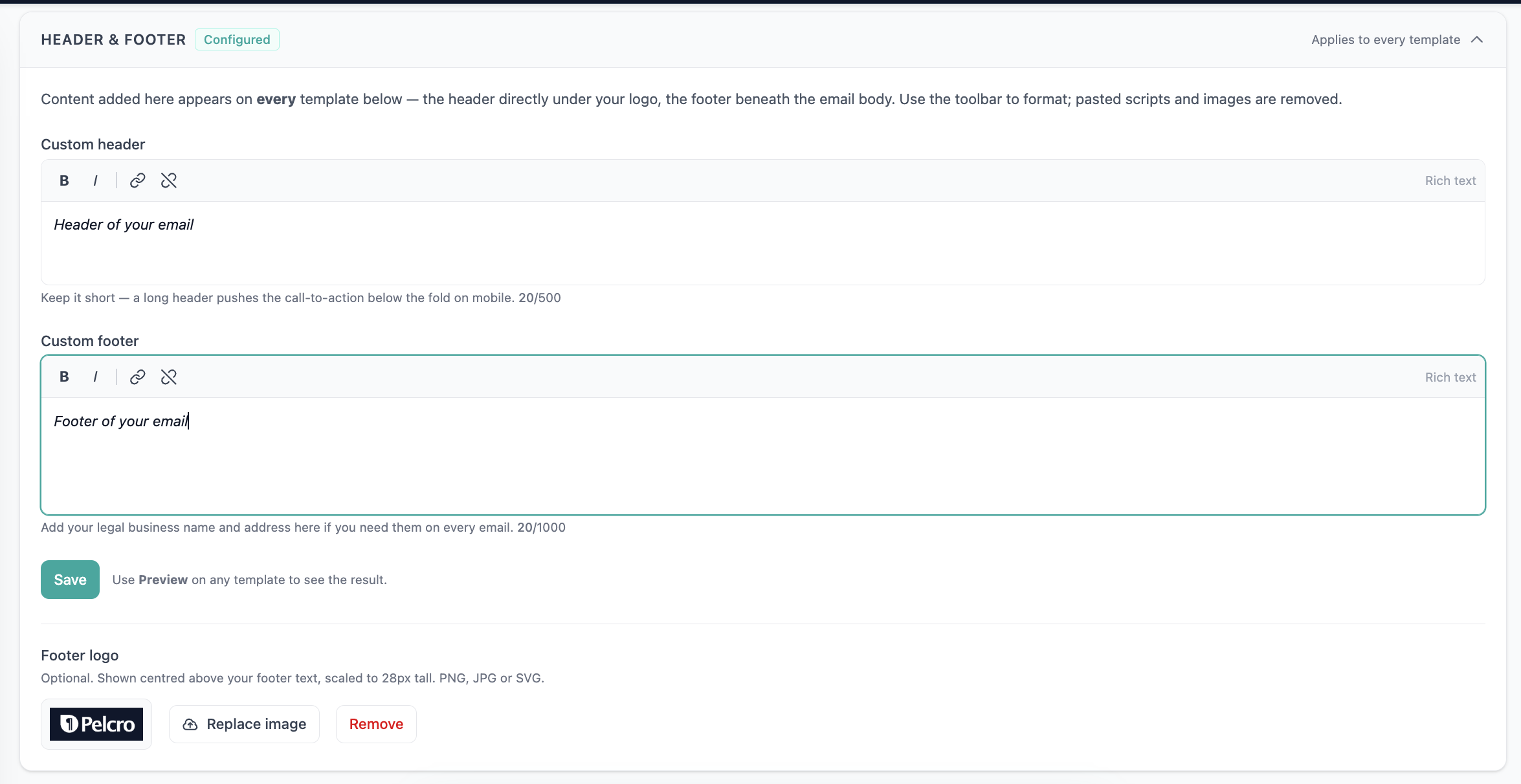
🟢 Platform: Email Center Branding & Legal Info
Automated emails can now reflect a publisher's brand and include required legal information.
✅ What's New:
- Buttons in automated emails now use the account's configured brand color
- Publishers can add a custom header and footer that renders on all automated emails
- Configured legal name and address render below the custom footer
🎯 Impact:
Publishers get more consistent, on-brand emails while meeting legal disclosure requirements.
🟢 Platform: Separate Confirmation Email for Donations
Subscriptions created on a donation plan now trigger donation-appropriate messaging instead of the standard subscription confirmation email.
✅ What's New:
- A dedicated donation confirmation email is sent when a subscription is created on a plan marked as a donation
- Toggle available in the Email Center to enable the donation confirmation email
🎯 Impact:
Donors receive messaging appropriate to their gift, rather than standard subscription confirmation language.

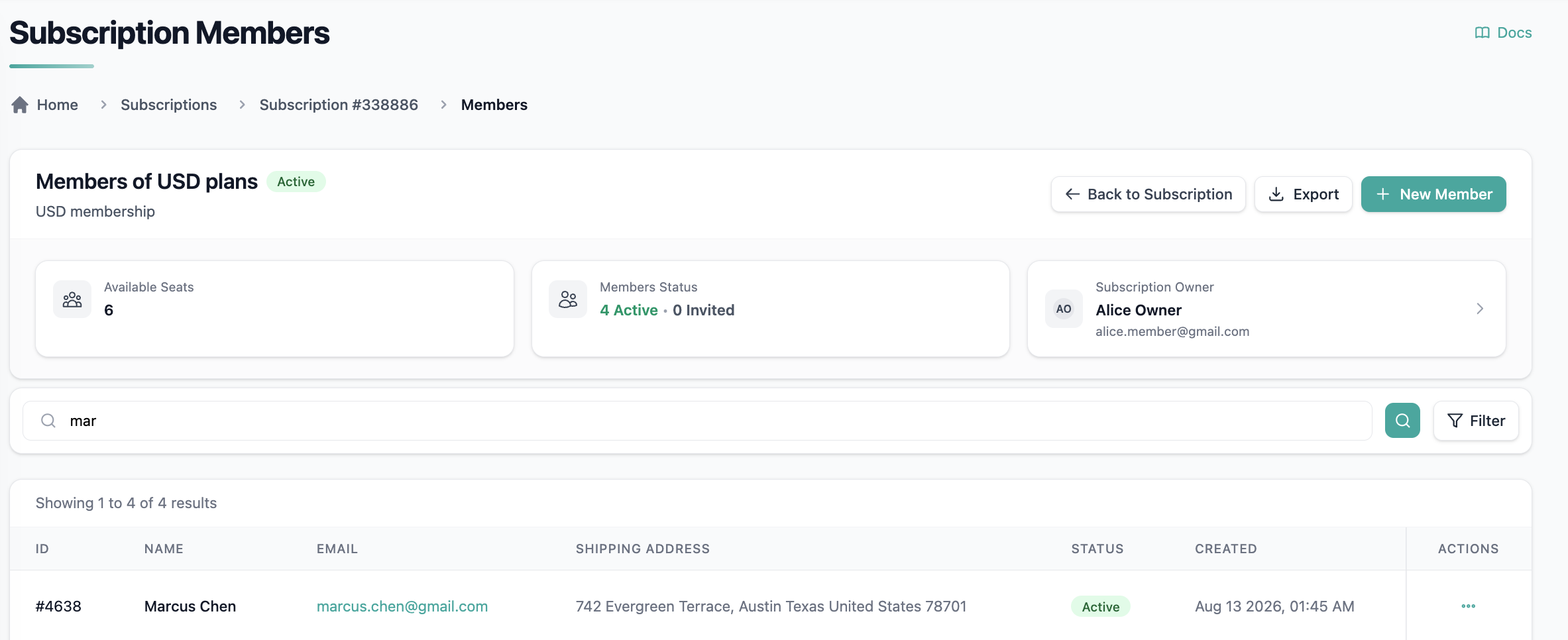
🟢 Platform: Search in Membership Members View
Finding a specific member within a large membership subscription no longer requires scrolling through the full list.
✅ What's New:
- Search the Members view by name or email address
- Search is case-insensitive and supports partial matches
- Member name now displays directly in the members table
🎯 Impact:
Membership Sales teams can find and manage the correct member quickly, even on subscriptions with many members.
🟢 Platform: Automatic Shipping Address for New Memberships
Memberships added to a subscription now automatically inherit the customer's default shipping address.
✅ What's New:
- When a customer is added as an active member, their default shipping address is assigned to the membership automatically
🎯 Impact:
Print memberships are ready for fulfillment as soon as a member is added, eliminating manual address updates and reducing fulfillment failures.
🟢 Platform: Arabic Locale Support
Pelcro now supports Arabic as a platform language across products, paywalls, and the JS SDK.
✅ What's New:
- Product names, descriptions, and paywall text render in Arabic on sites with
<html lang="ar">configured - SDK-triggered error and status messages (e.g. failed charge, invalid input) now return Arabic strings instead of falling back to English
🎯 Impact:
Clients can serve Arabic-speaking subscribers natively, without English fallback text breaking the experience.
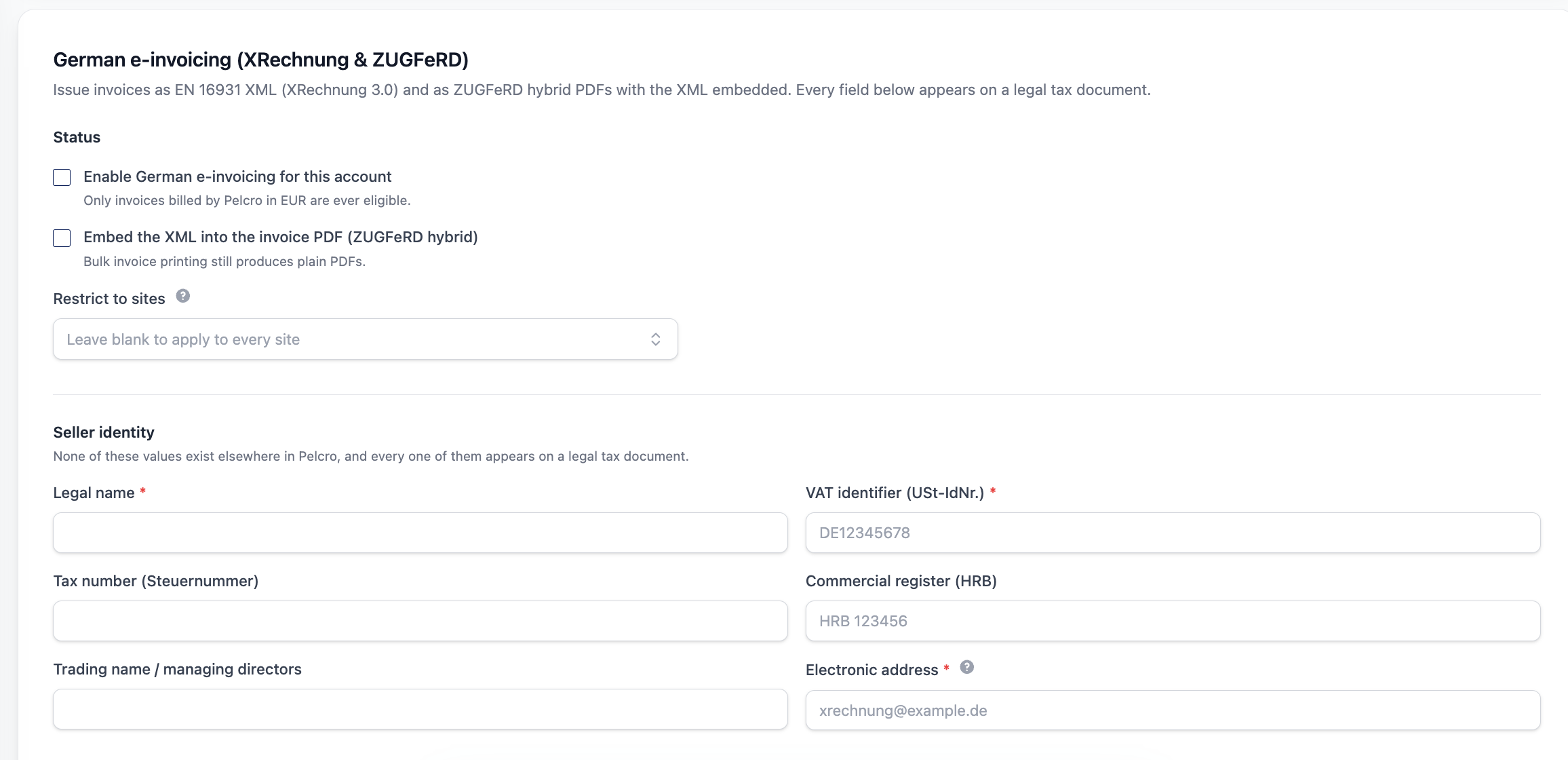
🟢 Platform: German E-Invoicing Support (XRechnung & ZUGFeRD)
Pelcro now generates invoices in Germany's required electronic formats, letting customers meet local e-invoicing mandates without external tools.
✅ What's New:
- ZUGFeRD invoices generated by default — a standard PDF with the required XML data embedded, satisfying e-invoicing rules while remaining human-readable
- XRechnung standalone XML available as a separate download for recipients and public-sector portals that require pure XML
- Support for the Leitweg-ID (Routing ID) on XRechnung invoices where required
- Generated XML validated against the EN16931/XRechnung specification before delivery
🎯 Impact:
Publishers issuing invoices to German customers can now comply with local electronic invoicing requirements directly within Pelcro, removing the need to recreate invoices in third-party tools.
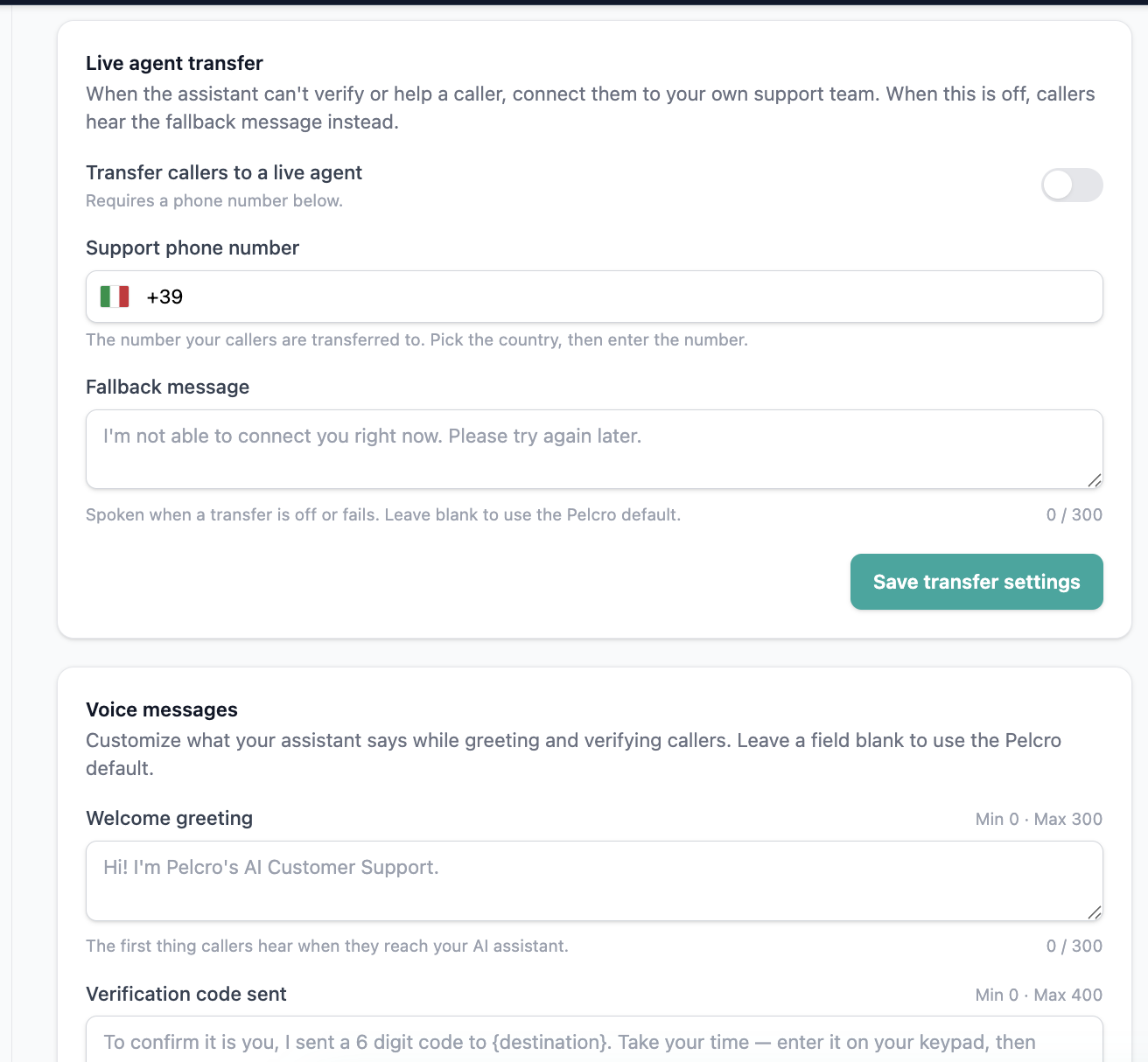
🟢 Platform: AI Voice Agent — Live Agent Fallback & Configurable Messaging
The AI Voice Agent (beta) can now hand off calls to a live support team and lets clients customize the verification messaging callers hear.
✅ What's New:
- New Live Agent Fallback section in AI Customer Support settings, letting clients enable/disable transfer and enter a routing phone number
- Transfers trigger when a caller asks for a live agent, when the AI can't resolve the request after repeated attempts, or when the requested action isn't supported
- The AI agent announces the handoff before transferring, and gives a clear fallback message if the transfer fails
- Entered phone numbers are validated before saving, and transfer attempts/outcomes are recorded in call logs
- Verification and validation messages used during identity checks are now configurable per client rather than hardcoded
🎯 Impact:
Clients can ensure callers always have a path to a human when the AI can't help, and can tailor the verification experience to their own brand voice.
🟢 Open API: Payment Method & Password Reset Endpoints via MCP
The Pelcro OpenAPI MCP tools now expose customer payment method and password reset actions, extending what AI agents and integrations can automate.
✅ What's New:
- Create and update customer payment methods via the OpenAPI MCP tools
- Initiate customer password reset requests via the OpenAPI MCP tools
- OpenAPI specification and MCP documentation updated to cover the new endpoints
🎯 Impact:
AI agents and integrations — including the AI Voice Agent — can now handle more customer support actions, such as updating a card on file or resetting a password, without manual intervention.
🟢 Platform: Export Failed Imports
Admins can now export failed records from AI agent customer imports directly from the imports table.
✅ What's New:
- New export button on the failed imports table, generating the export inline for immediate download
🎯 Impact:
Admins can quickly retrieve and review failed import records without waiting on a background job.
🟢 Platform: Faster API Key & Application Management
Managing API keys and connected applications in Settings → Developers is now faster, with in-page creation and real-time updates.
✅ What's Improved:
- Creating an API key or application now happens in a modal — no more separate pages or full reloads
- Revoking, deleting, and reactivating keys or applications updates the table instantly
- A new Connected Applications table lists AI connectors and integrations authorized via OAuth, along with their status and last-used date
🎯 Impact:
Admins can manage developer credentials and integrations more efficiently, with immediate visibility into what's connected to their account.