

Release 2.8 (Tech Release 1.122)
🟢 Platform: Expanded Default Email Templates
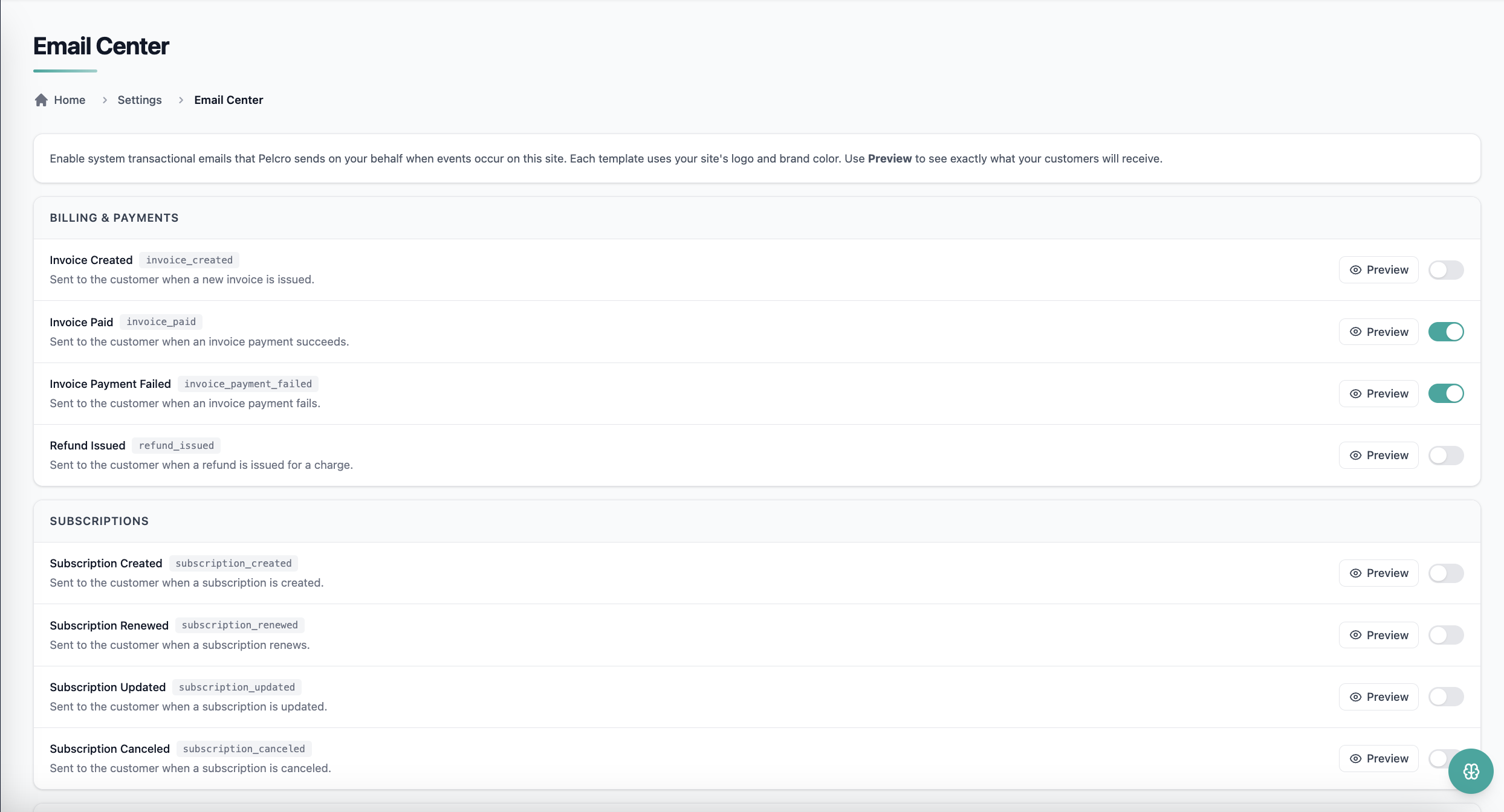
The platform now ships with a comprehensive library of transactional emails triggered directly from Pelcro events — eliminating the need for external ESP setups.
✅ What's New:
- New Email Center page listing all system emails
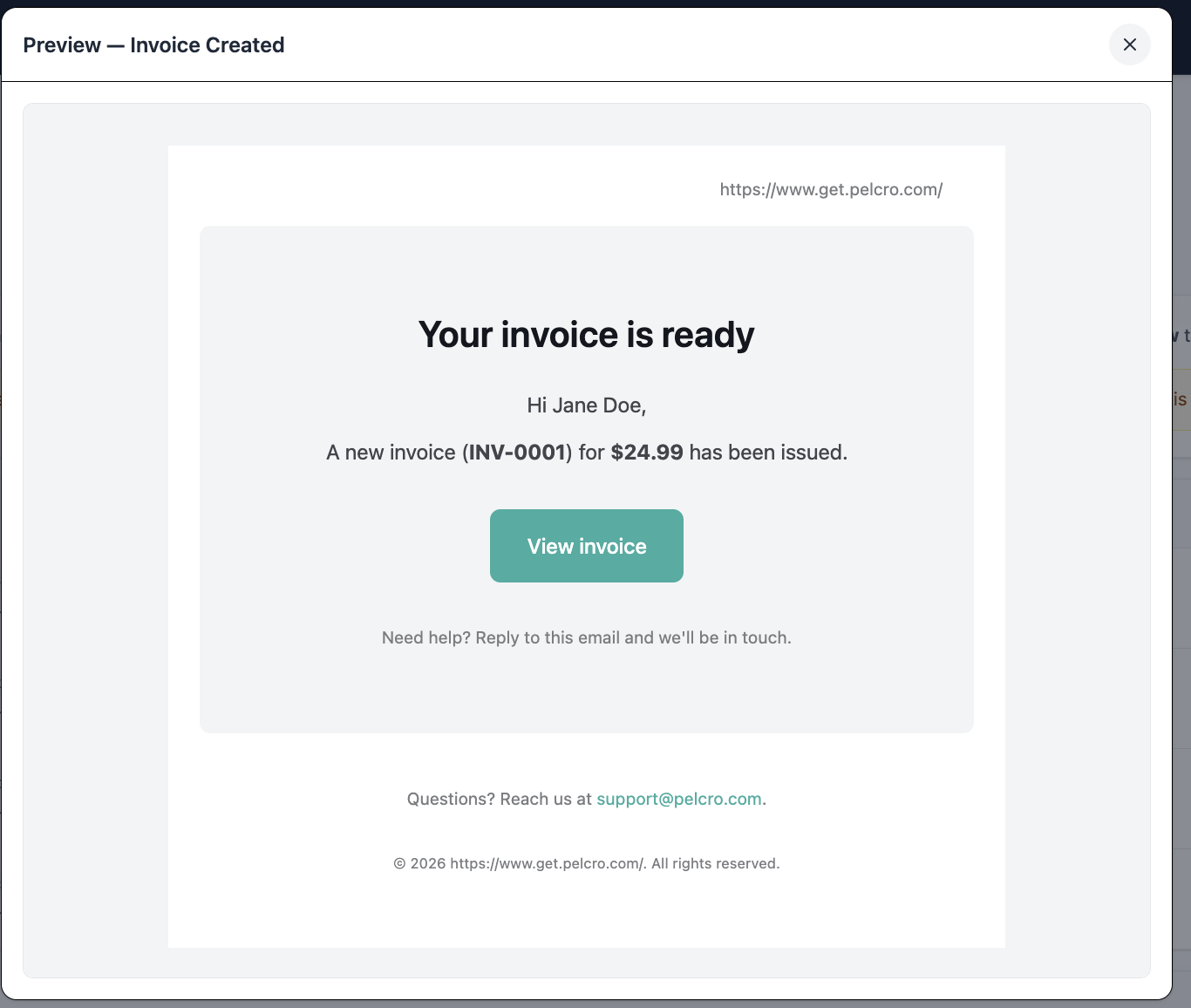
- Per-email enable/disable toggle and read-only preview
- Event-driven trigger layer firing emails directly from Pelcro events
- Automatic branding — platform color configuration and client logo applied dynamically
- Default templates cover:
- Billing & Payments: Invoice Created, Invoice Paid, Invoice Payment Failed, Refund Issued
- Subscriptions: Created, Renewed, Updated, Canceled
- Dunning & Recovery: Payment Failed (retry), Card Expiring Soon, Upcoming Renewal, Trial Ending
- Customer & Account: Account Created, Password Reset
- Optional: Order/One-time Purchase Confirmation
🎯 Impact:
You will get consistent, branded transactional email coverage out of the box, with centralized control and no fragmented external workflows.
🟢 Platform: Customer Data Insights
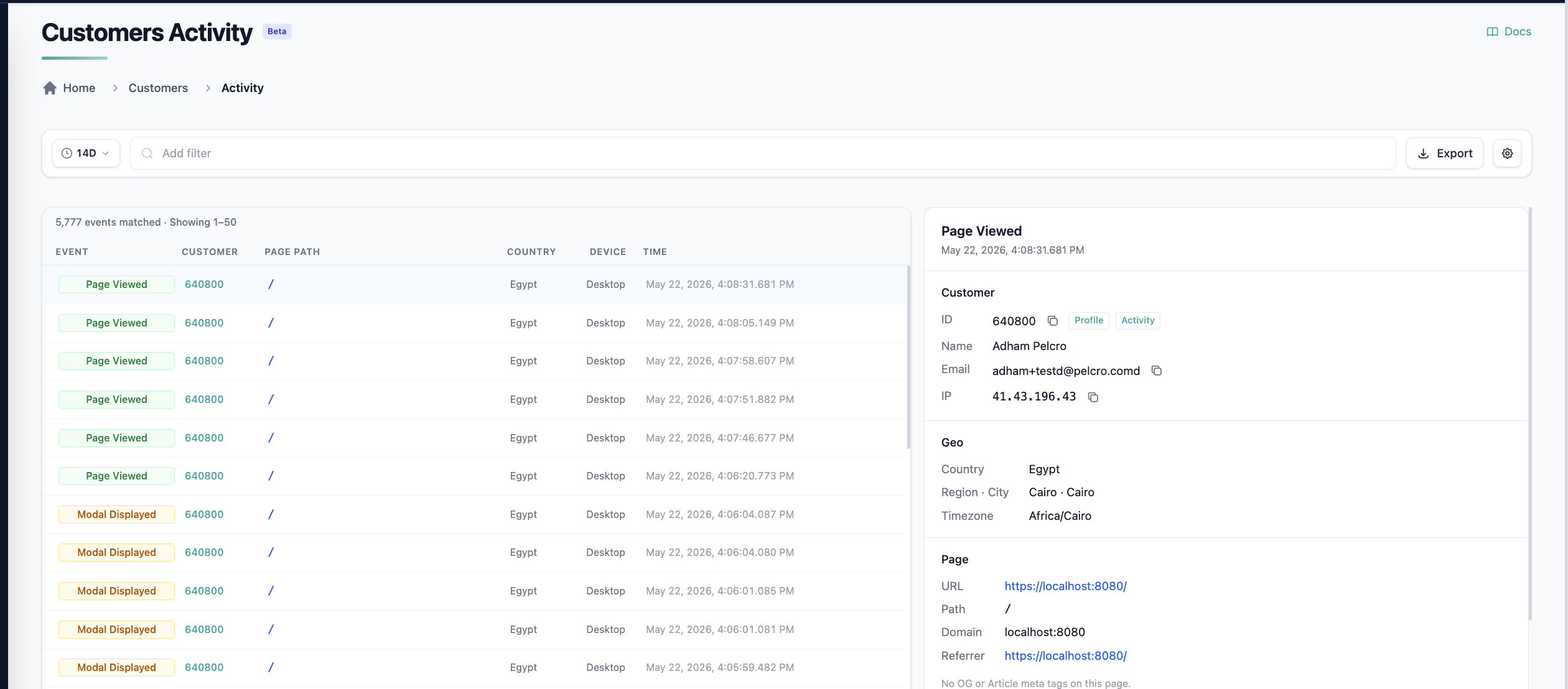
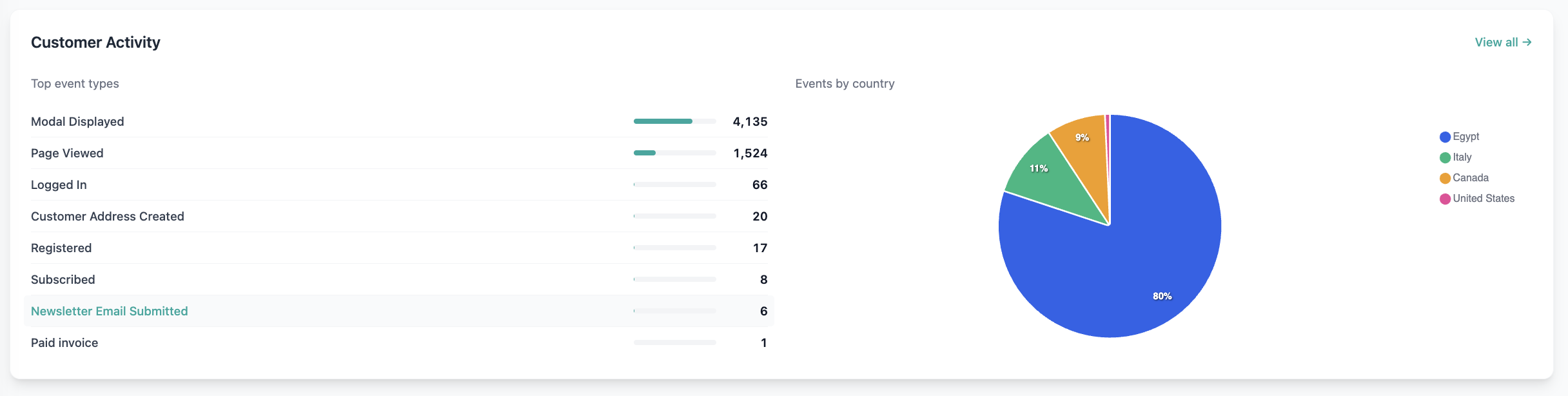
We've introduced a new Customers Activity page powered by an analytics database, giving teams direct access to detailed user activity logs.
✅ What's New:
- New Analytics > Customers Activity page with a list view of the Analytics DB
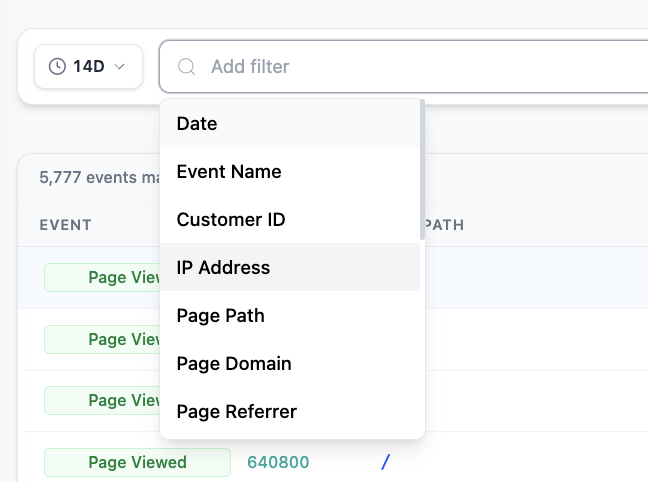
- Filters available by Customer ID, Event Type, IP Address, and more
- CSV export of complete logs
- Tracked events include: Page Viewed, Registered, Logged In, Converted, Subscribed, Unsubscribed, Paid Invoice, Newsletter Email Submitted, Customer Address Created, and more
🎯 Impact:
Analytics and business teams can now build reports and analyze reader behavior directly from the platform — no manual copy-pasting from individual customer dashboards.
🟢 Platform: Newsletter Configuration Center
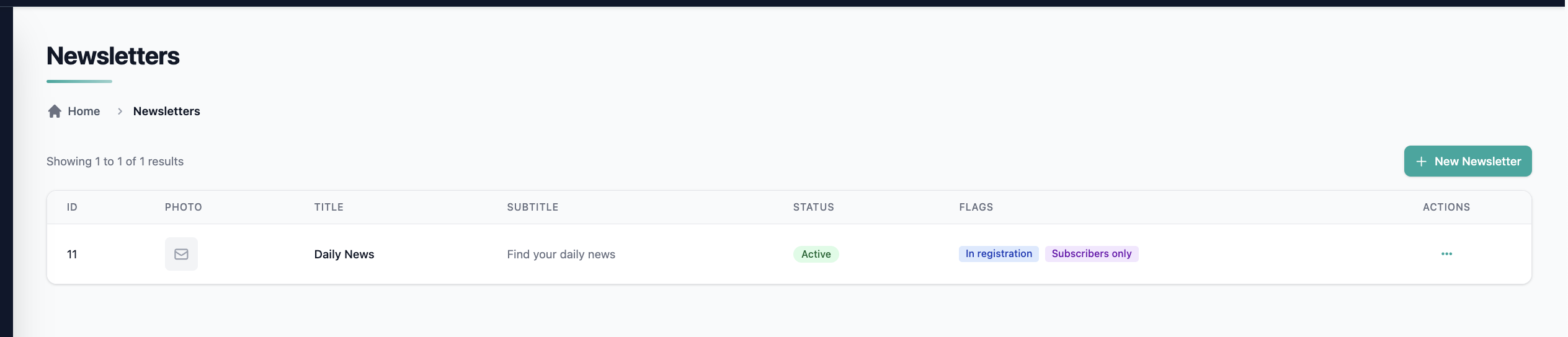
We've introduced a centralized Newsletter Configuration area in the platform so admins can create, edit, and manage newsletters easily.
✅ What's New:
- Newsletter section now contains two sub-pages: Newsletters and Subscribers
- Full CRUD on newsletter records with the following fields:
title,subtitle,description,photo,status,addToRegistration,onlySubscribers - Active/Inactive toggle — inactive newsletters are hidden from your website
- Newsletters are returned in the site config endpoint alongside products and plans
🎯 Impact:
Platform admins now manage newsletters from the platform, with consistent exposure across the API, Default UI, and registration flows.
🟢 Platform: Newsletters in the Default UI
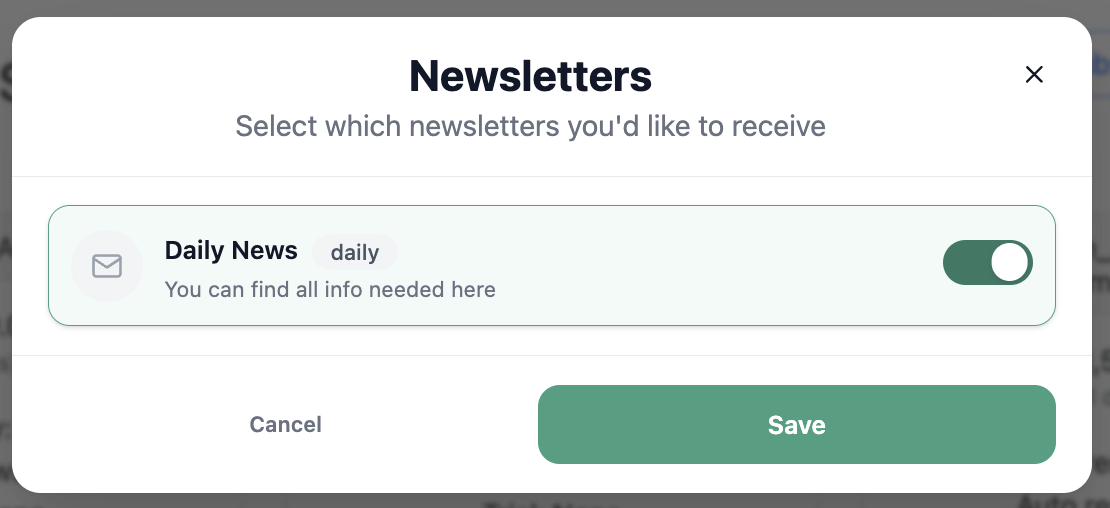
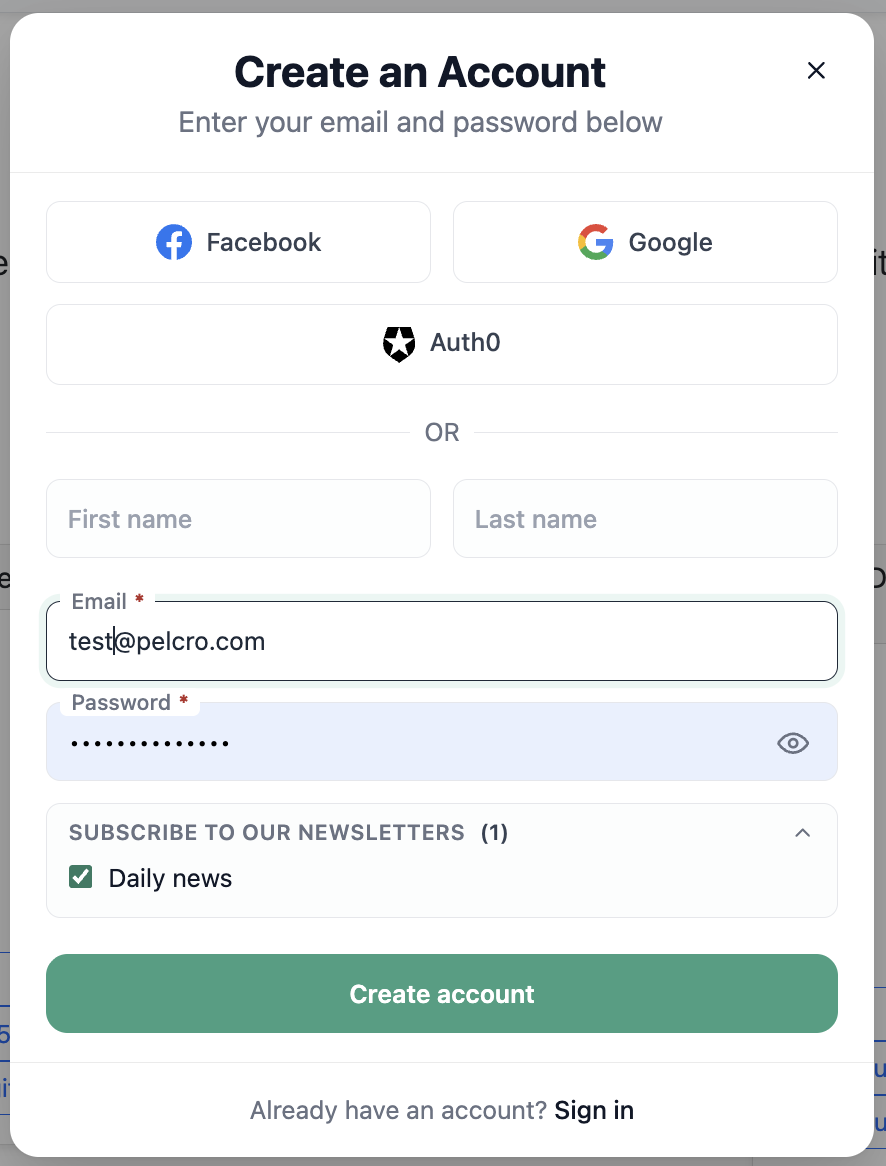
The Default UI now renders newsletters configured at the platform level — no custom SDK wiring required.
✅ What's New:
- Configured newsletters surface automatically in the newsletters section of the Default UI dashboard
- Modals adapt to authenticated and non-authenticated users
- Registration form displays a "Subscribe to our newsletters" title when newsletters are configured
🎯 Impact:
Your customers see newsletters in real time, with a unified experience across modal triggers and the dashboard.
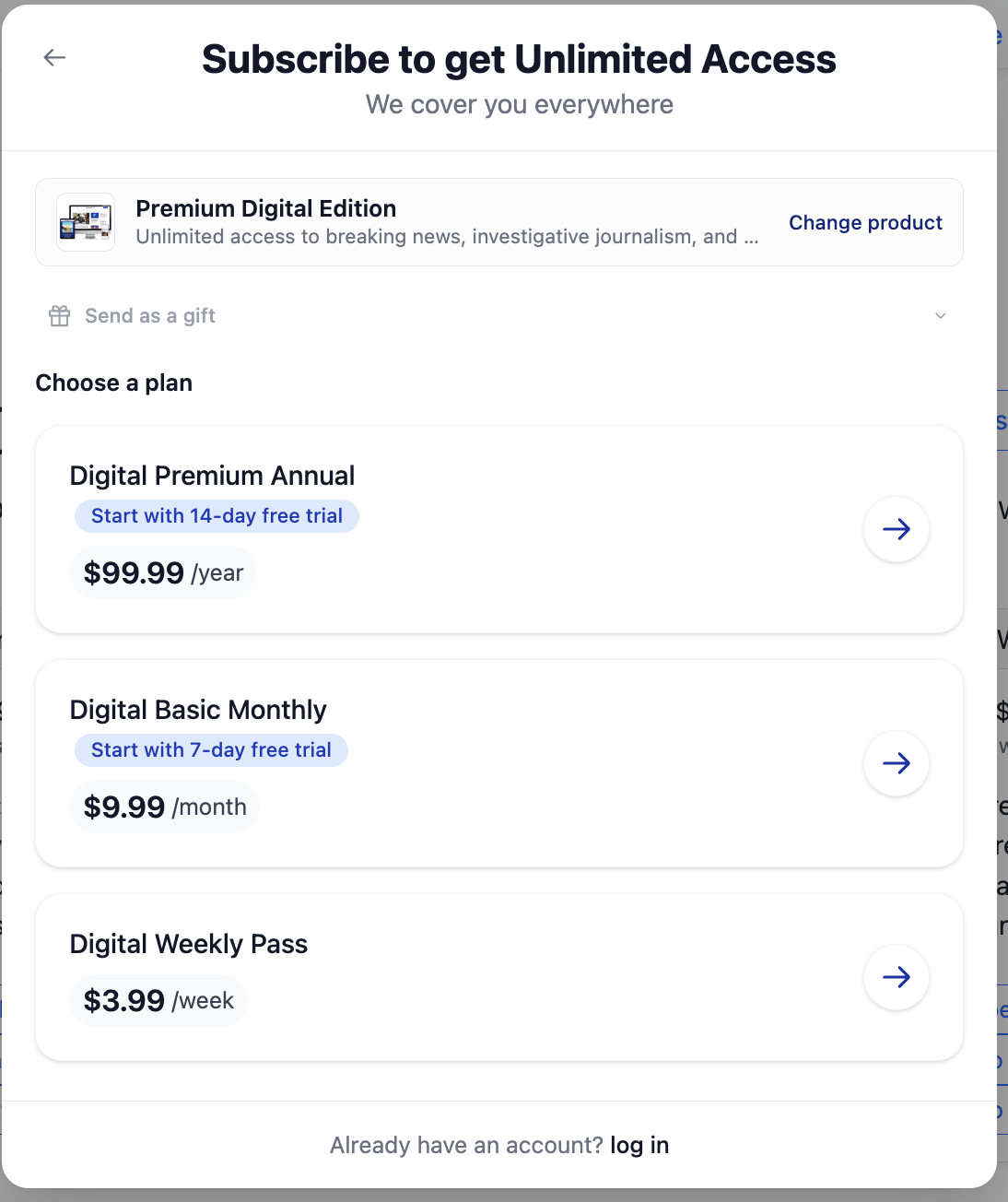
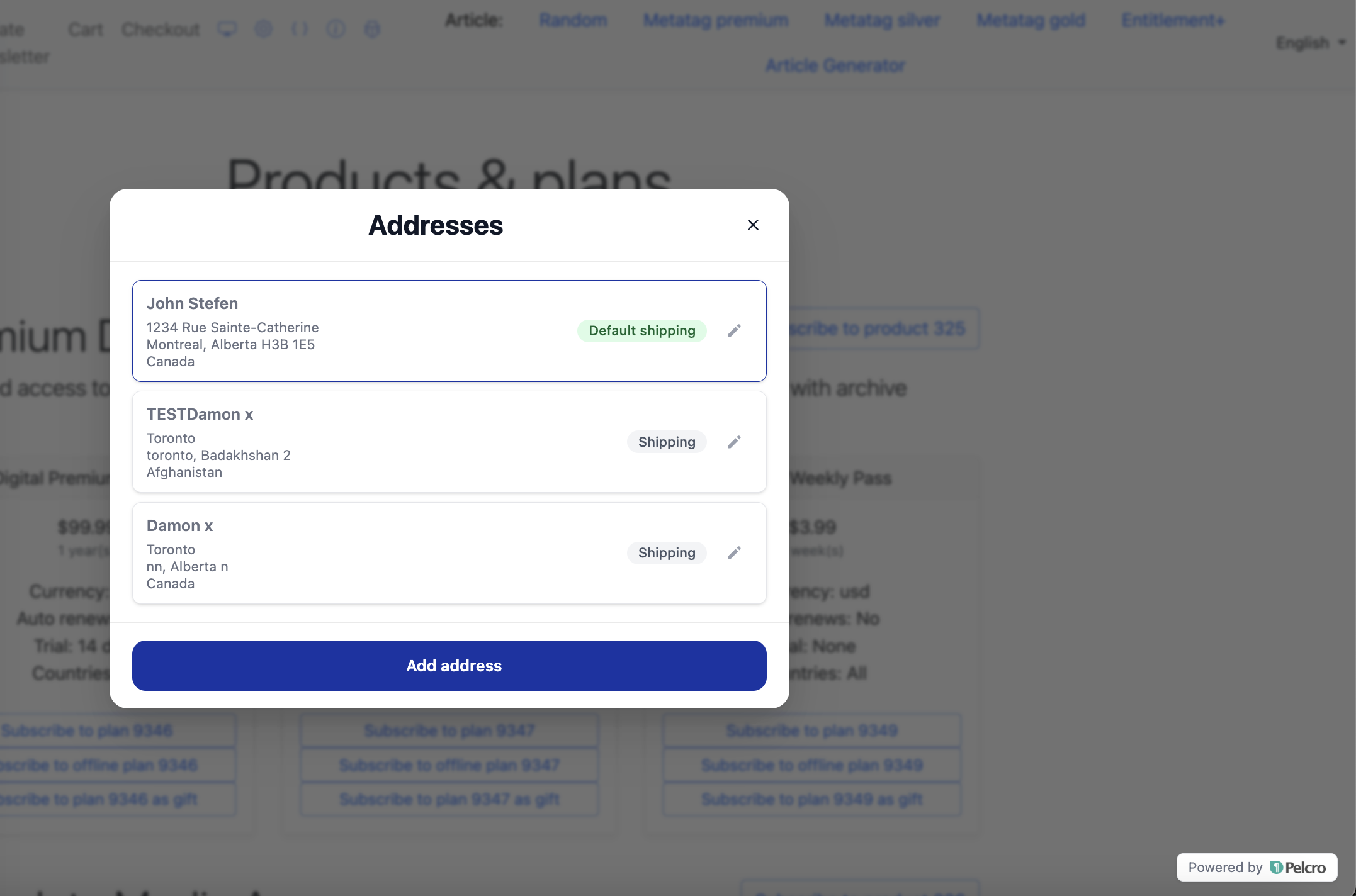
🟢 Platform: Improved Default UI Quality
We've tightened the entire dashboard experience to feel more consistent, more responsive, and more polished across every account management flow.
✅ What's Improved:
- Unified success messages — same color palette, typography, animation, positioning, close behavior, and timing across all modules
- Unified modal behavior and consistent loading/completion interaction patterns
- Reduced excessive whitespace and oversized form fields
- Success messages now appear only after loading completes (no more conflicting states)
- Gift redemption flow now includes a login hyperlink for existing customers
🎯 Impact:
Subscribers experience a faster, more predictable, and visually cleaner dashboard — reducing confusion and friction in everyday account interactions.
🟢 Platform: Change Subscription Collection Method
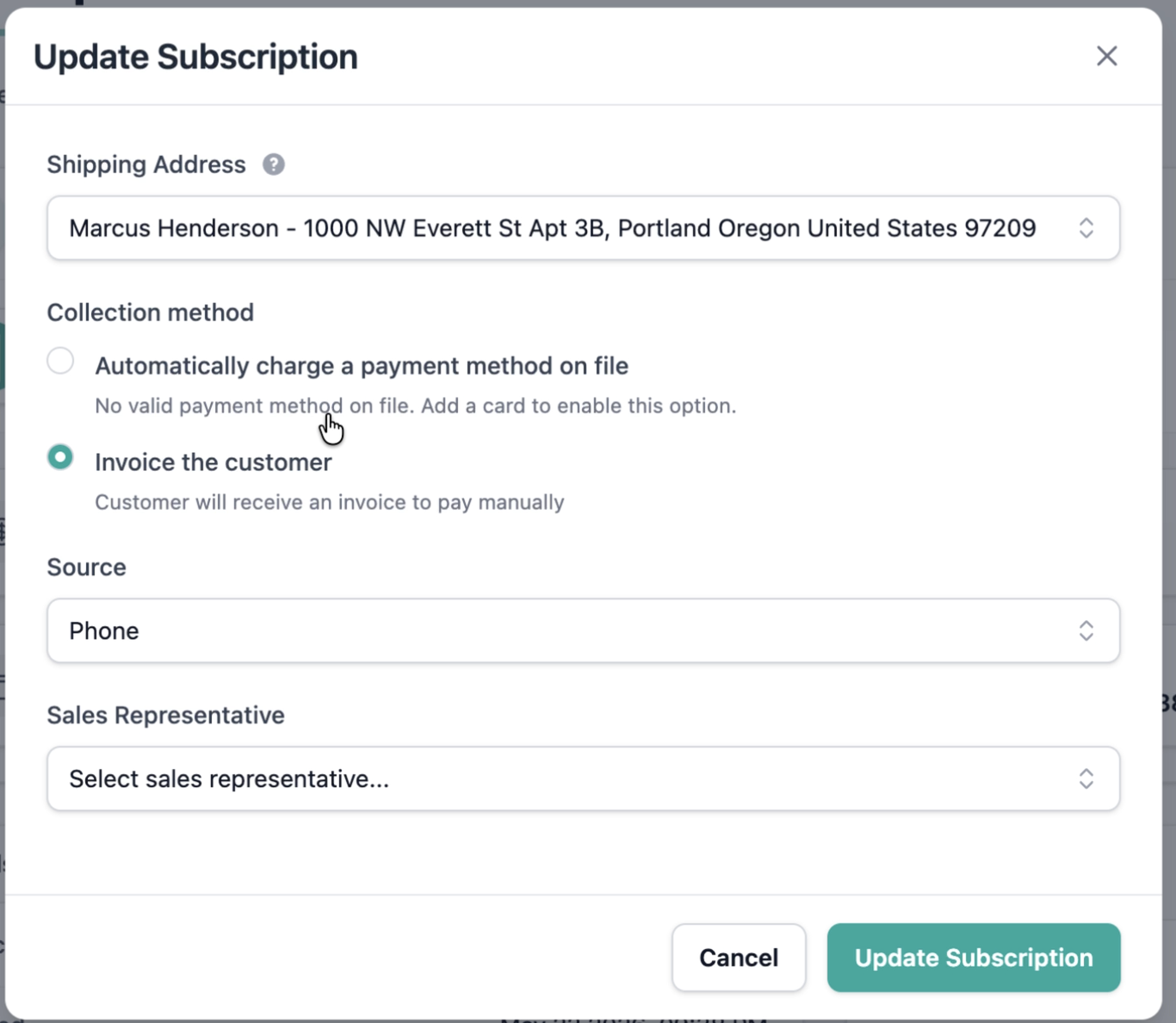
Admins can now switch a subscription's collection method directly from the platform — no Core API calls or engineering support required.
✅ What's New:
- New editable control in the Update Subscription screen
- Supported transitions:
charge_automatically⇄send_invoice - Radio selector with the existing value pre-populated
- Validation enforced consistently with the Core API — switching to
charge_automaticallyrequires a valid default payment method and a chargeable customer state
🎯 Impact:
Billing and support teams can transition customers between automatic charging and invoice-based billing in a single click, eliminating an operational gap.
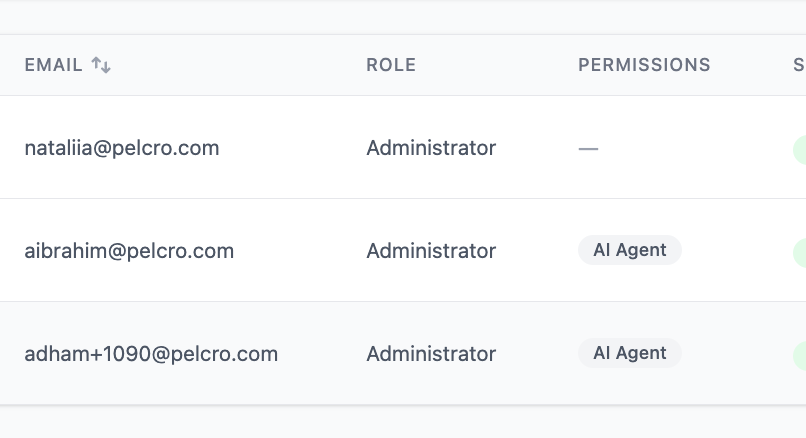
🟢 Platform: Per-Collaborator AI Agent Permissions
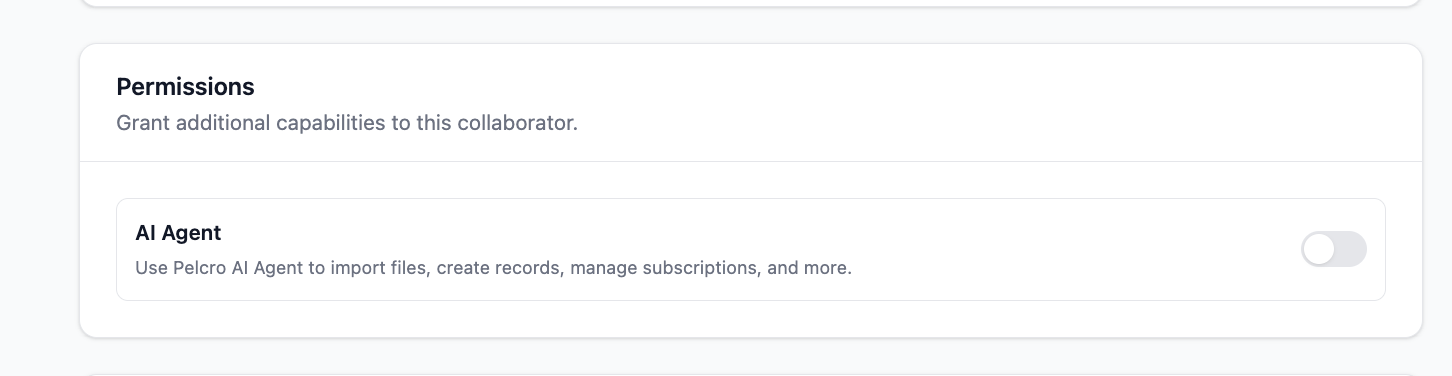
Account owners can now control whether the AI Agent is enabled for their account and which collaborators can use it.
✅ What's New:
- Account-level consent prompt on first AI Agent access — the agent is disabled for the entire account until accepted
- Per-collaborator toggle under Settings > Collaborators, controlled by the account owner only
- Defaults: enabled for the account owner, disabled for all other collaborators
- Collaborators without permission still see the AI Agent panel but receive: "Please ask your account owner to enable this feature for you."
- Permission changes take effect on the next interaction — no re-login required, and active sessions are gated immediately if access is revoked
🎯 Impact:
Account owners gain granular control over AI Agent data access at both the account and individual collaborator level, supporting stricter governance and consumption policies.
🟢 Platform: Consistent Modal IDs Across React Elements
We've introduced a stable, predictable DOM hook on every Default UI modal — making customization, instrumentation, and automated end-to-end testing significantly more reliable.
✅ What's New:
- Every Pelcro React Elements modal root now exposes a stable id of the form
pelcro-modal-{viewId}(kebab-case, derived from the existing Zustand view key) - Backward compatible — existing modal-root ids are preserved; renames use deprecation aliases
🎯 Impact:
Developers can now reliably target modal roots for styling, analytics, and automated tests without depending on fragile selectors.
🟢 Platform: View Subscriptions URL Trigger
We've added deep-link support so renewal emails and external links can take customers straight to their subscriptions.
✅ What's New:
- New
#view=subscriptionsURL trigger - Authenticated users land directly on the Subscriptions view
- Unauthenticated users are redirected to login, then taken to Subscriptions automatically
🎯 Impact:
Renewal email flows convert better by removing the manual navigation step between login and the subscription page.
🟢 Platform: Configurable Authentication Token TTL
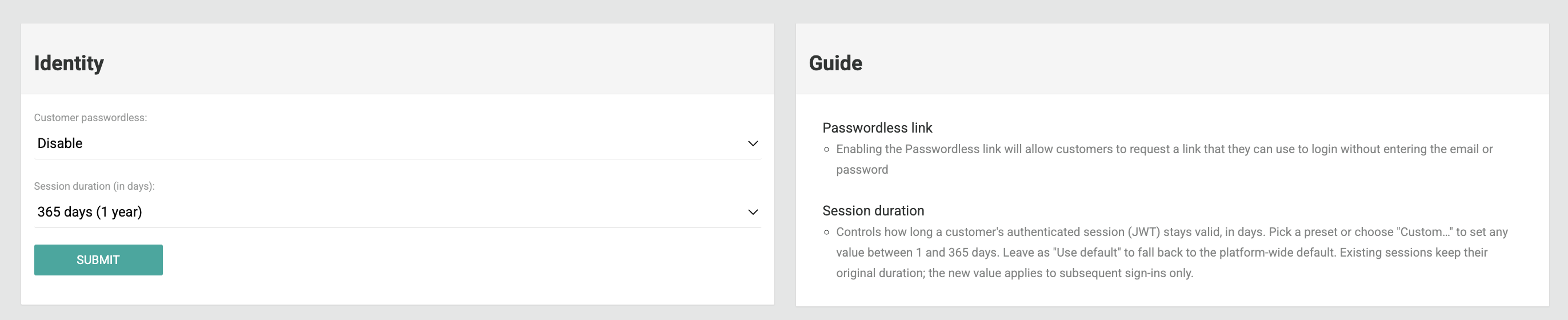
You can now configure the authentication token TTL from the platform — no code changes or SDK redeployments required.
✅ What's New:
- New cookie lifetime key in site settings
- The JS-SDK reads this value when setting or refreshing cookies
- If the key is missing, invalid, or empty, the SDK falls back to the existing default cookie lifetime
🎯 Impact:
Session lifetimes can be tuned per environment to match security and user-experience policies, without engineering involvement.
🟢 Platform: Tax Breakdown on Invoice Exports
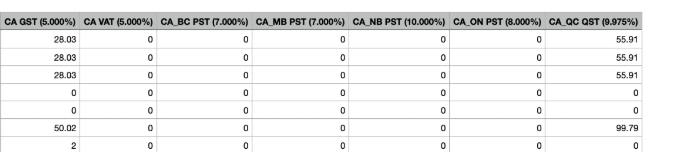
Invoice exports now expose individual tax types instead of a single aggregated total — improving clarity for financial reporting and compliance.
✅ What's Improved:
- Tax amounts are now exposed as separate fields by tax type (e.g., GST, PST, QST, HST)
- All new tax columns are appended to the end of the export file
- The aggregated total tax, when present, is clearly derived as the sum of individual fields
🎯 Impact:
Finance and accounting teams can now reconcile taxes by type directly from exports — enabling accurate reporting and simpler compliance workflows.
🟢 Platform: Recipient Info on Invoice Exports
Invoice exports now include recipient details for marketing, operations, and reporting workflows.
✅ What's Improved:
- New fields added to the end of invoice exports:
- First Name, Last Name, Email
- Address Line, City, State, ZIP
🎯 Impact:
Teams can generate accurate, recipient-aware reports and run targeted campaigns directly from invoice exports — no additional data merging required.
🟢 Platform: Hyphenated ZIP+4 in Invoice PDFs
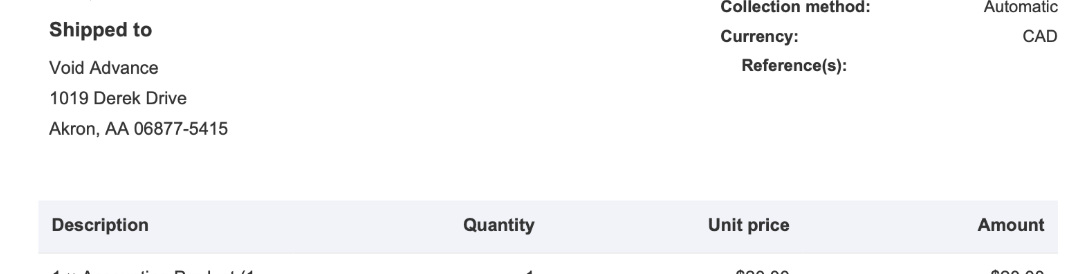
Invoice PDFs now format US ZIP+4 codes with a hyphen between the 5-digit ZIP and the 4-digit extension.
✅ What's Improved:
- ZIP+4 codes display as
06877-5415instead of068775415
🎯 Impact:
Recipient addresses on invoice PDFs are clearer, more readable, and aligned with standard US postal formatting conventions.
🟢 Platform: Cancel Modal Respects Cancellation Settings
Fixed a Default UI issue where the "Cancel immediately" option appeared in the cancellation modal even when disabled in the site's billing settings.
✅ What's Improved:
- The "Cancel immediately" option is now correctly hidden when "Enable subscription cancellation options on customer UI" is disabled
- Modal honors the site endpoint configuration in all cases
🎯 Impact:
Cancellation options shown to subscribers now accurately reflect each publisher's configured policy.