Release 2.3 (Tech Release 1.116)
🟢 Platform: Driver Delivery Sequence Number for Address Routing
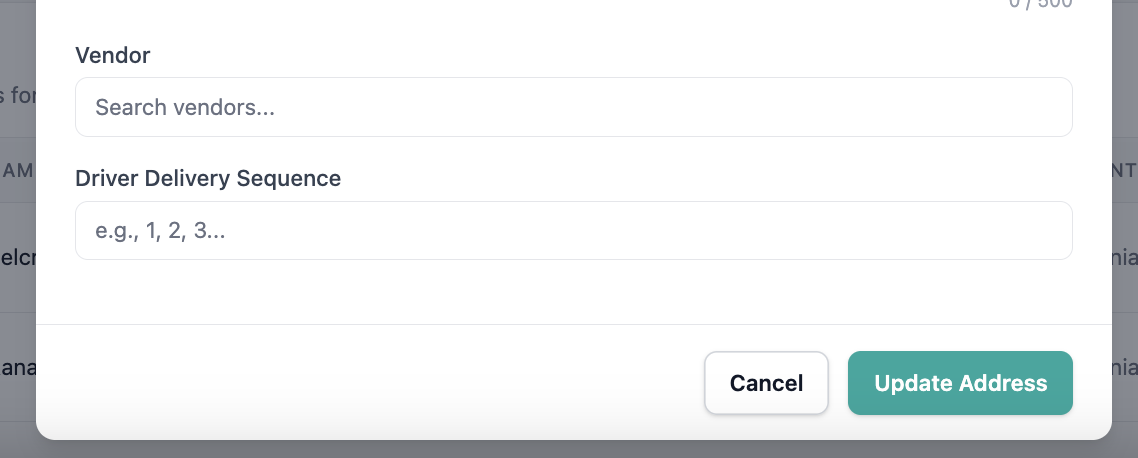
We’ve introduced a Driver Delivery Sequence Number field to help you manage the delivery order of your print deliverables for driver routes.
✅ What’s New:
- A new
delivery_sequence_numberfield is available on Address records. - Allows you to define the exact delivery order for driver routes.
- The field can be:
- Created and updated via API (
POST /addresses,PUT /addresses/{id}) - Viewed in API responses (
GET /addresses/{id}) - Edited in the Admin UI under the Address edit form.
- Created and updated via API (
- The field is also included in fulfillment exports as a new column:
delivery_sequence_number.
🎯 Impact
This enhancement allows you to preserve and manage delivery routes directly in Pelcro, improving operational efficiency and supporting smooth migrations from legacy delivery systems.

🟢 Platform: Vendor-Based Filtering & Routing
We’ve enhanced our list builder workflows to support vendor-based delivery operations, making it easier for you to generate vendor-specific delivery runs and organize routes efficiently.
✅ What’s New:
- List Builder now supports filtering by vendor, allowing you to:
- Filter by a specific vendor
- Platform-generated fulfillment files now include additional routing data:
vendor_name
- Fulfillment outputs are structured to support vendor segmentation and delivery order.
🎯 Impact
This improvement enables you to segment deliveries by vendor directly within Pelcro, reducing manual coordination and simplifying vendor-based distribution workflows.

🟢 Platform: Automated Vendor Assignment for Delivery Addresses (Beta)
We’ve introduced automated vendor assignment to help you manage internal delivery routes more efficiently.
✅ What’s New
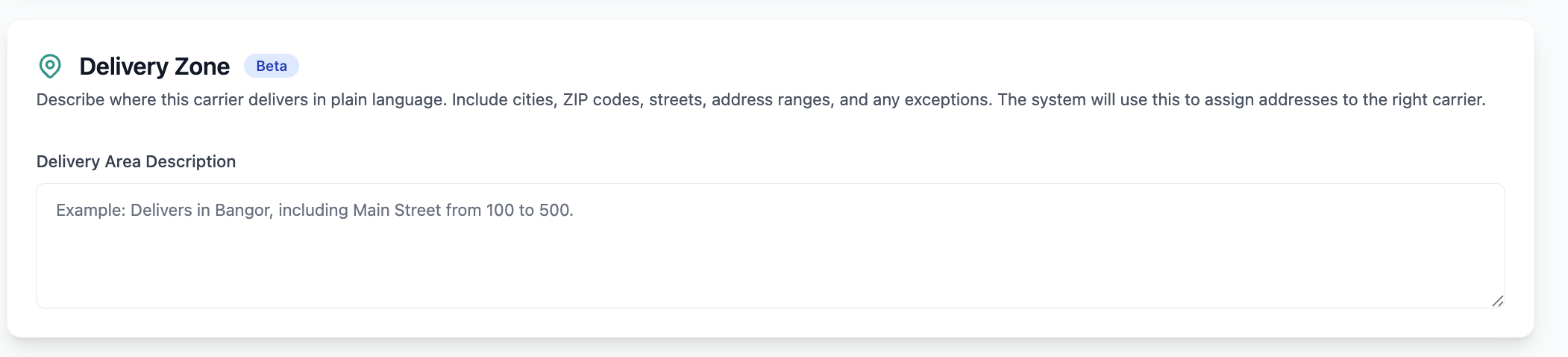
- You can define a Delivery zone for each vendor that describe their delivery service areas (e.g., ZIP ranges, street ranges, city/county).
- When an address is created or updated, the system automatically evaluates it against the delivery zones' prompts and assigns the matching vendor_id.
- A new
vendor_idfield is available on Shipping Addresses, editable in the platform and accessible via the Core API. - If no match is found, the address remains unassigned.
📦 Where It Appears
Vendor assignments are reflected in:
- List Builder (filter by vendor or unassigned addresses)
- Fulfillment and list exports
- Address and Vendor views
🎯 Impact
This enhancement reduces manual vendor mapping, improves delivery routing accuracy, and streamlines fulfillment operations for publishers managing local delivery carriers.
🟢 Platform: Modernized Subscription Creation Page
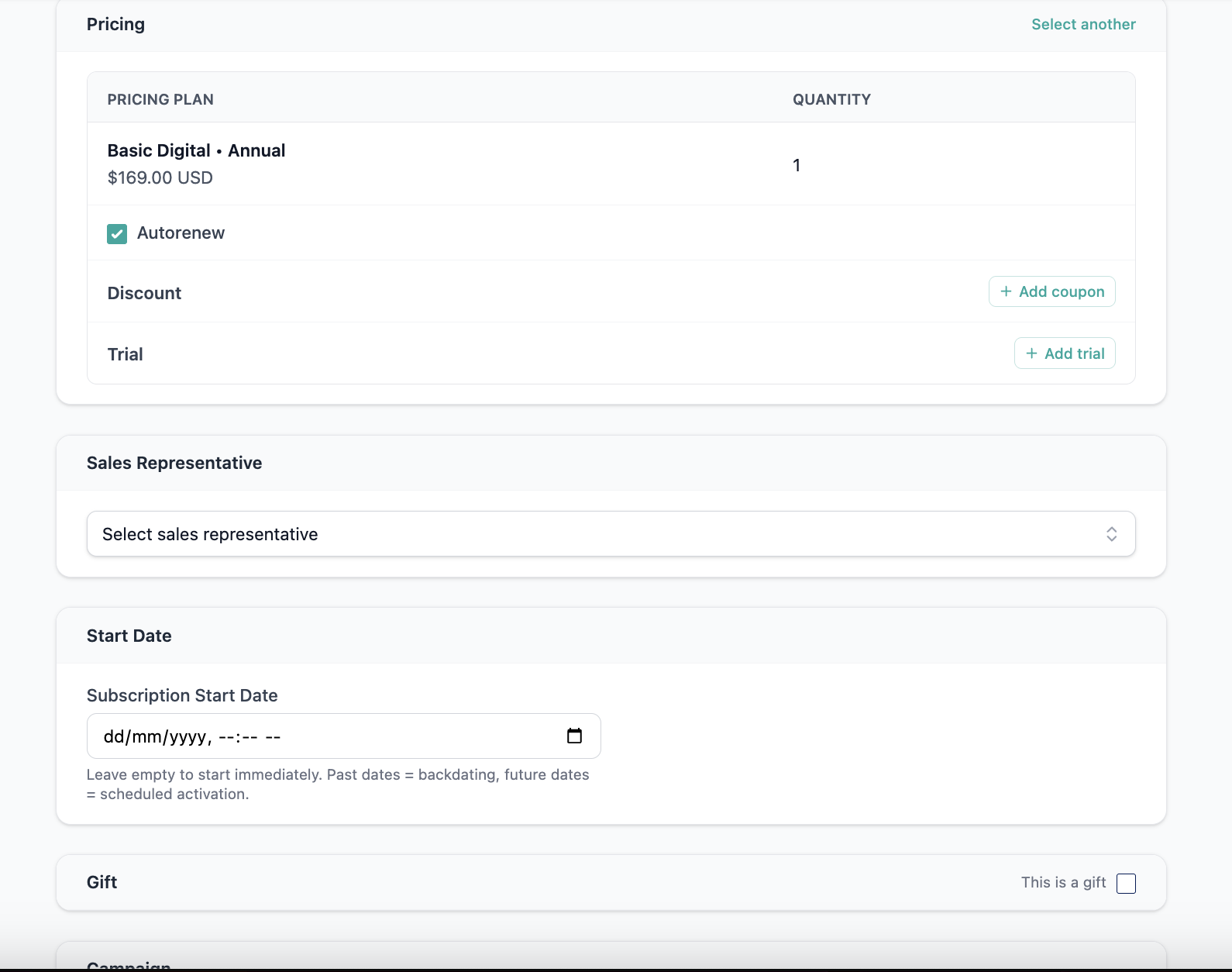
We’ve updated the Subscription Creation page with a modern UI/UX design to provide a cleaner, more intuitive experience when creating new subscriptions.
✅ What’s Improved:
- A redesigned subscription creation interface aligned with Pelcro’s latest UI standards
- Cleaner layout and improved form organization
- More intuitive data entry flow for creating subscriptions
- Enhanced responsiveness and usability across devices
🎯 Impact:
This update makes it faster and easier to create subscriptions, reducing friction and helping admins manage subscription data more efficiently.
🟢 Platform: ACH Payout Configuration for Vendors
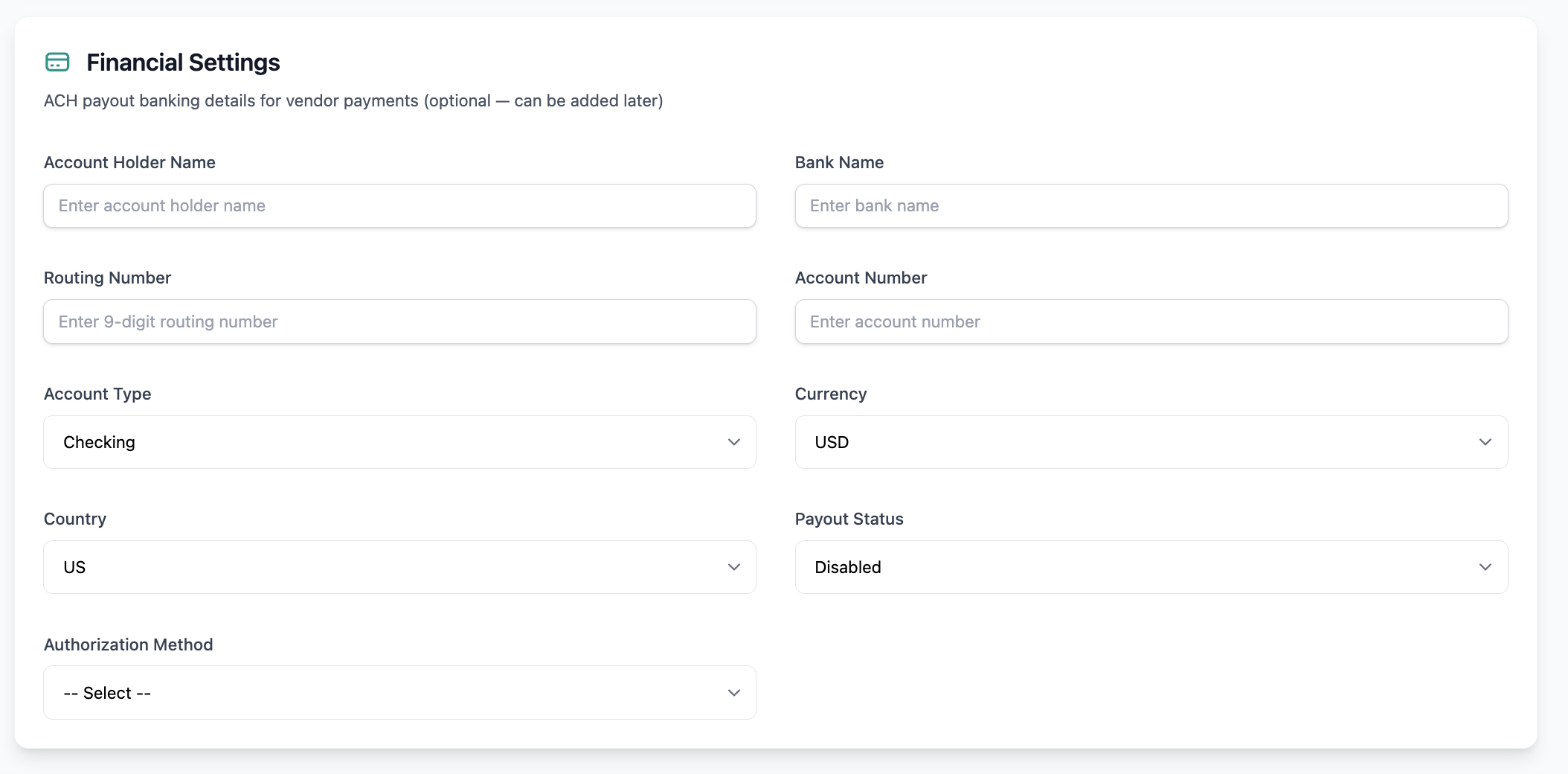
We’ve introduced support for ACH payout configuration on Vendor records, enabling finance teams to securely store banking details and streamline automated vendor payment workflows.
✅ What’s New:
- Vendor profiles can now store ACH payout details, including:
- Account holder name
- Bank name
- Routing / transit number
- Account number (securely stored / tokenized)
- Account type (Checking / Savings)
- Currency
- Country
- Payout method status (Enabled / Disabled / Invalid)
- A system-generated vendor identifier is created for use as the NACHA Individual Identification Number.
- Sensitive banking data is securely stored and masked for security and compliance.
🎯 Impact:
This enhancement creates a single source of truth for vendor payout details, enabling reliable ACH batch generation and payment exports, while reducing manual processing for finance teams.
🟢 Platform: ACH Originator Configuration for NACHA Exports
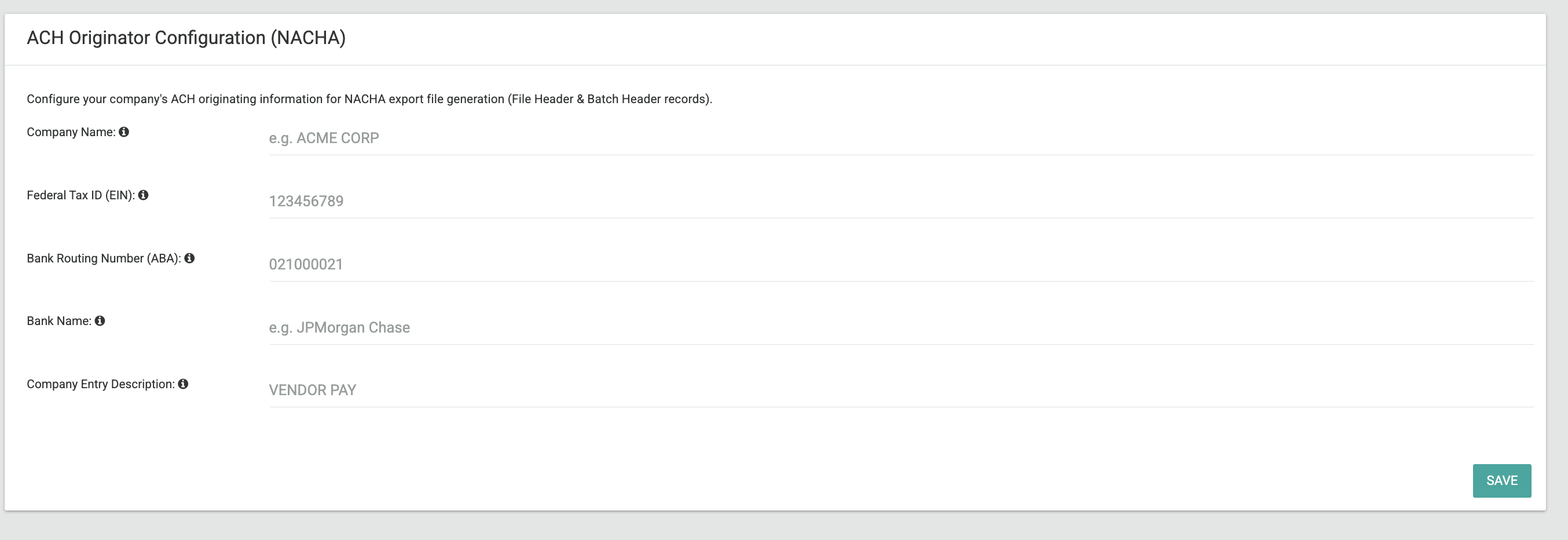
We’ve introduced ACH Originator Configuration to support compliant NACHA payment file generation for vendor payouts.
✅ What’s New
Pelcro now allows finance teams to store company-level ACH originator information, which is required to generate valid NACHA files.
The configuration is stored per account and used automatically when generating ACH export batches.
Stored fields include:
File Header Fields
- Immediate Destination — your bank 9-digit ABA routing number
- Immediate Origin — Typically "1" + company EIN
- Immediate Destination Name — your bank name
- Immediate Origin Name — your company name
Batch Header Fields
- Company Name — your company name
- Company Identification — Typically "1" + company EIN
- Originating DFI ID — First 8 digits of the bank routing number
- Company Entry Description — Payment description (e.g., "VENDOR PAY")
🗂 Configuration Fields
The following data is stored once:
- Client company name
- Client Federal Tax ID / EIN
- Client bank routing number (ABA)
- Client bank name
- Default Company Entry Description
🔐 Access & Location
The configuration can be managed in:
Settings → Account Settings → ACH Configuration
- Visible only to Admin users
- Used automatically when generating ACH vendor payout exports
🎯 Impact
This enhancement ensures Pelcro can generate fully compliant NACHA files by including both vendor banking details and originator banking metadata, enabling reliable automated ACH vendor payments.
🟢 Platform: Modernized Dashboard Metrics Experience
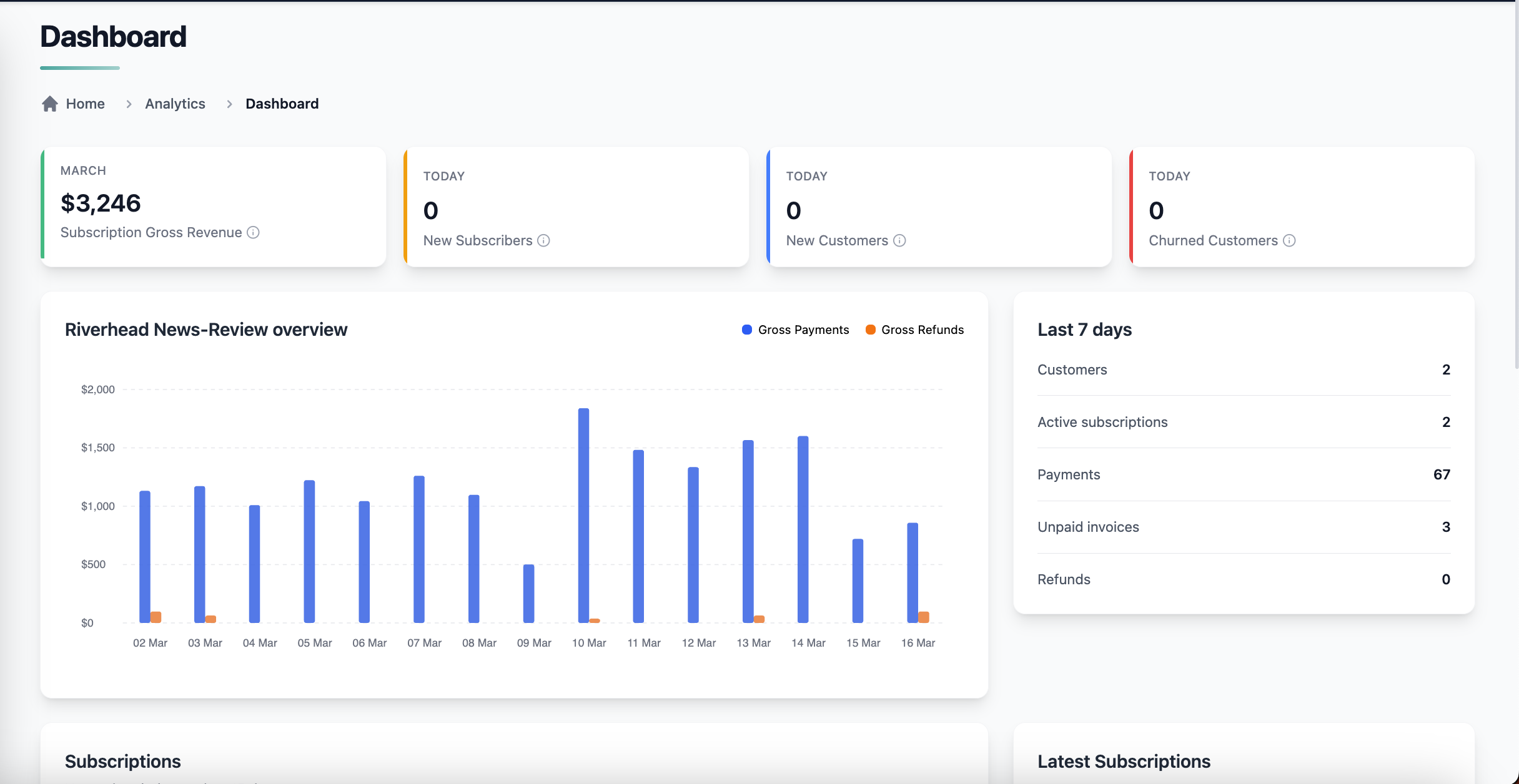
We’ve upgraded the Dashboard Metrics UI with a modernized design to improve clarity, usability, and visual consistency across the platform.
✅ What’s Improved:
- Updated metrics widgets using Pelcro’s latest UI/UX components
- Cleaner layout and improved visual hierarchy for key metrics
- Enhanced responsiveness and performance
- Better readability and navigation across dashboard insights
🎯 Impact:
This update provides a more intuitive and visually consistent dashboard experience, helping teams quickly understand key platform metrics and performance indicators.
🟢 Platform: Strong Password Enforcement Updated to Modern Security Standards
We’ve enhanced the Strong Password Enforcement feature to align with modern security standards such as NIST SP 800-63B and OWASP ASVS.
✅ What’s Changed:
- Minimum password length increased to 15 characters
- Maximum password length increased to 64 characters to support passphrases
- Enforcement applies across:
- Customer sign-up
- Password reset
- Password change flows
- Validation enforced consistently across API, UI, and SDK
🔒 Compatibility:
- Applies only to newly created or updated passwords
- Existing passwords remain valid and are not forced to reset
🎯 Impact:
This update improves account security by encouraging stronger passphrase-style passwords, helping organizations meet modern authentication and compliance standards without requiring custom configurations.
🟢 API: Support Phone Number Filtering in Customers Endpoint
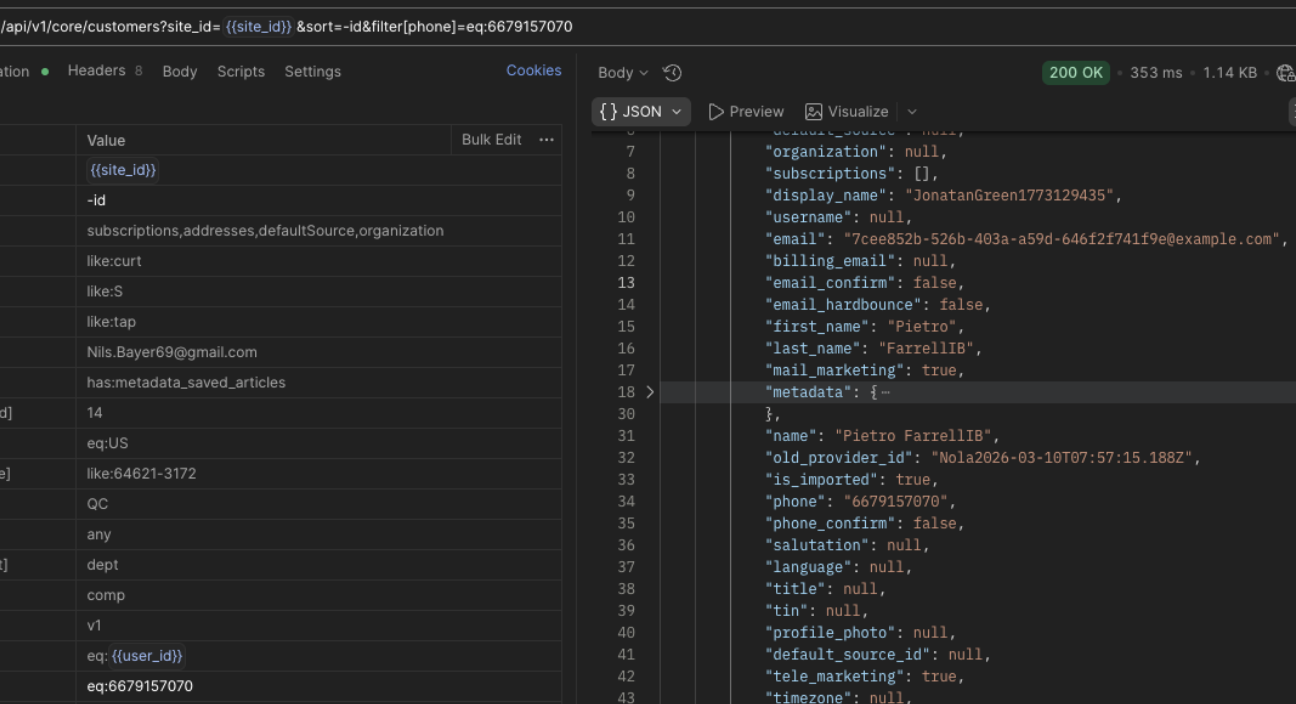
We’ve enhanced the List Customers (/customers) Core API endpoint to support searching customers by phone number, making it easier for support teams and integrations to locate customers using phone-based identifiers.
✅ What’s New:
- The
/customersendpoint now supports filtering customers by phone number. - Only the
eq(equals) operator is supported for phone filtering. - Proper validation errors are returned if unsupported operators are used.
- Database indexes added/optimized to ensure performant queries at production scale.
🎯 Impact:
This update improves operational workflows for call centers, CRM integrations, and support teams, allowing faster customer lookup using phone numbers directly through the API.
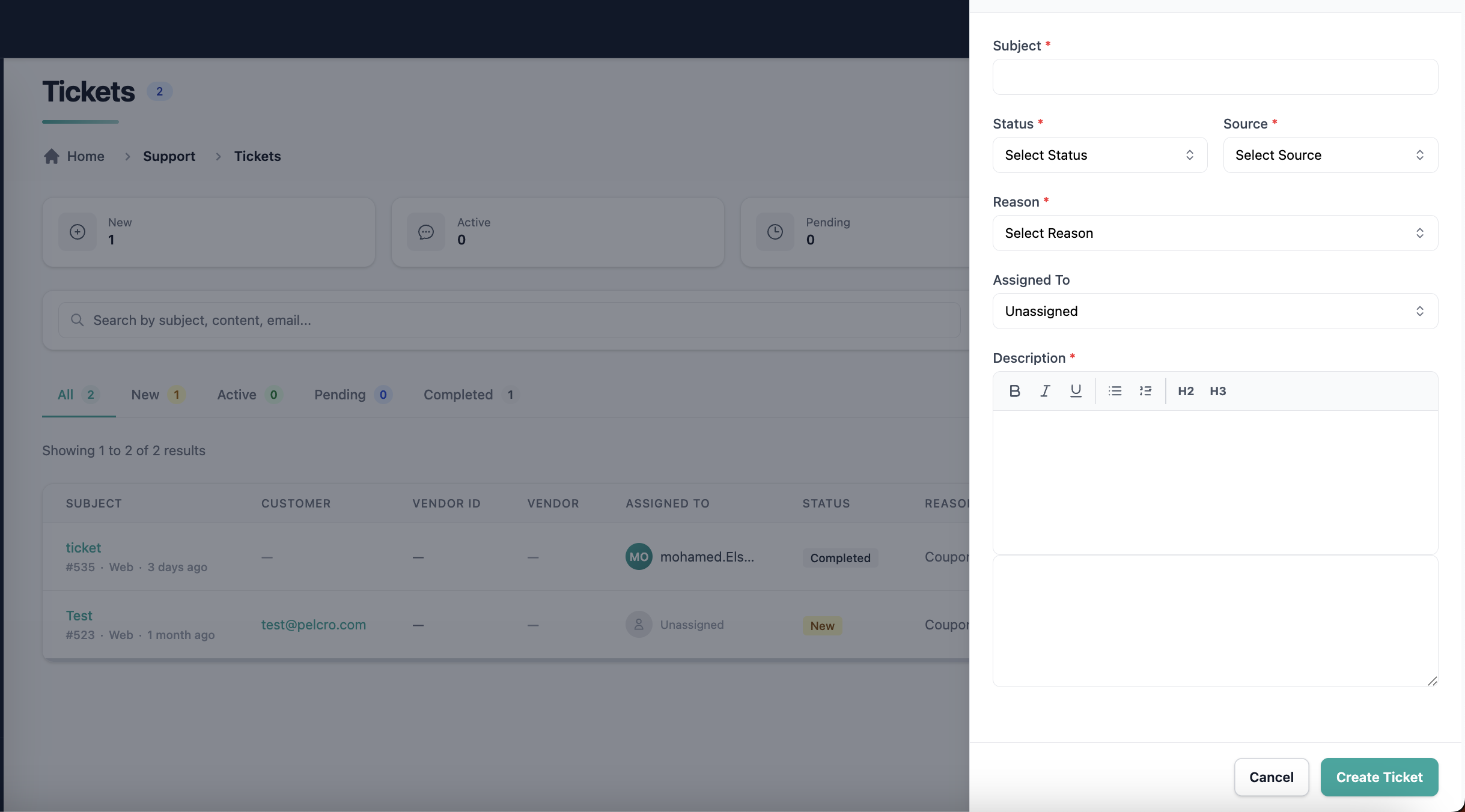
🟢 Platform: Enhanced Ticket Management & Assignment
We’ve improved the Tickets list view to better support high-volume support and operations workflows by introducing assignment capabilities and improved visibility into ticket metadata.
✅ What’s New:
- Tickets can now be assigned to collaborators to establish clear ownership.
- Anyone can create a ticket or assign it to a collaborator.
- Added sorting capabilities for:
- Created date
- Last updated date
🎯 Impact:
These improvements make it easier for support and operations teams to triage, prioritize, and manage tickets directly within the platform, reducing the need for external coordination and improving accountability.