

Release 2.2 (Tech Release 1.115)
🟢 Default UI: SEO Audit & Optimization for “Powered by Pelcro” Paywall Link
We’ve audited and optimized the existing “Powered by Pelcro” link in paywalls to ensure it follows SEO best practices and contributes backlink value to pelcro.com.
✅ What’s Included:
- Verified the link is crawlable and present in rendered HTML.
- Confirmed it is not embedded in a blocked iframe.
- Ensured the link is dofollow (not
rel="nofollow"orrel="sponsored"). - Updated anchor text to use clear branding (e.g., “Pelcro”).
- Ensured the link points to the correct canonical URL.
- Validated backlink detection using standard SEO tools (e.g., Ahrefs/SEMrush/GSC).
🎯 Impact:
This improvement ensures Pelcro’s paywall attribution link is SEO-safe, crawlable, and capable of passing backlink value—supporting long-term growth in domain authority.
🟢 Platform: Configurable Customer Balance Auto-Apply Rules (Pelcro Billing Engine)
We’ve introduced per-account controls for how customer balances are automatically applied to invoices, giving billing and finance teams greater flexibility, consistency, and auditability.
✅ What’s New:
-
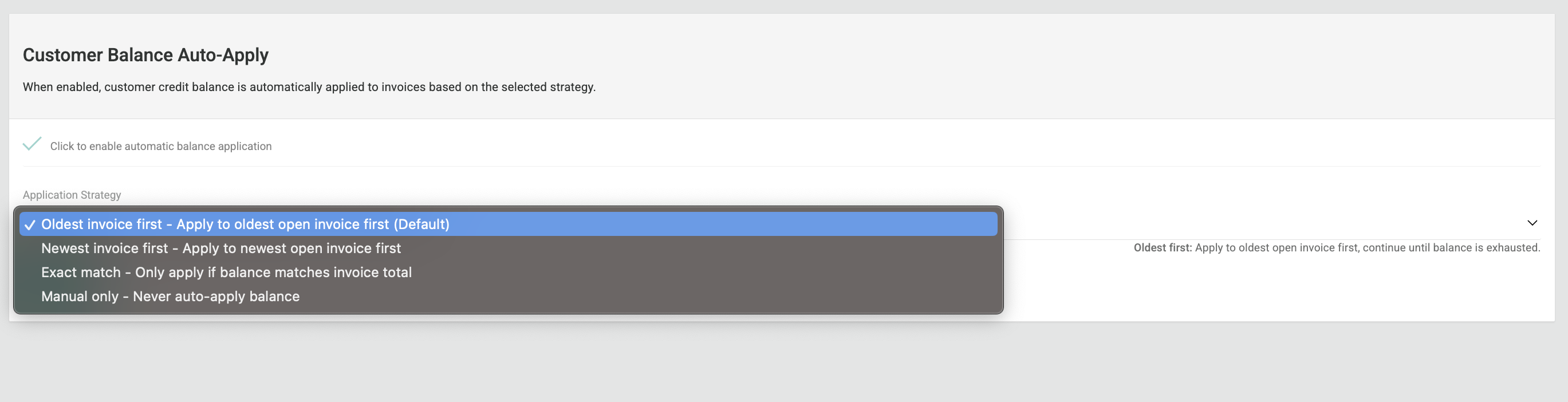
A new Customer Balance Auto-Apply setting is available in Billing Settings.
-
Admins can now define how balances are applied on a per-account basis:
- Oldest invoice first
- Exact amount match
- Newest invoice first
- Manual only (no automatic application)
-
The selected rule is stored at the account level.
-
When a new invoice is generated, balances are applied (or withheld) strictly according to the configured rule.
🔒 Manual Application Option
- When set to Manual only, balances remain available and are not applied automatically.
- Admins must explicitly apply the balance to a selected invoice.
🎯 Impact
This enhancement gives billing administrators full control over cash application behavior, prevents unintended invoice settlements, and ensures alignment with business rules and compliance requirements.
🟢 Platform: Bulk Print Open Invoices
We’ve introduced a Bulk Print capability to simplify invoice handling for high-volume billing operations and fulfillment workflows.
✅ What’s New:
- A new “Bulk Print” button is now available in the Invoices view.
- Users can:
- Select all invoices maximum of 300 invoice, or
- Choose specific invoices to include.
- Selected invoices are generated together as a single ZIP file containing multiple invoice PDFs in sequence.
🎯 Impact:
This enhancement reduces manual work, minimizes printing errors, and makes it easier for operations teams to send consolidated invoice files to print houses alongside fulfillment lists—saving time and improving workflow efficiency.

🟢 Platform: Delivery Instructions for Shipping Addresses
We’ve introduced Delivery Instructions for shipping addresses, allowing customers and admins to store important delivery preferences directly within the platform.
✅ What’s New:
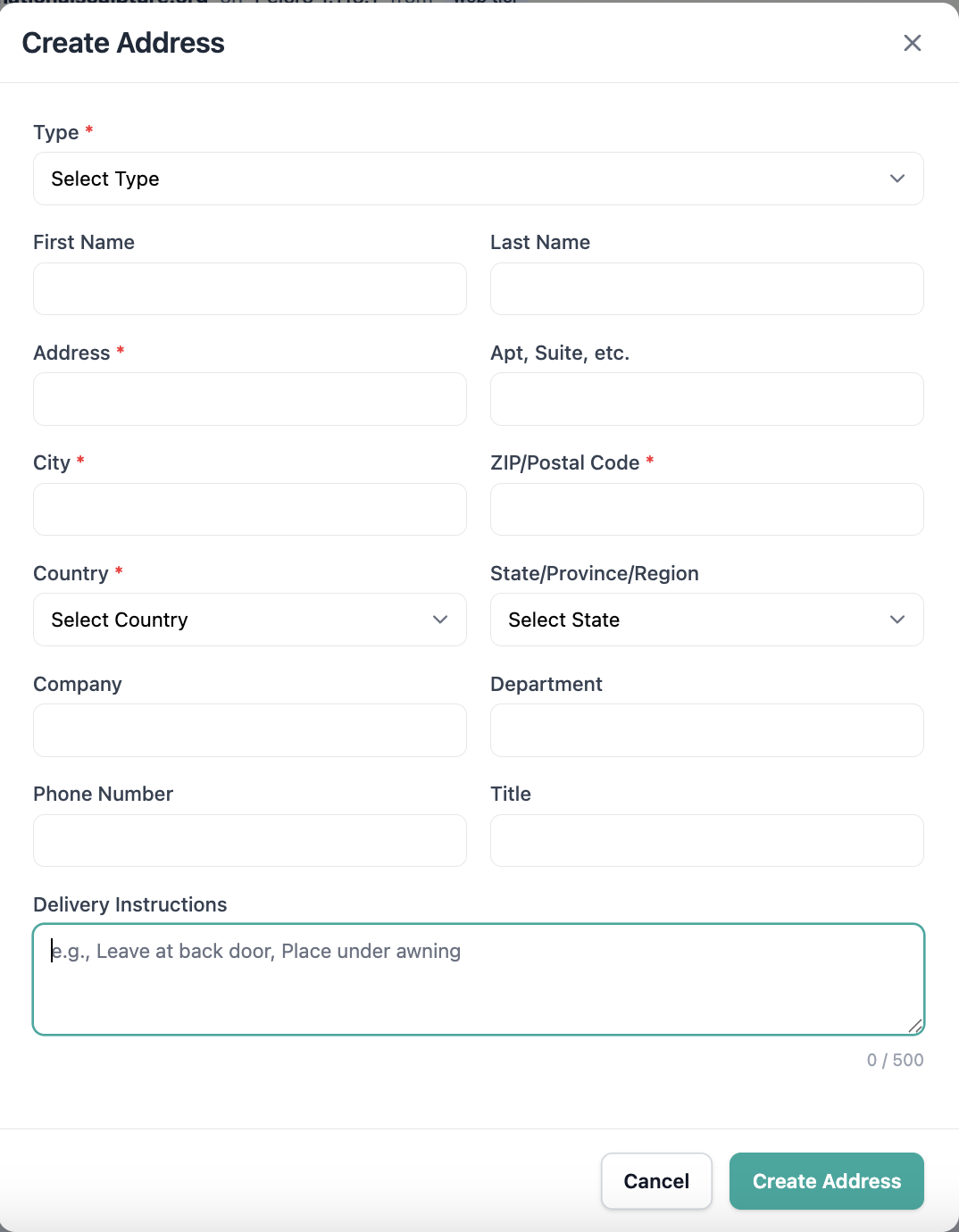
- A new
delivery instructionsfield is now available when creating or editing a shipping address. - Instructions are saved with the address and accessible across:
- Dashboard UI
- Core API & Open API
- SDKs
- The field is included in:
- Address API responses
- Address-related webhooks (
address.created,address.updated) - List and Fulfillment exports (CSV/Excel)
🔒 Scope & Limitations:
- Optional field with a 500-character limit.
- Text-only input (no formatting or attachments).
- Not included in fulfillment event webhooks.
🎯 Impact:
This enhancement helps fulfillment teams and delivery partners follow customer-specific delivery preferences more accurately — reducing delivery errors and improving overall customer satisfaction.
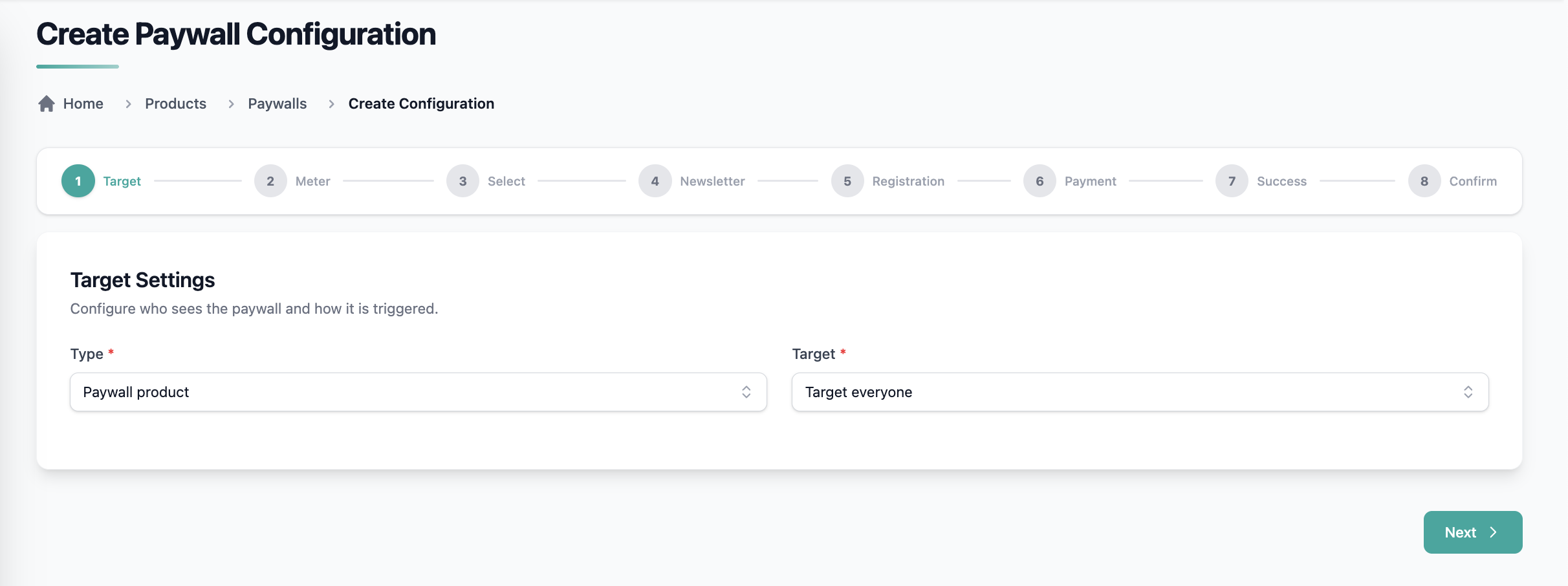
🟢 Platform: Paywall UI Upgrade with Controlled Rich Text Support
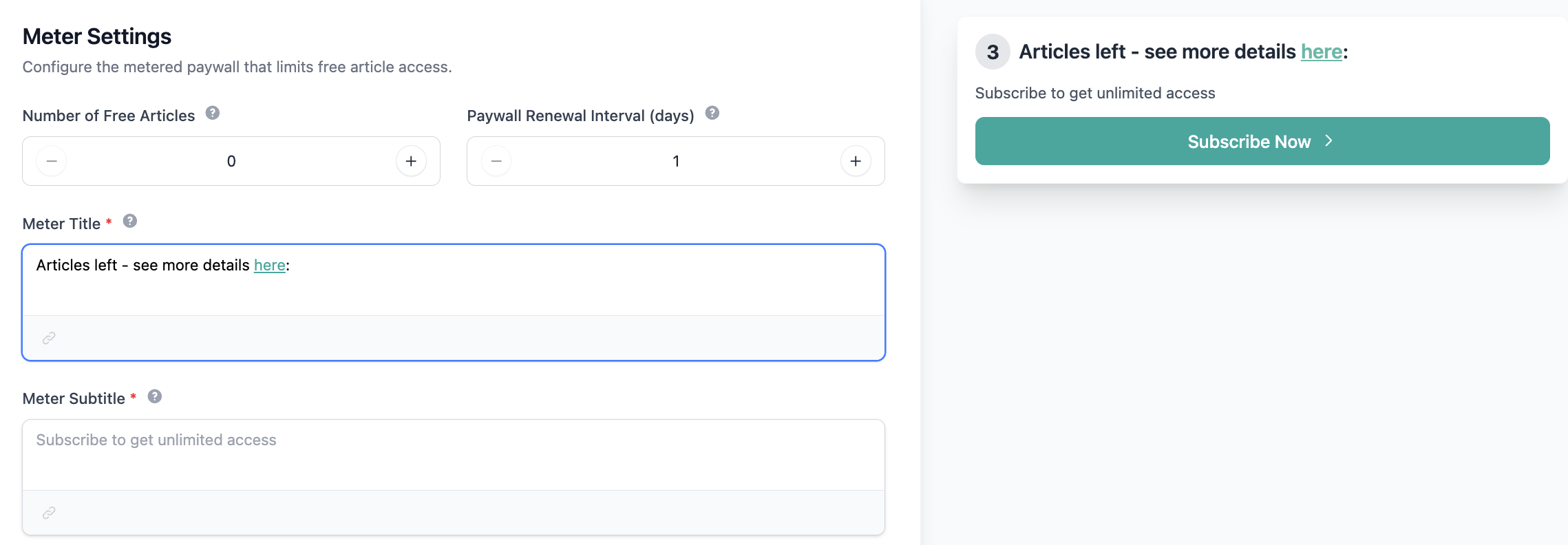
We’ve upgraded the Paywall Configuration UI using Preline templates and introduced limited rich text support for title and subtitle fields.
- Admins can now add anchor links using a visual rich text editor.
- Supported formatting is limited to plain text + links only.
- Images, lists, headings, HTML, scripts, and other formatting are not supported.
- API endpoints now accept and return link-enabled content with strict server-side validation.
- Rendering remains consistent across Pelcro Default UI, React Elements, and JS SDK.
- Existing text-only configurations remain fully backward compatible.
This update improves flexibility while maintaining security and consistent rendering.
🟢 Platform: Enhanced Audit Visibility Across Customer Activities
We’ve introduced improved audit visibility across customer-related actions to provide clearer insight into who performed key account changes throughout the platform.
✅ What’s New:
-
Payment Details
- New “Posted by” field showing who initiated the offline payment.
-
Refund Details
- New “Refunded by” field indicating:
- Collaborator (manual refunds)
- System (dispute-driven refunds)
- New “Refunded by” field indicating:
-
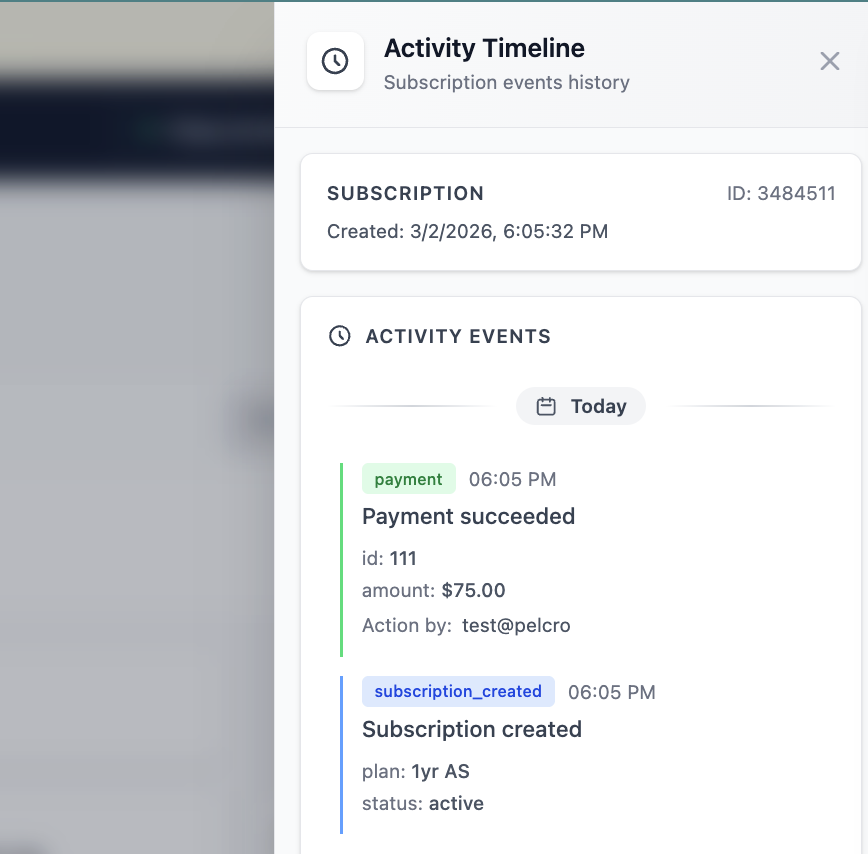
Subscription Activity Logs
- Activity logs now include an “Action by” field displaying the collaborator email or end user responsible for the action.
🎯 Impact:
These enhancements improve transparency and auditability across customer operations, helping support and operations teams quickly investigate account changes, distinguish system vs. manual actions, and reduce time spent tracing updates.
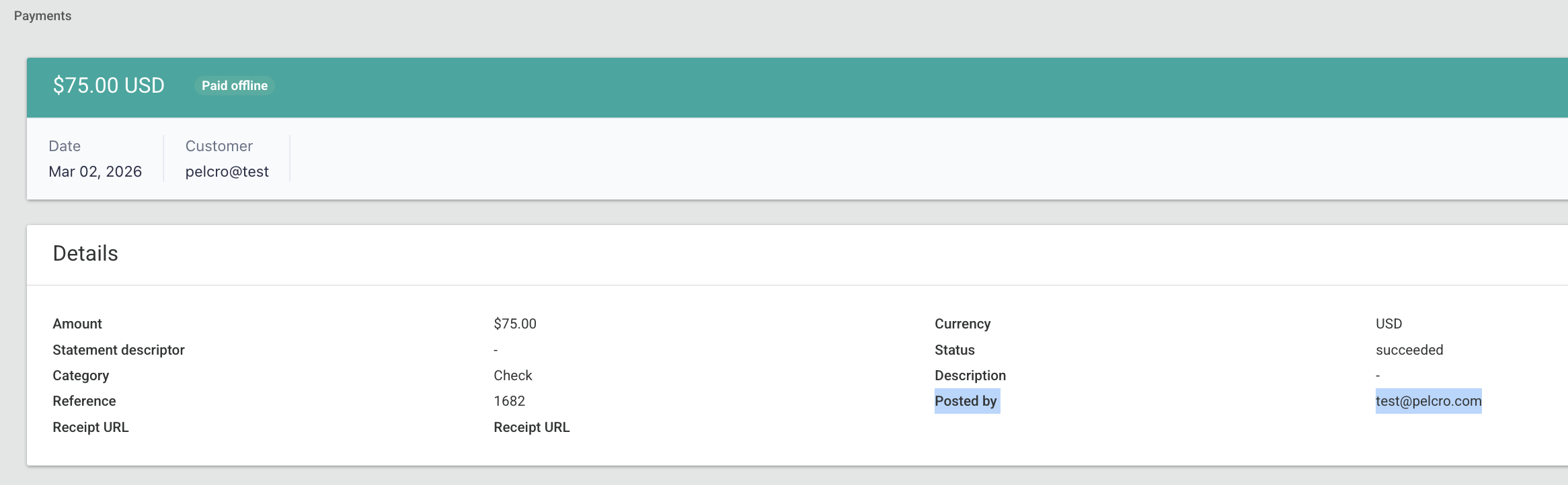
🟢 Platform: “Refunded By” Visibility in Refunds List & Exports
We’ve improved refund transparency by exposing who initiated each refund directly within the platform and exports.
✅ What’s New:
- A new “Refunded by” field is now displayed on:
- The Refund details page
- The Refunds list view
- The Refunds export now includes a
refunded_bycolumn. - The Refund details page also displays the associated refund reason.
🎯 Impact:
This enhancement increases auditability and operational clarity by allowing collaborators and support teams to quickly identify who initiated a refund — reducing investigation time and improving internal accountability.

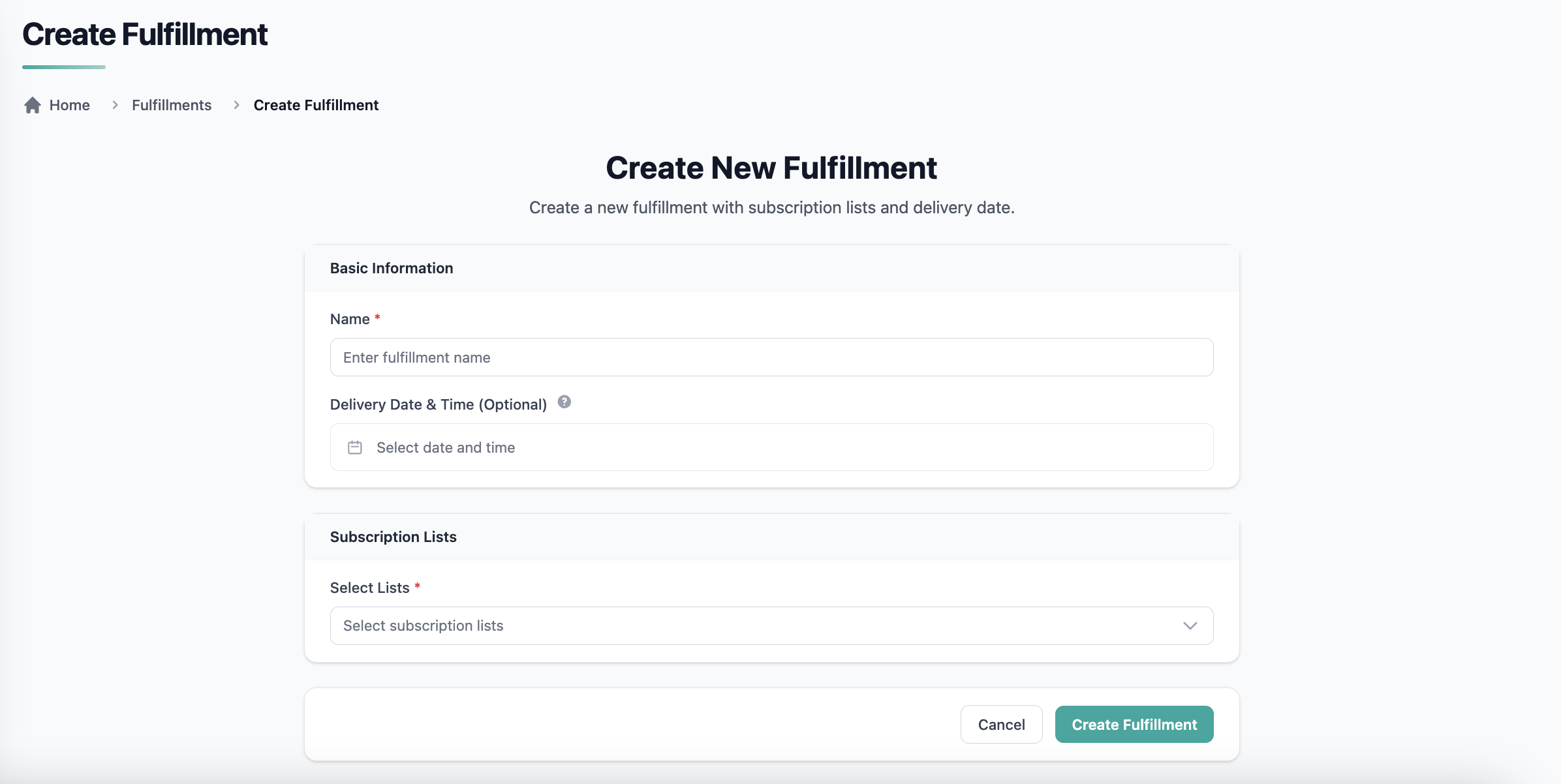
🟢 Platform: Visual Enhancements to Fulfillment Views
We’ve upgraded the Fulfillment experience with improved visual design and layout consistency to better support operational workflows and external product demonstrations.
✅ What’s New:
- A refreshed Fulfillments List view with a cleaner, more polished layout.
- An enhanced Fulfillment Details view presenting fulfillment data in a clearer and more visually consistent format.
- Improved spacing, alignment, and UI consistency aligned with Pelcro’s modern design standards.
🎯 Impact:
These visual enhancements provide a more professional and intuitive fulfillment experience while enabling the creation of high-quality demo videos, screenshots, and marketing materials that accurately reflect the platform’s capabilities.
🟢 Platform: Export Access Enabled for Sales Role Collaborators
We’ve expanded export capabilities to allow Sales-role collaborators to export data directly from the views they already have permission to access — improving autonomy and reducing reliance on admin users.
✅ What’s New:
- Sales-role collaborators can now export data from supported list views, including:
- Customers
- Subscriptions
- Memberships (where access is permitted)
- Exports respect existing role permissions, ensuring users can only export records and fields visible to them in the UI.
- Export format matches existing platform standards (CSV).
🎯 Impact:
This enhancement empowers sales teams to run reporting, follow-ups, and operational workflows independently — reducing bottlenecks, improving efficiency, and enabling faster decision-making without requiring admin-generated exports.
🟢 Platform: Updated Product Edit Page UI
We’ve refreshed the Product Edit page with a modernized layout and improved visual consistency to align with Pelcro’s updated UI standards.
✅ What’s New:
- A cleaner, more structured Product Edit interface.
- Improved spacing, alignment, and grouping of configuration sections.
- Enhanced readability and usability across desktop and responsive views.
- Consistent styling aligned with the latest platform design updates.
🎯 Impact:
This update provides a more intuitive and polished editing experience, making it easier for admins to configure products efficiently while maintaining a consistent look and feel across the platform.
🟢 Platform: Balanced Accounting for Gift Discounts & Refunds
We’ve enhanced the accounting logic for gift subscriptions to ensure that discounts and refunds generate fully balanced debit and credit entries—eliminating reconciliation mismatches.
✅ What’s Improved:
- Upon gift redemption, the recipient invoice subtotal is cloned exactly from the donor invoice.
- The donor invoice is replicated on the recipient side, including:
- Applied discounts
- Applied refunds (if any)
- Line items and pricing structure
- The recipient invoice now mirrors the donor invoice’s financial values at the time of redemption.
🎯 Impact:
This enhancement ensures that discounts and refunds remain properly reflected across both donor and recipient invoices, keeping accounting entries balanced and reducing the need for manual ledger corrections.
Applies to all newly created gifts moving forward.